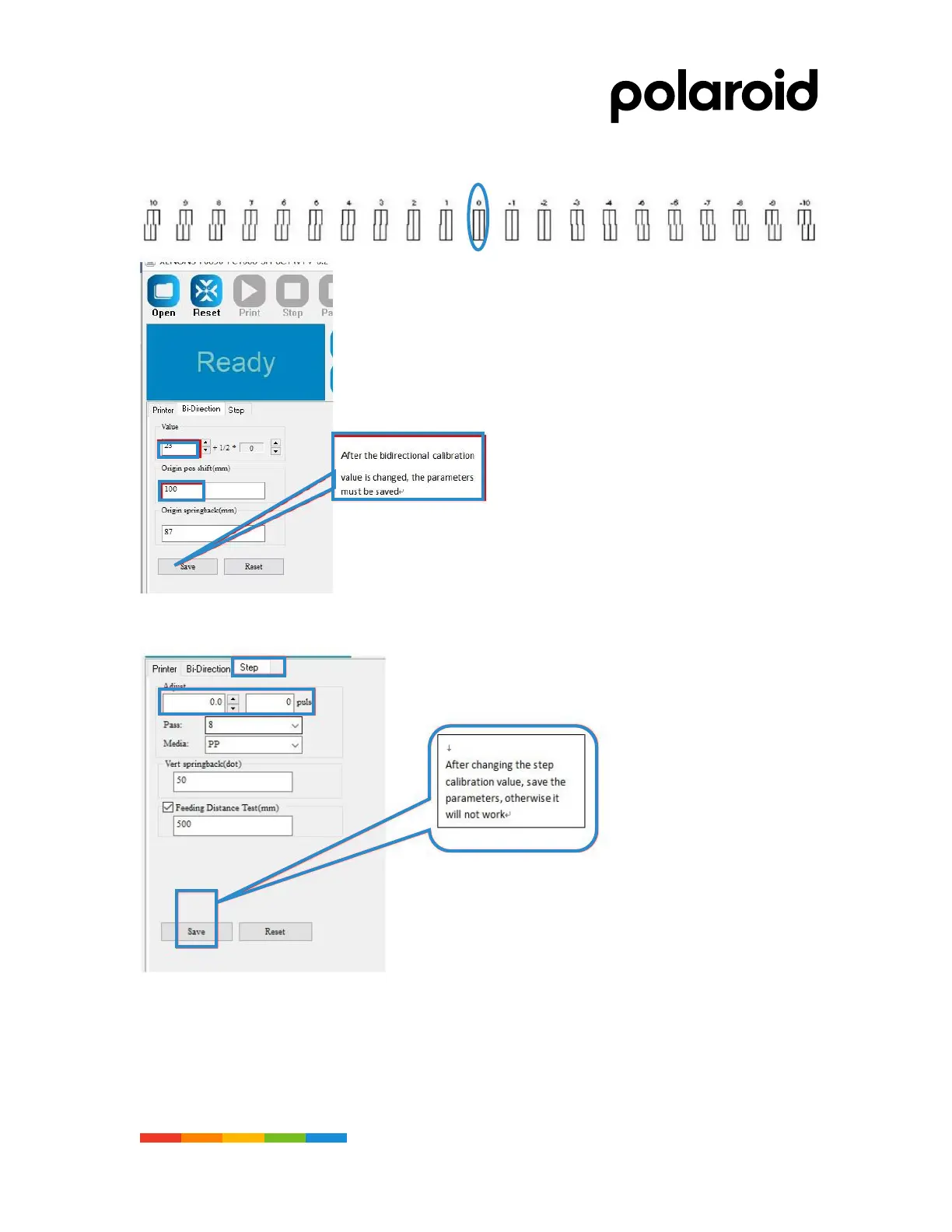
Bi–direction calibration makes the carriages
to print in both directions in the same
direction when printing. The bid-direction
calibration chart can be used to increase or
decrease the most neat value of the box in
the bid-direction calibration setting
parameters in the software. When the print
speed changes, bid-direction calibration
isrequired to print the perfect quality. When
printing at the same print speed, the printer
should be bi-directionally calibrated
periodically depending on the mechanical
status. “Save parameters” after each
change of value. Make sure the new
numeric parameters are saved.
0 -1 -2 -3 -4 -5
Select “Feeding Gear Ratio
Test” under the “Machine
Test” menu. In the pop-up
window, select “Print Fine
Adjustment Calibration
Chart”, as shown in the figure
below, find the value of
vertical alignment and fill in
the “Step Calibration Value”.
And then calculate the gear
ratio.



 To Next Page