9
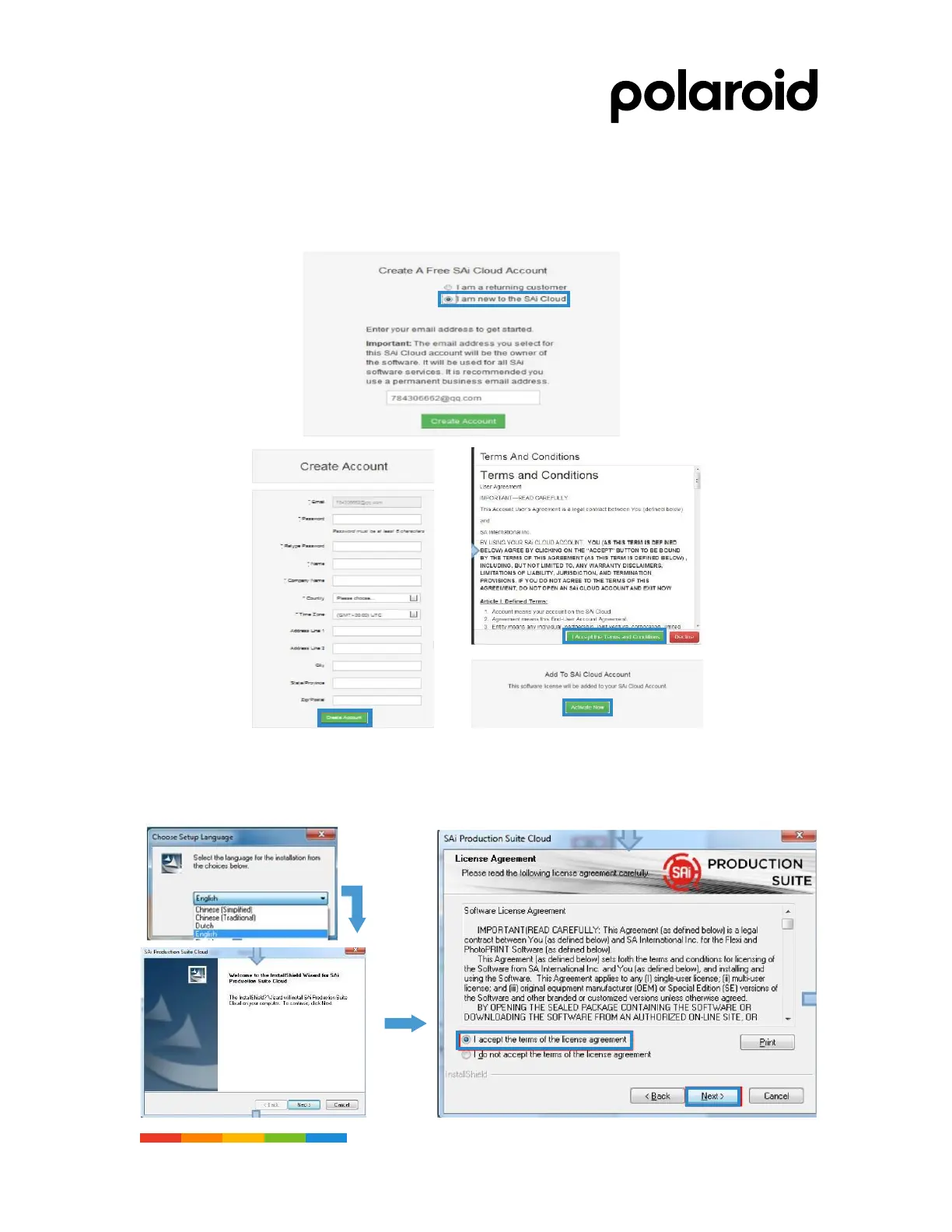
• Select "I am a new user of SAi Cloud", input the email address and create the account. After the
creation, enter the email to check and confirm the email, click the link in the email, and enter the
account password and other registration information to complete the account registration.
• Put the software installation cd-rom in the computer cd-rom drive, automatically play the cd-rom or
manually open Autorun in the cd-rom directory, select the installation language, accept the
software license agreement and set the software installation directory.



 To Next Page