EasyManua.ls Logo

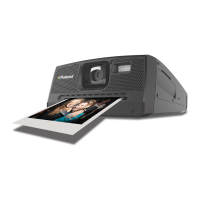
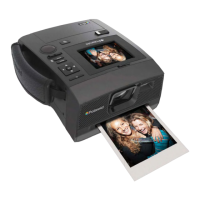
Polaroid Z340E - User Manual

Polaroid Z340E
64 pages
Print Icon
To Next Page IconTo Next Page
Loading...
Questions?
Need some help?
This guide will help you
enjoy your new product
or visit
www.polaroid.com
For more information
consult the user
manual on the
included CD-ROM
Instant Digital
Camera
with ZINK
®
Zero Ink
®
Printing Technology
Z340
USER MANUAL
ENGLISH

Questions and Answers

  • J
    John Sims MDAug 17, 2025
    What to do if my Polaroid Z340E Digital Camera LCD displays 'Memory full'?
    • C
      Charles PittsAug 18, 2025
      If your Polaroid Digital Camera LCD displays 'Memory full', it means the memory card is full. You can either replace the memory card with a new one or delete unnecessary images to free up space.
  • S
    sandra39Aug 20, 2025
    Why does my Polaroid Z340E Digital Camera turn off and show an empty battery icon?
    • M
      Maurice WilliamsAug 20, 2025
      If your Polaroid Digital Camera displays an empty battery icon and then turns off, it means the battery is exhausted. Charge the battery to resolve this.
  • S
    Sierra CharlesAug 22, 2025
    What does 'Card locked' mean on my Polaroid Z340E?
    • O
      oreevesAug 23, 2025
      If the LCD monitor displays 'Card locked' on your Polaroid Digital Camera, it indicates that the memory card is protected. Remove the card and slide the write-protect switch to its unlock position.
  • B
    Brenda HallAug 26, 2025
    What to do if my Polaroid Z340E turns off automatically?
    • S
      Susan MataAug 26, 2025
      If your Polaroid Digital Camera turns off automatically, press the Power button to turn it back on.
  • K
    Kimberly CisnerosAug 28, 2025
    Why does my Polaroid Z340E display 'Copy error'?
    • P
      Paul JacksonAug 28, 2025
      If your Polaroid Digital Camera displays 'Copy error', it means the memory card is protected or full. To fix this, remove the card and slide the write-protect switch to its unlock position. If that doesn't work, replace the card or delete unnecessary files.
  • S
    stoutaprilAug 30, 2025
    How to fix a dark LCD screen on Polaroid Digital Camera?
    • G
      gmosesAug 30, 2025
      If the LCD on your Polaroid Digital Camera turns dark, press any button except the Power button to turn on the LCD.
  • G
    George NashSep 2, 2025
    What does 'Format error' mean on my Polaroid Digital Camera?
    • M
      Megan SmithSep 2, 2025
      If your Polaroid Digital Camera LCD displays 'Format error', the card may be damaged. Try changing the card or wipe to clean the connected points.
  • W
    warrenadrienneSep 4, 2025
    What to do if my Polaroid Z340E displays 'Decode error'?
    • A
      Anthony AlexanderSep 4, 2025
      If your Polaroid Digital Camera LCD displays 'Decode error', a processing error has occurred. Turn the camera off and then back on to resolve this.
  • K
    kwalkerSep 7, 2025
    What does 'Out of Paper' mean on Polaroid Digital Camera?
    • W
      William ObrienSep 7, 2025
      If your Polaroid Digital Camera displays 'Out of Paper', open and load a pouch of Polaroid ZINK® Paper®.
  • A
    Angela CraigSep 9, 2025
    Why does my Polaroid Z340E Digital Camera LCD monitor display 'No image'?
    • J
      Joseph BrownSep 9, 2025
      The 'No image' message on your Polaroid Digital Camera LCD monitor means there is no image file in the memory card or the image file format may not be supported.

Summary

Preface

Safety and Handling Precautions

Crucial guidelines for safe camera operation, including battery handling and environmental considerations.

Introduction

Getting Started

Inserting the Battery

Step-by-step instructions for correctly inserting the rechargeable battery into the camera.

Loading ZINK Paper

Guide on how to properly load ZINK Paper® into the camera's paper tray for printing.

Recording Images, Videos and Voices

Taking Images

Step-by-step guide on capturing still photographs using the camera.

Recording Videos

Instructions for recording video clips, including operation and relevant settings.

Playback

Playing Videos

Detailed steps for playing video clips, including controls and volume.

Deleting an Image;Video;Audio

Procedures for removing unwanted files from the camera's memory.

Printing

Using the Print Mode

Introduction to printing images directly from the camera to the ZINK printer.

Using the Setup Menu

Reset All

Instructions for restoring the camera to its original factory default settings.

Making Connections

Connecting the Camera to a PC

Steps for connecting the camera to a computer for transferring images and videos.

Troubleshooting

Z340 Technical Specifications

Polaroid Z340E Specifications

General IconGeneral
Camera TypeInstant Digital Camera
Image SensorCMOS
DisplayLCD
StorageSD/SDHC card
Print Size3x4 inches
ConnectivityUSB 2.0
Digital Zoom4x
Megapixels14.0 MP
Sensor Size1/3.2 inch
Print TechnologyZINK (Zero Ink)
BatteryRechargeable Lithium-ion battery

Related product manuals