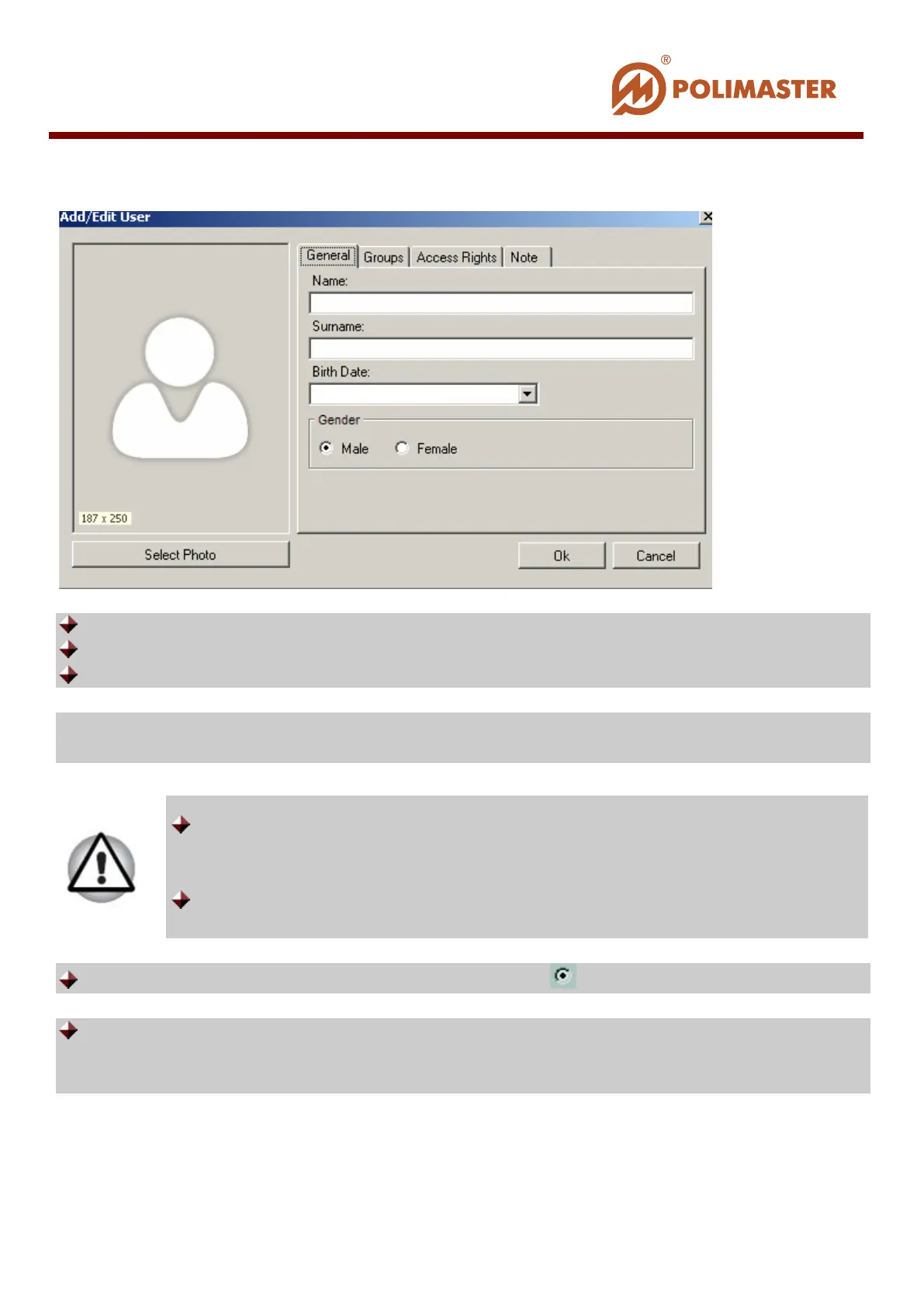
General Tab
Name – user name;
Surname – user family name;
Birth Date – user birth date.
Name and Surname of the user are displayed in the main program window system
components field.
Gender – flag required Male/Female radio-button ( ).
Select photo – press this button to activate Open window. Here MAIN
ADMINISTRATOR can choose required photo stored in PC memory. Software
automatically resizes photo to the 187x250 pixel size.
Name, Surname and Birth Date –
characteristic system parameters of
the user account.
Software checks uniqueness of the user account data in the system.
____________________________________________________________________________________
© 2016 Software Guide www.polimaster.com
84


 To Next Page