EasyManua.ls Logo

Polk Mono PRC200BC - Operation of the PRC200 BC Remote Control; Main Buttons Functionality; Soft Buttons Functionality Overview

Polk Mono PRC200BC
5 pages
Print Icon
To Next Page IconTo Next Page
To Previous Page IconTo Previous Page
Loading...
Operation
Main Buttons
Control Action Standby
Radio USB iPod AUX Bluetooth
SiriusXM Weather
Band
Power
Press
Turn
System
On
Turn
System to
Standby
mode
Turn
System to
Standby
mode
Turn
System to
Standby
mode
Turn
System to
Standby
mode
Turn
System to
Standby
mode
Turn
System to
Standby
mode
Turn
System to
Standby
mode
VOL+
UP
Press Volume
Increase
Volume
Increase.
Directory
search
mode:
navigate
up the list.
Volume
Increase.
Directory
search
mode:
navigate
up the list.
Volume
Increase
Volume
Increase
Volume
Increase
Volume
Increase
Hold
MENU State
: Select
UP items.
Press
ENTER
button to
select a
different
item. Press
ENTER
again to
make
selection.
MENU State
: Select
UP items.
Press
ENTER
button to
select a
different
item. Press
ENTER
again to
make
selection.
MENU State
: Select
UP items.
Press
ENTER
button to
select a
different
item. Press
ENTER
again to
make
selection.
MENU State
: Select
UP items.
Press
ENTER
button to
select a
different
item. Press
ENTER
again to
make
selection.
MENU State
: Select
UP items.
Press
ENTER
button to
select a
different
item. Press
ENTER
again to
make
selection.
MENU State
: Select
UP items.
Press
ENTER
button to
select a
different
item. Press
ENTER
again to
make
selection.
MENU State
: Select
UP items.
Press
ENTER
button to
select a
different
item. Press
ENTER
again to
make
selection.
VOL-
DN
Press
Volume
Decrease
Volume
Decrease.
Directory
search
mode:
navigate
down the
list.
Volume
Decrease.
Directory
search
mode:
navigate
down the
list.
Volume
Decrease
Volume
Decrease
Volume
Decrease
Volume
Decrease
Hold
MENU State
: Select
DOWN
items. Press
ENTER
button to
select a
different
item. Press
ENTER
again to
make
selection.
MENU State
: Select
DOWN
items. Press
ENTER
button to
select a
different
item. Press
ENTER
again to
make
selection.
MENU State
: Select
DOWN
items. Press
ENTER
button to
select a
different
item. Press
ENTER
again to
make
selection.
MENU State
: Select
DOWN
items. Press
ENTER
button to
select a
different
item. Press
ENTER
again to
make
selection.
MENU State
: Select
DOWN
items. Press
ENTER
button to
select a
different
item. Press
ENTER
again to
make
selection.
MENU State
: Select
DOWN
items. Press
ENTER
button to
select a
different
item. Press
ENTER
again to
make
selection.
MENU State
: Select
DOWN
items. Press
ENTER
button to
select a
different
item. Press
ENTER
again to
make
selection.
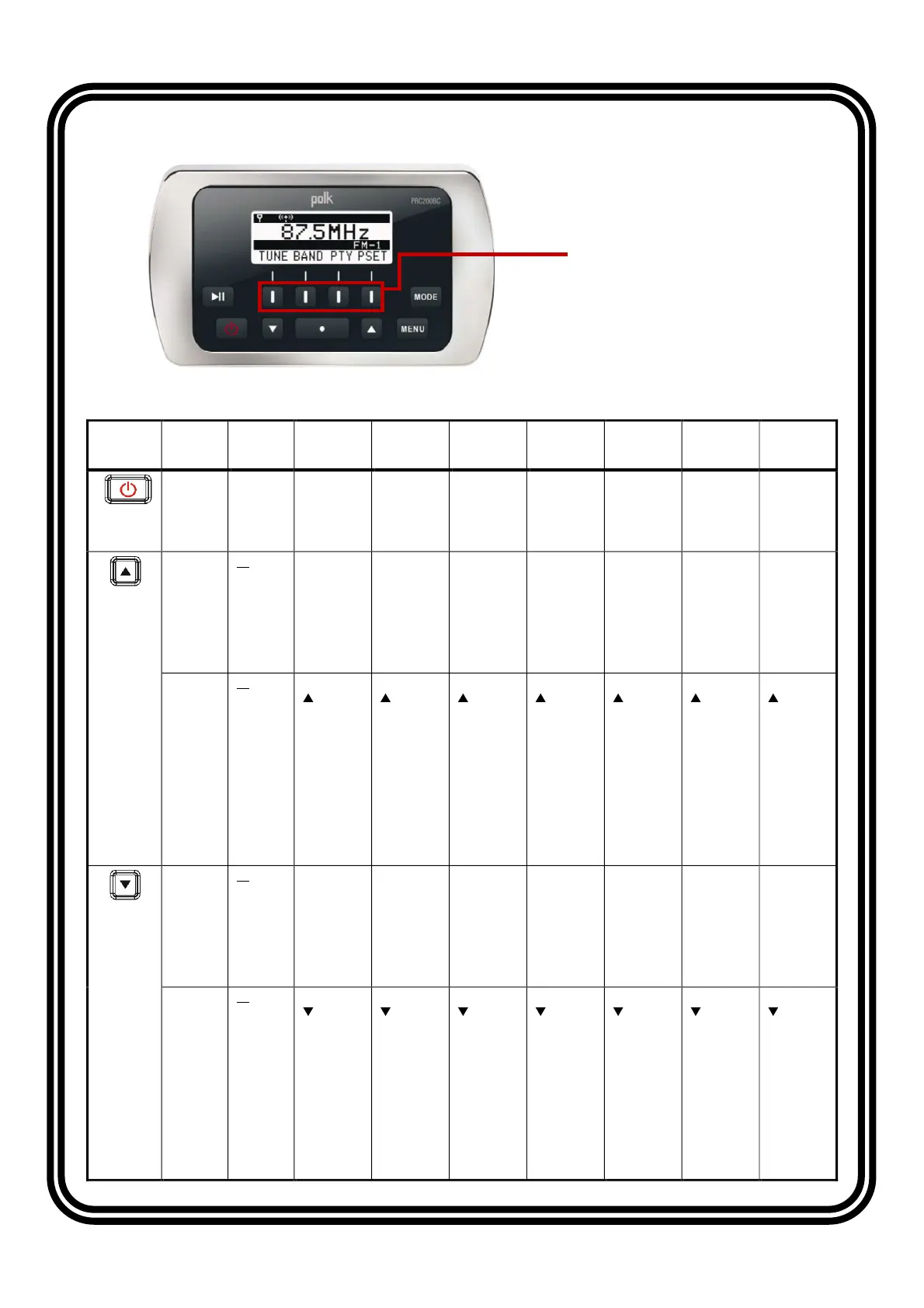
Soft Buttons
(Key 1 to Key 4, from left to right)