EasyManua.ls Logo

Poly VOYAGER FREE 60 UC - User Manual

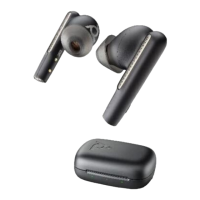
Poly VOYAGER FREE 60 UC
2 pages
Print Icon
To Next Page IconTo Next Page
Loading...
QUICK START
CORDED CHARGING
WIRELESS QI CHARGING
CHECK BATTERY LEVEL
EARBUDS ON
EARBUDS OFF
Charger not included
DOWNLOAD APP
Download Poly Lens App to get the most
out of your wireless earbuds.
Customize swipe features
Change settings
Update devices
View user guide
Green = Battery high
Yellow = Battery low
Red = Battery critical
BT700 Bluetooth™ adapter
design may vary
poly.com/lens
Poly Lens Mobile App
Poly Lens Desktop App
VOYAGER FREE 60 UC
WITH BASIC CHARGE CASE
Question and Answer IconNeed help?

Do you have a question about the Poly VOYAGER FREE 60 UC and is the answer not in the manual?

Summary

Charging and Battery Status

Corded Charging

Instructions for charging the earbuds and case using a wired connection.

Wireless Qi Charging

Guidance on charging the earbuds case using a Qi-certified wireless charger.

Check Battery Level

Explanation of LED indicators (Green, Yellow, Red) for battery charge levels.

Poly Lens App

Download App

Information on downloading the Poly Lens App for feature customization and updates.

Earbud Controls and Functions

Button Operations

Details on functions activated by pressing the earbud buttons (e.g., Siri/Google Assistant).

Swipe Gestures

Instructions for using swipe gestures for volume control and call management.

Pairing Devices

Mobile Phone Pairing

Step-by-step guide for pairing the earbuds with a mobile phone.

Computer Pairing

Instructions for connecting the earbuds to a computer using the BT700 adapter.

Fit and Eartips

Earbud Fit

Guidance on rotating earbuds for optimal fit and sound quality.

Eartips Selection

Instructions on selecting and replacing eartips for comfort and bass response.

Overview

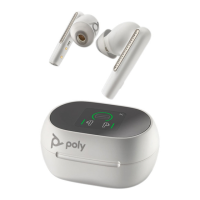
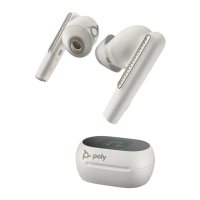
This document describes the Poly Voyager Free 60 UC with Basic Charge Case, a set of wireless earbuds designed for communication and media consumption, featuring a companion Bluetooth™ adapter (BT700) for enhanced connectivity.

Function Description:

The Poly Voyager Free 60 UC earbuds are designed to provide a high-quality audio experience for both calls and media. They offer active noise cancellation (ANC) and transparency modes, allowing users to control their auditory environment. The earbuds are equipped with touch controls for various functions, and they can be paired with both mobile phones and computers. The included charge case not only protects the earbuds but also provides power, supporting both corded and wireless (Qi certified) charging methods. The BT700 Bluetooth™ adapter ensures a reliable and optimized connection to computers, making it suitable for unified communications (UC) environments.

Usage Features:

Earbud Management:

  • Earbuds On: To turn the earbuds on, simply remove them from the charge case.
  • Earbuds Off: To turn the earbuds off, place them back into the charge case.

Charging:

  • Corded Charging: The charge case can be charged using a corded connection.
  • Wireless Qi Charging: The charge case supports wireless charging using a Qi-certified charger (charger not included).
  • Battery Level Check: The charge case indicates battery status:
    • Green: Battery high
    • Yellow: Battery low
    • Red: Battery critical

Controls:

The earbuds feature both button and swipe controls for various functions.

  • Button Controls (Either Earbud):

    • Pressing the button for 4 seconds (0:04) activates Siri/Google Assistant.
    • Pressing the button for 2 seconds (0:02) performs a specific action (not explicitly detailed but implied by the icon).
  • Swipe Controls (Either Earbud):

    • Volume +/- for media: Swipe up or down on the earbud.
    • Mute/unmute a call: Swipe horizontally across the earbud.
    • ANC/Transparency toggle when idle: Swipe horizontally across the earbud. This allows users to switch between active noise cancellation and transparency mode when not on a call or streaming media.
    • Streaming media only: swipe earbud: A specific swipe action is dedicated to media control (not explicitly detailed but implied by the icon).
    • Customization: Swipe features can be customized through the Poly Lens App.

Pairing:

The earbuds can be paired with both mobile phones and computers.

  • Mobile Phone Pairing:

    1. Place the earbuds in your ears.
    2. The earbuds will enter "Pairing" mode, indicated by a voice prompt or visual cue (e.g., ":04").
    3. Select "Poly VFree 60 Series" on your mobile phone's Bluetooth settings.
    4. A "Pairing successful, phone connected" message will confirm the connection.
  • Computer Pairing:

    1. Insert the BT700 Bluetooth™ adapter into a USB port on your computer.
    2. The earbuds will automatically connect to the adapter, indicated by a "PC connected" message.

Fit and Comfort:

  • Earbud Rotation: Rotate the earbuds toward your mouth for optimum fit and sound quality.
  • Eartips: Select the appropriate eartip size for comfort and optimal bass response.
    • Removing Eartips: Gently pull the eartip from its base.
    • Replacing Eartips: Align the new eartip and push it onto the earbud. Sizes L, M, and S are provided.

Maintenance Features:

Software and Customization:

  • Download Poly Lens App: The Poly Lens App is essential for managing and customizing the earbuds. It is available as:
    • Poly Lens Mobile App
    • Poly Lens Desktop App
  • App Features:
    • Customize swipe features: Personalize the touch controls to suit your preferences.
    • Change settings: Adjust various earbud settings.
    • Update devices: Keep your earbuds and adapter updated with the latest firmware for optimal performance and new features.
    • View user guide: Access the full user manual for detailed instructions and troubleshooting.

General Maintenance:

  • Cleaning: While not explicitly detailed in this quick start guide, regular cleaning of the earbuds and charge case is generally recommended to maintain hygiene and performance.
  • Storage: Store the earbuds in their charge case when not in use to protect them and ensure they are charged for the next use.

The Poly Voyager Free 60 UC with Basic Charge Case provides a comprehensive solution for wireless audio, offering intuitive controls, flexible charging options, and robust connectivity for both personal and professional use, all managed through the Poly Lens App.

Poly VOYAGER FREE 60 UC Specifications

General IconGeneral
ConnectivityBluetooth
MicrophoneYes
Charging Time2 hours
Speaker Size10 mm
Speaker Frequency Response20 Hz - 20 kHz
Microphone Frequency Response100 Hz - 8 kHz
ColorsBlack, White
TypeTrue Wireless
Bluetooth Version5.3
Wireless RangeUp to 30 m
Active Noise CancellationYes
Battery Life (with Charging Case)Up to 24 hours
ChargingUSB-C, Wireless Charging
Headset Weight5.8 g per earbud
Water ResistanceIP54
CompatibilityMicrosoft Teams

Related product manuals