7
Handset Options Status
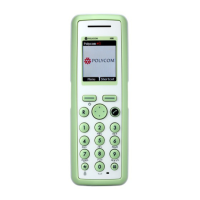
To display the status of the handset
options (battery, ringer volume, firmware
etc.).
1 Press
Menu to enter the main menu.
2 Scroll to
Status and then press
Select.
3 Press the top or bottom of the
navigation key to highlight the
appropriate menu item and then
press
Select to enter the menu of the
selected item.
4 Press
Back.
Activate Bluetooth Function
(7040 feature only)
1 Press
Menu to enter main menu.
2 Scroll to
Settings and press Select.
3 Scroll to
Bluetooth and press Select.
4 Scroll to
Active and press Select.
5 Scroll to
On and press Select.
Pair Wireless Headset with the
Handset
1 Press Menu to enter main menu.
2 Scroll to
Settings and press Select.
3 Scroll to
Bluetooth and press Select.
4 Scroll to
Search for compatible
Bluetooth headset and press
Select.
5 Select the headset code number listed
in the display of the handset and
press
Stop, then press Add.
6 Enter pin code and press
OK (Consult
the user guide of the Bluetooth
headset for the pin code information).
7 Press
OK, and press Options in order
to connect to the headset.
8 Scroll to
Connect and press Select.
9 Press
OK.


 To Next Page