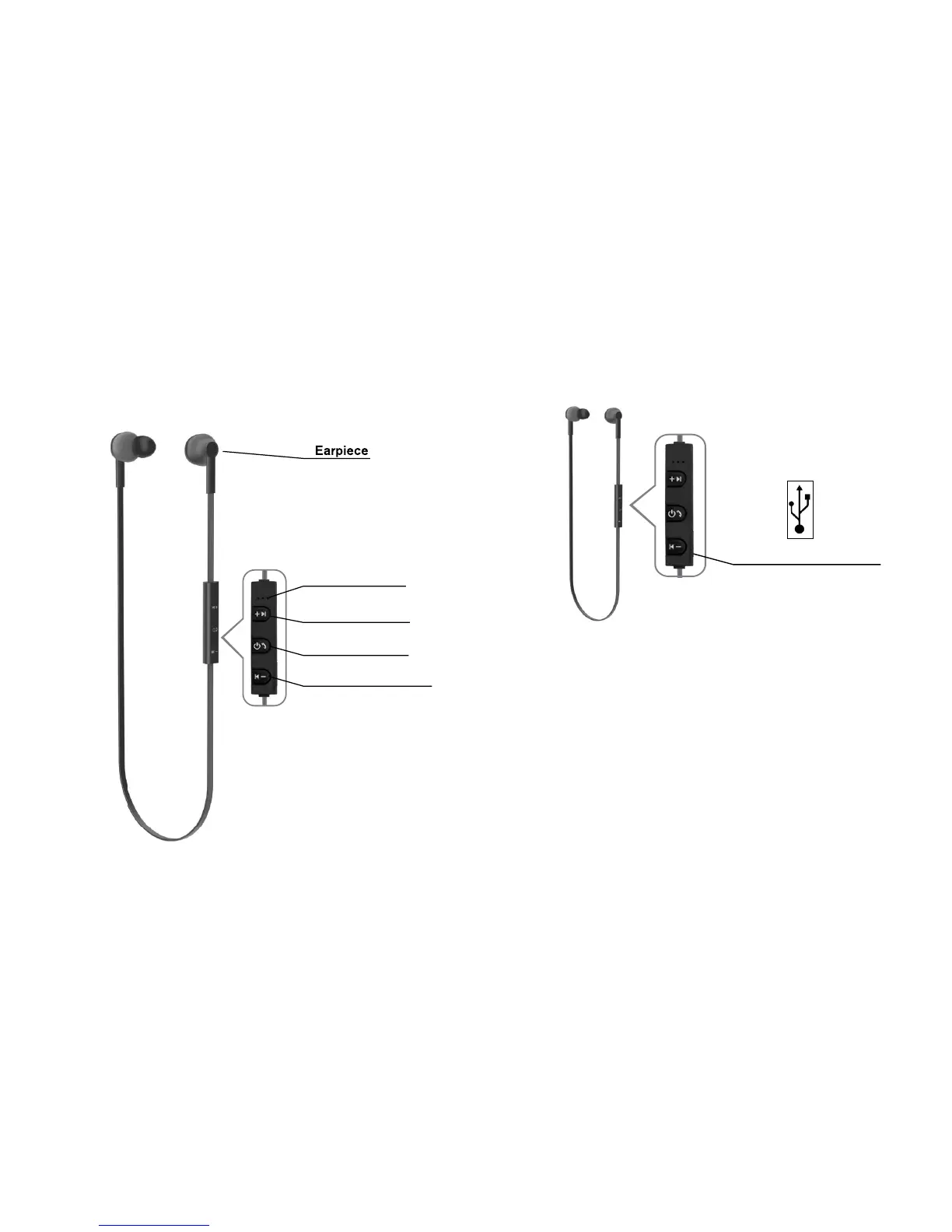
VOL (+) / NEXT
MICROPHONE
POWER BUTTON
VOL (-) / PREVIOUS
Next
Charger and Battery Information
Before charging, make sure the
headset has been switched off.
Plug micro USB cable into the
charging port of the headset:
plug the other side of the USB
cable into the USB charger.
Charging will start and the red
LED light will remain lit on the
headset.
1.
2.
Charging Port
Previous


 To Next Page