3.
A full charge takes approximately
1.5-2 hours. When fully charged
the red LED light will switch off.
Please unplug charging cable
when fully charged to avoid
overcharging.
Warning:
Please use original cable for
charging all Bluetooth headset
devices. Use of alternative charging
cables may cause damage to the
headset. Alternate cables must have
a voltage of 5v, and have electric
current exceed 100Ma (5V/100MA)
to ensure safe charging and optimal
use of device. This headset uses a
non-detachable built-in recharge-
able battery. In order to prevent
damage of the headset please do
not attempt to remove the battery.
Next
P
owering On:
Hold down the Power Button until
blue LED light blinks and “Power On”
voice prompt is heard.
P
airing Mode:
Hold down the Power Button until
blue and red LED lights begin to blink
alternatively. Voice prompt will state
“Pairing.”
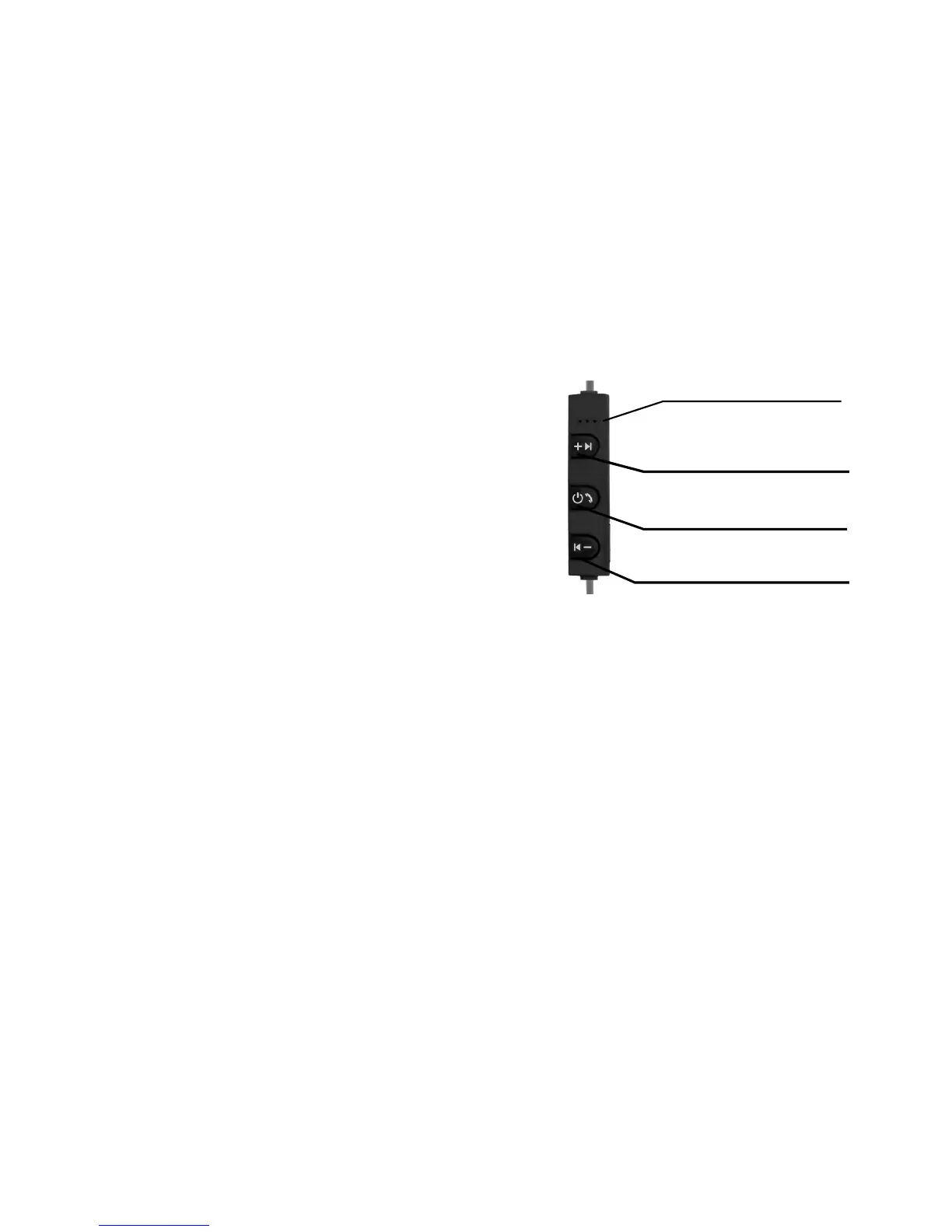
VOL (+) / NEXT
MICROPHONE
POWER BUTTON
VOL (-) / PREVIOUS
Previous


 To Next Page