Trouble-shooting
Before requesting service, you may wish to run through the check list below but feel free
to call Pool Controls Service on +61 8 9240 4400 or log a service call via our website –
www.poolcontrols.com.au.
If there appears to be low or no Chlorine Residual:
1. Check stabiliser level is 40ppm – 60ppm. Add if necessary and wait for it to dissolve.
2. Is the Cover setting on when the cover isn’t over the pool? if yes turn Cover setting off.
3. Have you added any chemical additives recently?
4. Check pool for phosphates and remove if necessary. Has fertiliser entered the pool?
5. Is the unit turned on and operating the filter pump?
6. Are the operating hours sufficient?
7. Is the Output set to 100%?
8. When running is the Cell ON? Is it reading 100?
9. Is there enough salt in the water? (4000ppm)
10. Is the temperature of the water low?
11. Is the Cell scaled heavily?
If the Cell is ON but not reading 100, check the pool salinity is within correct range. Also
check the Temperature Compensation setting in the WATER TEMP MENU – see
Advanced Settings Supplementary User Manual.
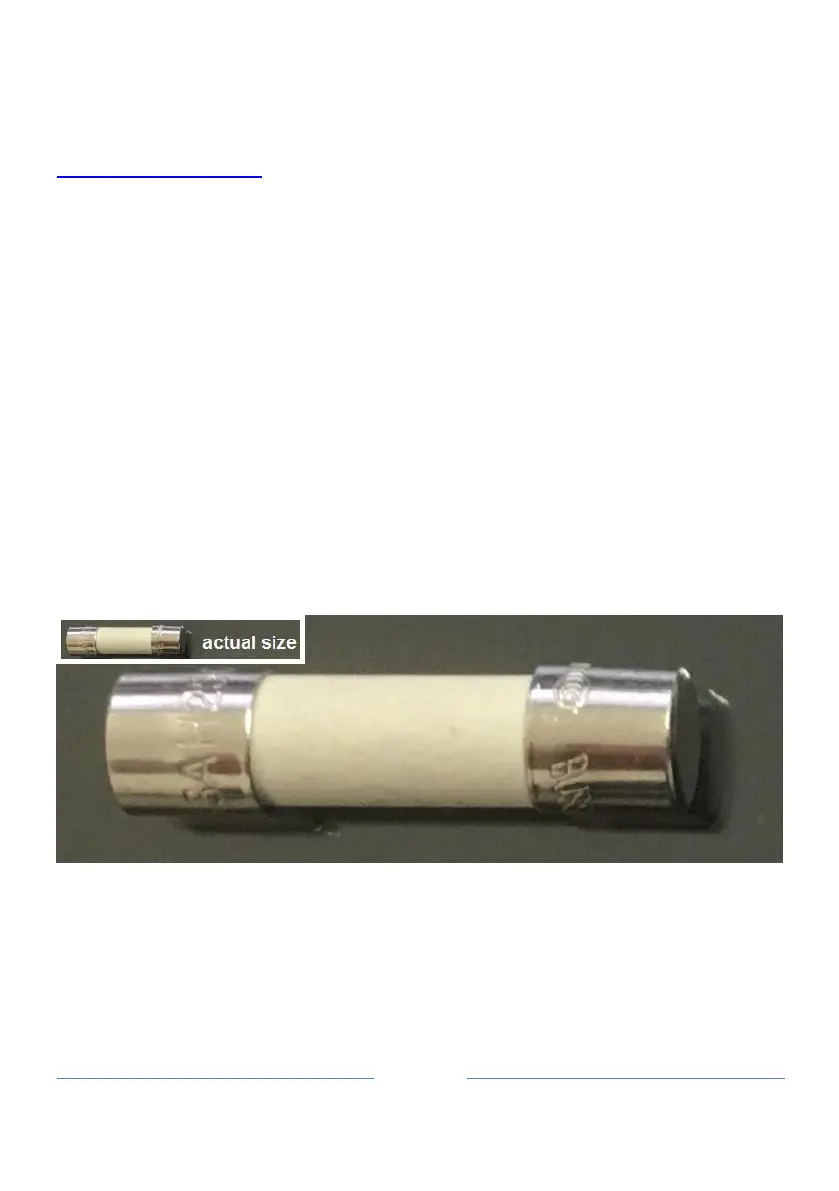
If the unit is not running at all check the fuse in the bottom of the unit. Note that the fuse is
a ceramic (HRC) slow-blow type, see example below:
Fuse size is M205 (20mm x 5mm), TD6.5A (TD – Time Delay / slow-blow), HRC (High
Rupture Capacity).
Do not use standard glass fuses as these may rupture under current in-rush conditions.


 To Next Page