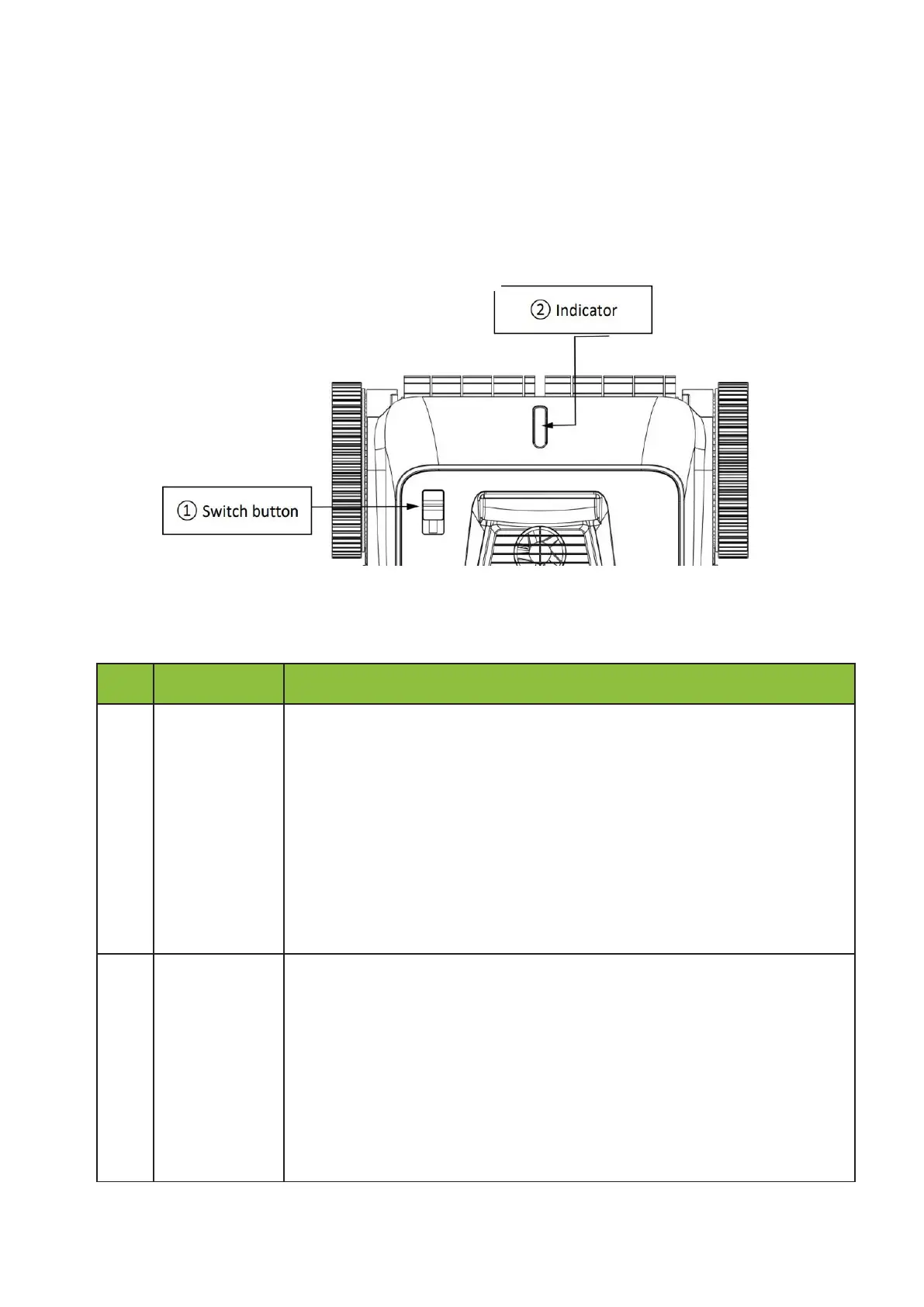
Push the button upwards to power on the cleaner (blue indicator).
To connect the application via Bluetooth, push the button downwards and
then upwards within 5 seconds after power on (indicator becomes purple).
After the configuration, push the button downwards to turn off the cleaner
(Indicator off), then power on normally.
Remark: in the cleaning mode of floor + wall, the cleaner start by cleaning
the
wall for 15 minutes, then the floor.
1.
Blue light is steady on
:
power on
2.
Blue light flashes
:
the cleaner is working
3.
Yellow light flashes
:
low battery and start to self-parking
4.
Yellow light is steady on : work finished, self-parking
5.
Purple light is steady : Application configuration via Bluetooth


 To Next Page