19
CHANGING THE LIGHT
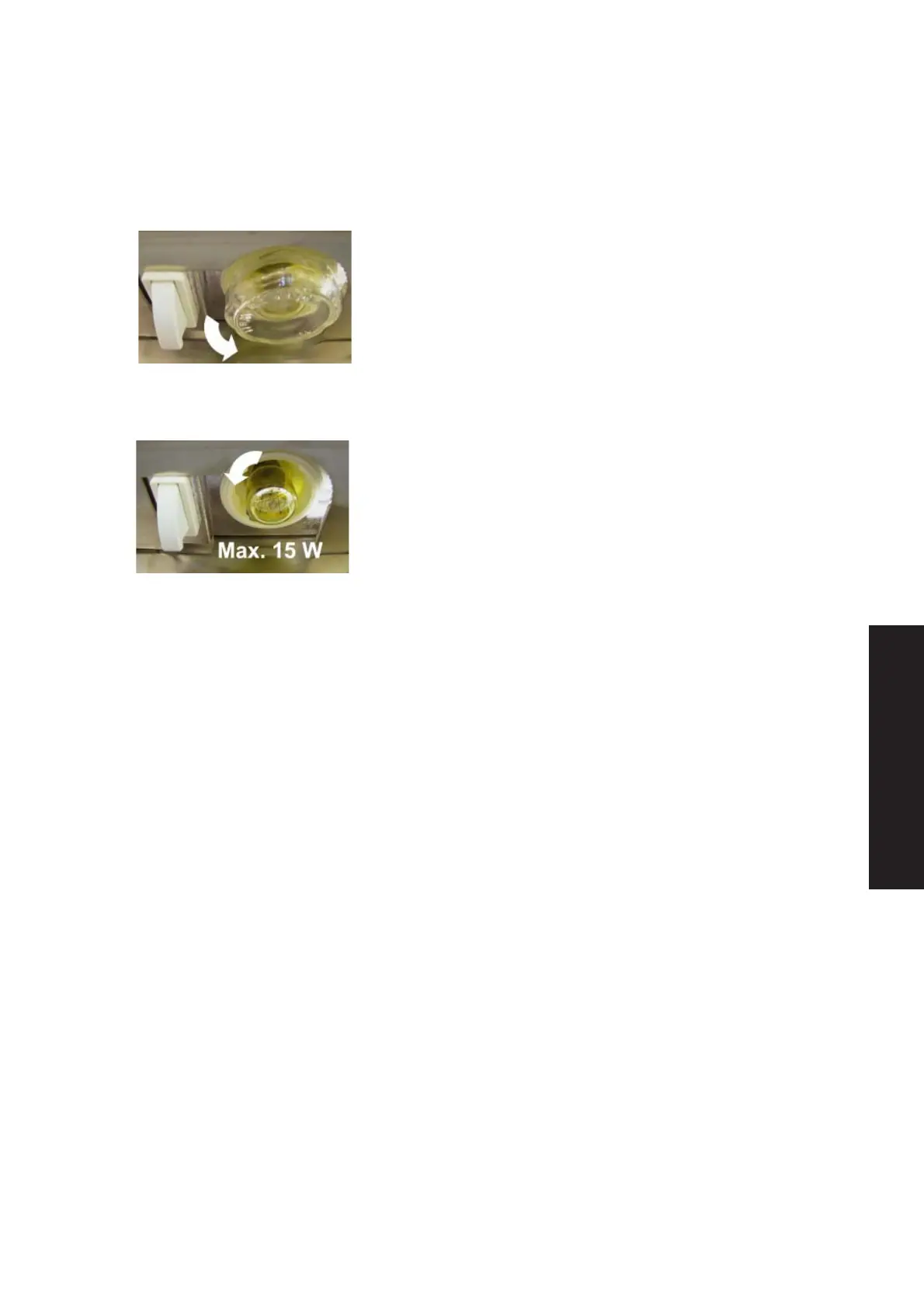
Follow these instructions when changing the light
bulb that is available as an accessory:
· Switch off the cabinet by turning the main
switch to “0” position and unplug it.
· Remove the glass cover of the bulb.
· Change the bulb.
NOTE! MAX 15 W
· Put the glass cover back to its place.
· Plug in the cabinet and turn the main
switch to “I” position.
IF NECESSARY, EMPTY THE CABINET FIRST
TO AVOID MELTING OF PRODUCTS.
English



 To Next Page