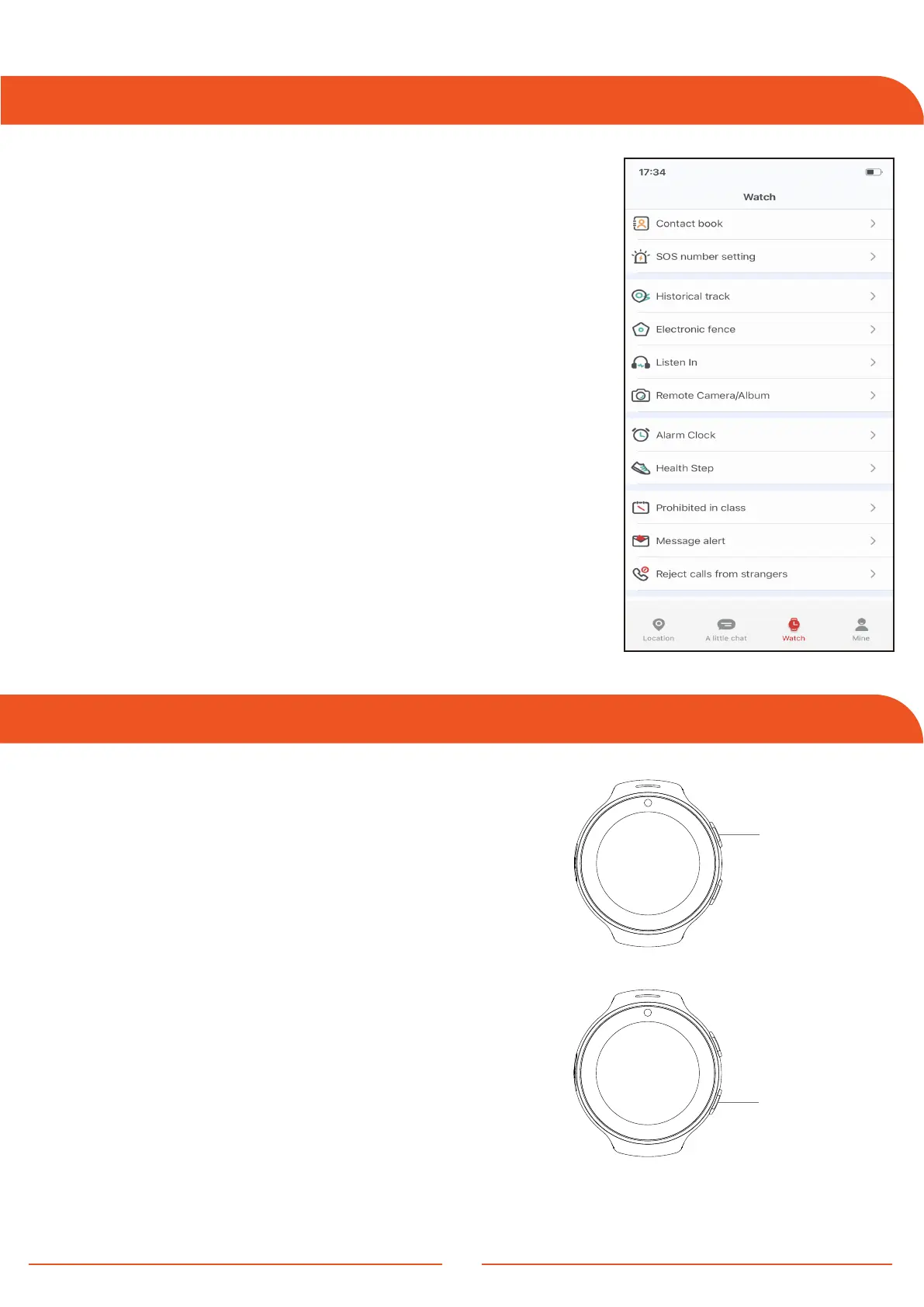
Settings
Button Functions
Button 1:
1 . SOS: Hold for 6-5 seconds
2 . Turn the screen ON: Brief press
3 . Return to main menu: Press momentarily
6
Button 1
Button 2
1 . Log in the application to access the
watch interface.
2 . Select the contact book to store the
necessary numbers.
3 . Apply the same process to access
additional features.
4 . Designate up to 3 SOS numbers.
5 . Only numbers listed in the phone book
or contacts are authorized to call the watch.
6 . Save these numbers in the App to enable
the watch to initiate calls to them.
Note: Ensure to hit the 'Save' button after
adding the numbers.
Button 2:
1 . Power ON: Hold for 5 to 6 seconds
2 . Power OFF: Hold for 5 to 6 seconds after
ejecting the SIM card
3 . Lock screen: Press momentarily
4 . Turn the screen ON: Press momentarily



 To Next Page