Versare Solutions 3306 5th Street NE Minneapolis, MN 55418
Phone: 800-833-7570 Fax: 800-833-8032 www.PortablePartitions.com
MP10 Instructions
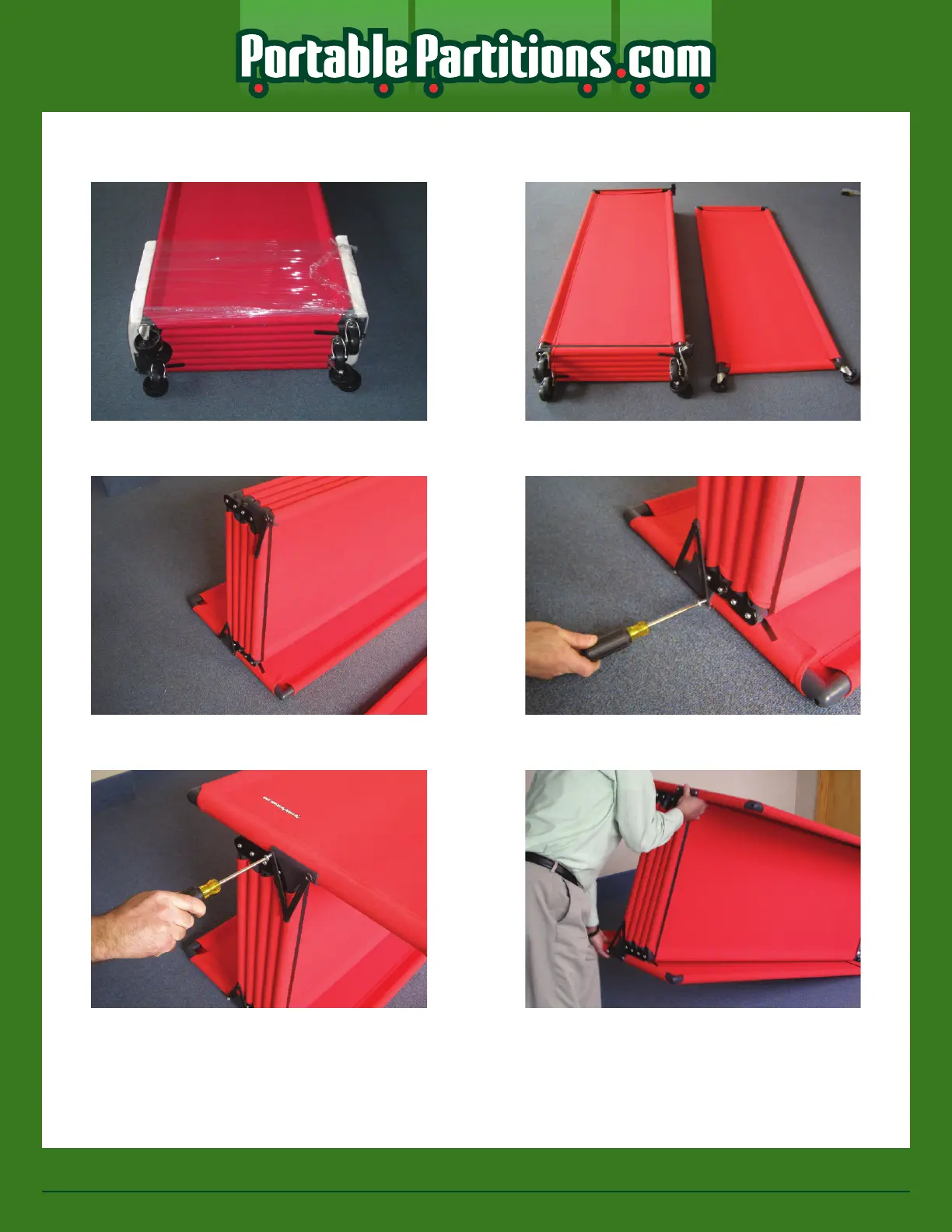
Step 6: Lay partition on its side
Step 7: Remove outer banding and set top
panel along side with logo facing down**
Step 8: Rotate banded assembly onto the
panel in step #7
Step 9: Attach banded assembly to rst
panel as shown below
Step 10: Add last panel and fasten as in
step #9
Step 11: Carefully begin rotating partition
on its wheels
Page 2 of 3
** DO NOT CUT THE SECOND SET OF BANDING BELOW THE FIRST PANEL



 To Next Page