EasyManua.ls Logo

Portamatik BETA400 - User Manual

Portamatik BETA400
10 pages
Print Icon
To Next Page IconTo Next Page
Loading...
v1.0
REV. 04/2019
BETA400
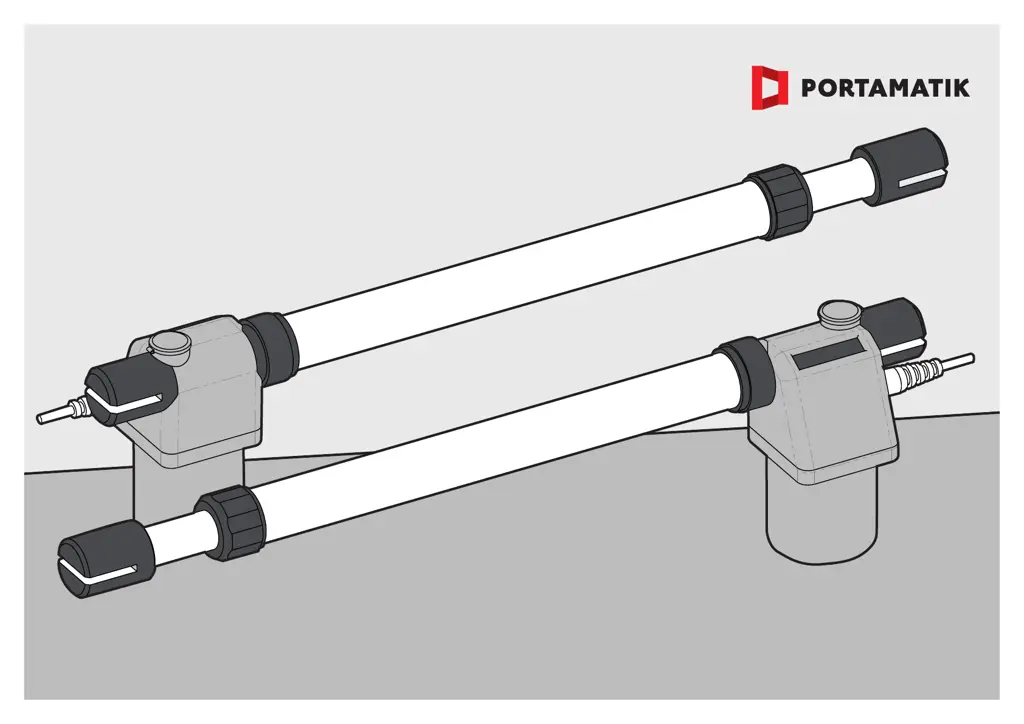
USER’S AND INSTALLER’S MANUAL

Questions and Answers

  • M
    molinajessicaAug 5, 2025
    How to troubleshoot a Portamatik BETA400 Gate Opener when the motor doesn't work?
    • R
      Robert HansonAug 5, 2025
      If your Portamatik Gate Opener motor isn't working, first ensure that a 230V power supply is properly connected to the control board and functioning. Then, check the input fuses on the control board. If the motor has a 230V power supply, disconnect it from the control board and send it to our technical services for diagnosis. If the motor still doesn’t work, pull it out and send it to our technical service for diagnosis.
  • P
    Paul SmithAug 12, 2025
    What to do if my Portamatik BETA400 Gate Opener motor doesn’t move but makes noise?
    • B
      brianfosterAug 12, 2025
      If your Portamatik Gate Opener motor makes noise but doesn’t move, unlock the motor and manually move the gate to check for mechanical issues. Inspect all motion axes and related systems. Check the capacitor, testing the operator with a new one. If the capacitors are not the problem, disconnect the motor from the control board and send it to our technical services for diagnosis. If the motor works, the problem is from control board; if the motor doesn’t work, send to our technical services for diagnosis.
  • F
    fsolomonAug 20, 2025
    Why doesn't my Portamatik BETA400 Gate Opener make a complete route?
    • M
      Marcus CampbellAug 20, 2025
      If your Portamatik Gate Opener gate doesn’t complete its route, unlock the motor and manually move the gate to the closed position. Lock the motor again, turn off the power supply for 5 seconds, and then reconnect it. Try sending an open command using the transmitter. Check for any obstacles in front of the photocells. Also, check if any of the control devices (key selector, push button, video intercom, etc.) are jammed and sending a permanent signal to the control unit. Close with a shunt all safety systems on the control board. Disconnect all wires from START terminal. If the 'START' circuits LEDs are turn On, there is a control device sending permanent signal; if the LED turned Off, try reconnecting one device at a time until you find the defective device.
  • D
    davidcarterAug 27, 2025
    What should I do if my Portamatik BETA400 Gate Opener doesn’t make a complete route?
    • D
      Deborah BryantAug 28, 2025
      If your Portamatik Gate Opener gate doesn’t complete its route, unlock the motor and manually move the gate to check for mechanical problems. If the gate moves easily, check the capacitors, testing with new capacitors. If the motor works well and moves the gate at full force during the entire course, the problem is with the controller. Set the force using the trimmer on the board. Make a new working time programming, giving sufficient time for opening and closing; otherwise send to our technical services for diagnosis.

Summary

SAFETY INSTRUCTIONS

PRÉ-INSTALLATION

PACKAGE

OPERATOR

INSTALLATION

UNLOCK OPERATOR

Procedure to unlock the operator mechanism for manual gate movement.

HEIGHT OF THE SUPPORTS

Guidelines for setting support plate heights for proper gate declination.

INTERNAL OPENING INSTALLATION QUOTAS

Table of quotas for maximum opening angles in internal gate installations.

EXTERNAL OPENING INSTALLATION QUOTAS

Table of quotas for maximum opening angles in external gate installations.

INSTALLATION STEPS

Step-by-step guide for physically mounting and connecting the automation components.

INSTALLATION MAP

Diagram illustrating the connection points and layout of all system components.

COMPONENTS TEST

MAINTENANCE

CLEAN STAINLESS STEEL ARM

Instructions for cleaning the automation's stainless steel arm.

LUBRICATE PINS

Guidance on lubricating the support bolts in the brackets.

CHECK MOTOR SUPPORTS

Procedure to ensure motor supports are securely attached.

CENTRAL CONNECTIONS

Portamatik BETA400 Specifications

General IconGeneral
BrandPortamatik
ModelBETA400
CategoryGate Opener
LanguageEnglish

Related product manuals