15
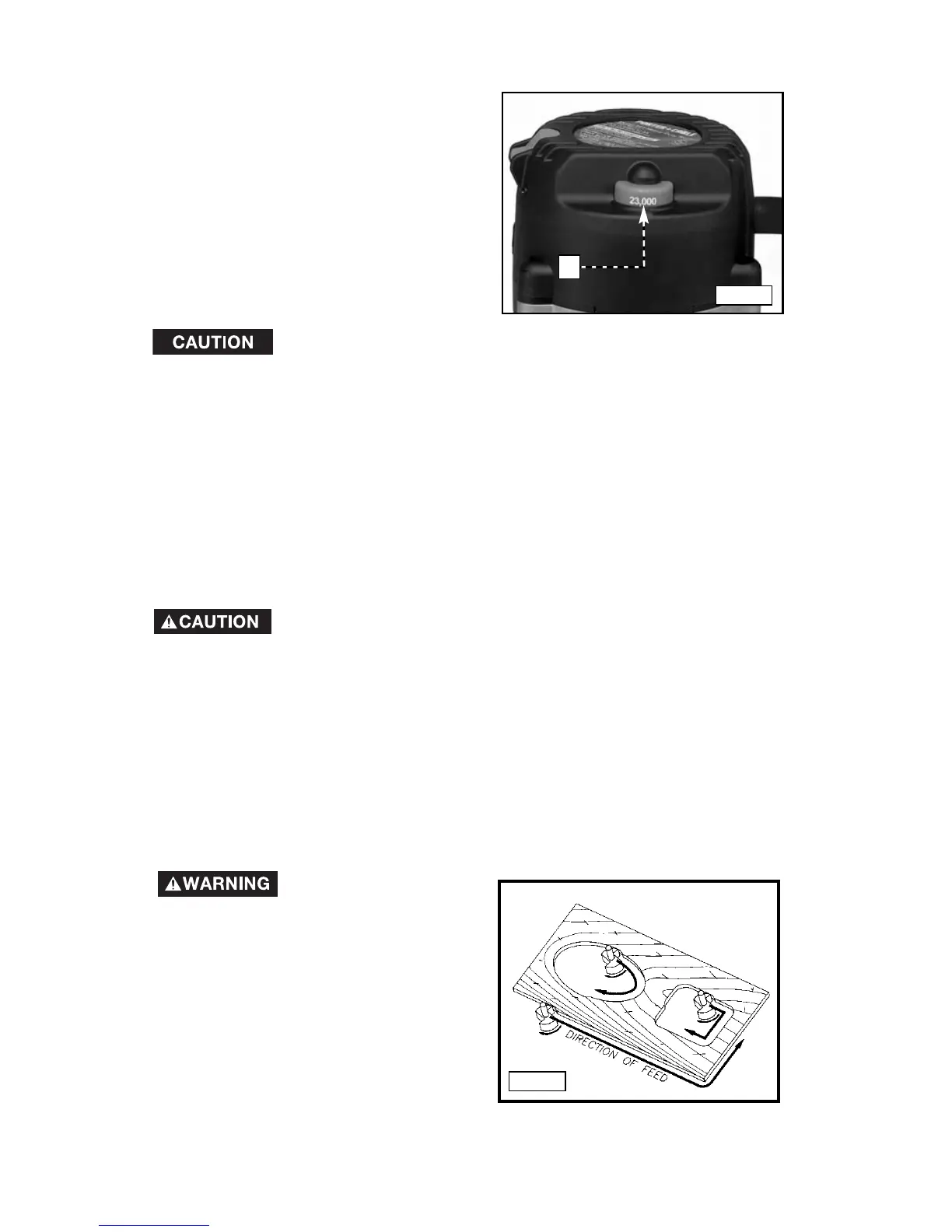
This router is equipped with a variable
speed control (A) Fig. 17 with an
infinite number of speeds between
10,000 and 23,000 RPM.
Adjust the speed by turning the speed
control knob (A).
In low and medium speed operation, the speed control
prevents the motor speed from decreasing. If you expect to hear a
speed change and continue to load the motor, you could damage the
motor by overheating. Reduce the depth of cut and/or slow the feed
rate to prevent tool damage.
VARIABLE SPEED CONTROL
USING THE TOOL
IMPORTANT: Before using the tool, consider the kind and amount of
material to be removed. More than one cut may be necessary to avoid
overloading the motor. Before beginning the cut on the actual workpiece,
make a sample cut on a piece of scrap lumber. This will allow you to see the
finished cut and to check dimensions.
Always be sure the work is rigidly clamped or otherwise
secured before making a cut.
Generally speaking, when working on a bench, hold the workpiece on the
bench with wood clamps. When routing the edges, hold the router firmly
down and against the work with both guiding handles.
Since the cutter rotates clockwise (when viewing router from top), move the
router from left to right as you stand facing the work. When working on the
inside of a templet, move the router in a clockwise direction.
When working on the outside of a templet, move the router in a counter-
clockwise direction.
Avoid “Climb-
Cutting” (cutting in direction
opposite that shown in Fig. 18).
“Climb-Cutting” increases the
chance for loss of control resulting
in possible injury. When “Climb-
Cutting” is required (backing around
a corner), exercise extreme caution
to maintain control of router. Make
smaller cuts and remove minimal
material with each pass.
Fig. 17
Fig. 18
A





 To Next Page