17
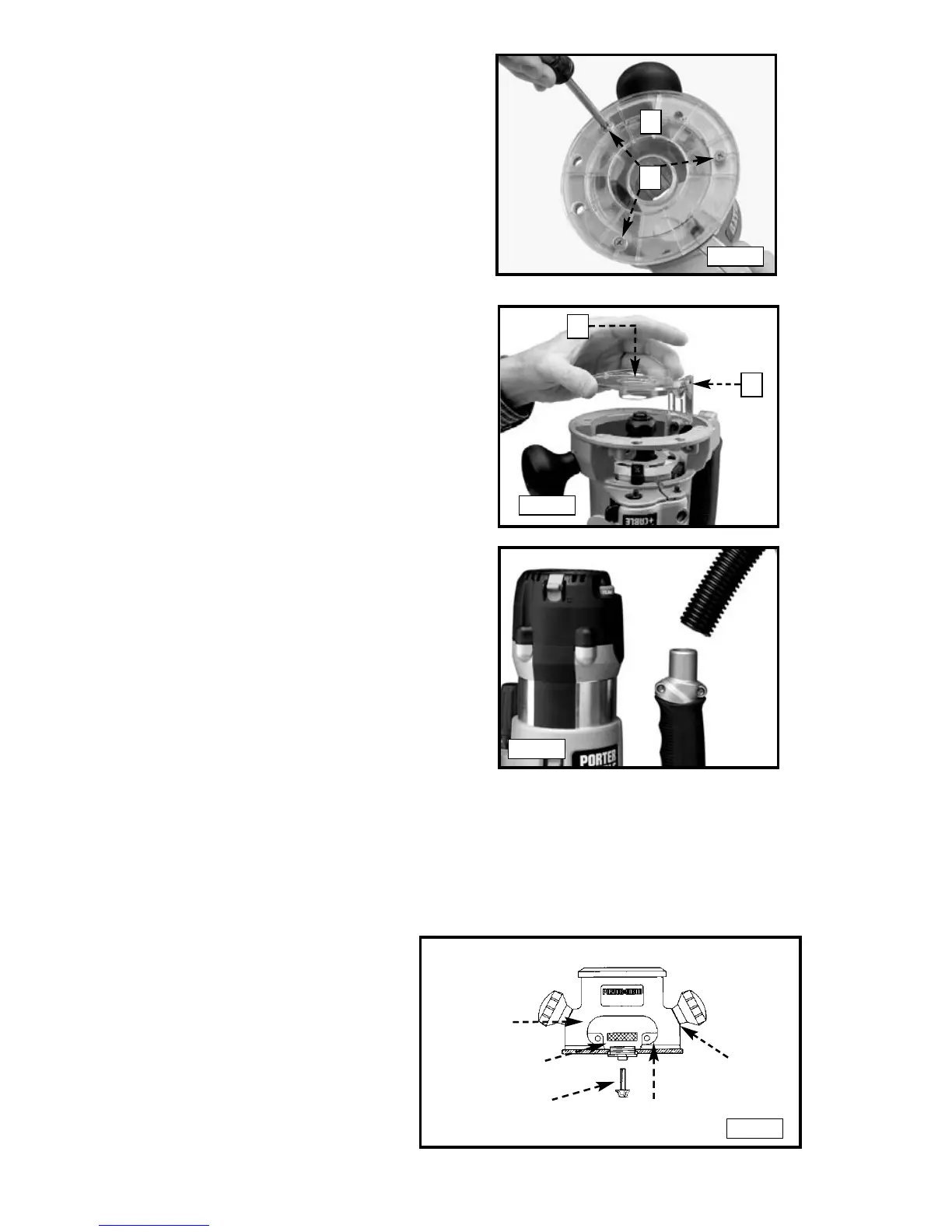
Fig. 22
Fig. 24
Fig. 23
3. Remove the screws (B) Fig. 22 and
remove the sub-base (A).
4. Align the holes of the GripVac
™
handle to the holes of the router
base (10) Fig. 20.
5. Insert a hex screw (7) Fig. 20
through the handle into the hole
(10). From inside the base housing,
place a shoulder washer (8) and a
hex nut (9) on the screw. Tighten
the nut loosely.
6. From inside the base housing,
insert the second screw (7) Fig. 20
into the hole (11) and screw it into
the threaded hole of the GripVac
™
handle.
7. Turn the router base upside down
and place the dust deflector (A) Fig.
23 into the bottom of the router
base by aligning the three plastic
tabs on the deflector with the three
recesses in the base. Align the
extended part (B) Fig. 23 of
deflector with GripVac
™
handle.
The deflector will be flush with
bottom of router base.
8. Replace the sub-base and the three
screws.
9. Tighten all hardware securely.
10. Connect any vacuum or dust
collection system with a 1" hose to
the Grip Vac
™
(Fig. 24).
TEMPLET GUIDES
A wide variety of templet
guides is available for use in
pattern and templet routing
operations. A typical combi-
nation bit, templet guide, and
locknut are illustrated in Fig.
25.
LOCKNUT
TEMPLET
GUIDE
ROUTER BIT
ROUTER
BASE
SUB-BASE
SOFT START
This router has a “Soft Start” feature designed to minimize startup reaction
torque.
Fig. 25
B
A
A
B








 To Next Page