PRE-OPERATION
1. Rotate flow control valve fully counter-clockwise (See Figure 4). Rotate mixture dial to 100%
position.
2. Connect hoses to the medical gas source (to flowmeter) and to the gas supply cylinder. (Refer to
FM-916 for Mobile “E”-Tank Stand Installation and Instructions).
3. Activate gas source. NOTE For initial start up of analgesia head, always have a medical gas
source shut-off. For multiple outlet station manifold systems utilizing quick-connect fittings, the
analgesia unit can be moved from station to station without shutting off the medical gas source
once pre-operation and functional tests are completed.
4. Turn on manifold medical gas system as per manufacturer’s instructions. Adjust line pressures
as instructed. Pressure must be 50 - 55 PSIG.
5. For portable systems utilizing “E” cylinder tanks, refer to FM-916 Mobile “E” Tank Stand
Installation and Instructions.
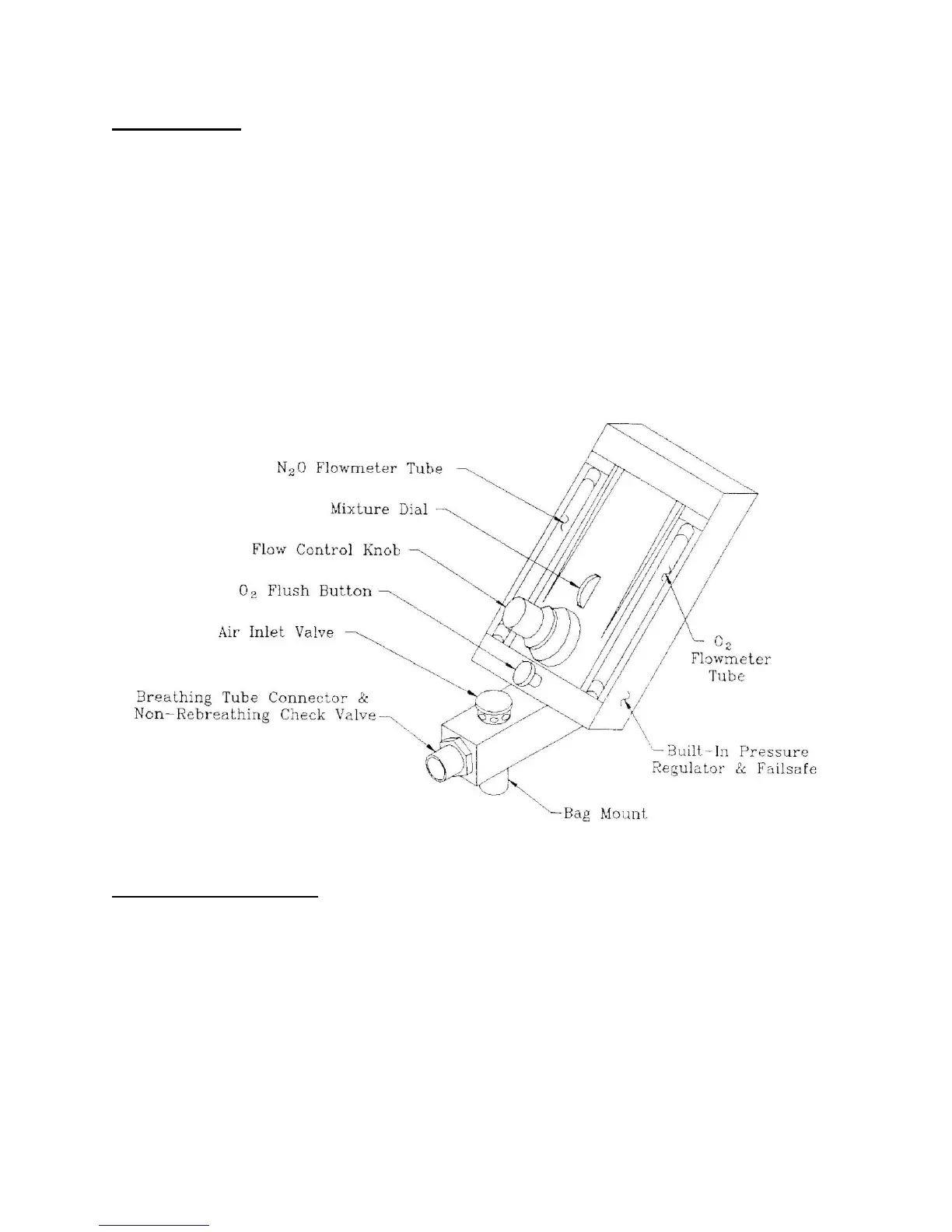
The Controls and Indicators
Mixture Dial - controls setting of oxygen concentration of gas mixture. Adjustment of this control does not
affect total flow rate.
Flow Control Knob- controls total flow rate of gas mixture. Adjustment of this control does not affect
mixture concentration.
Oxygen Flush Button - when manually pressed, provides rapid inflation of the breathing bag with oxygen
when required.
Nitrous Oxide and Oxygen Flowmeters - the amount of gas flowing is indicated by reading the position
of the center (maximum diameter) of the ball in the glass tube.


 To Next Page