22
Alert Codes and Troubleshooting
To help you keep your PortionPro Rx running
smoothly, an alert code will display on your LCD
screen and a subtle tone will sound to let you know
of issues that may need attention, such as refilling
the food bin.
See the underside of your PortionPro Rx food bin
lid for the quick reference Troubleshooting Guide as
shown to the right.
Continue reading for more information about each
alert code and the solution steps that should resolve
the cause.
If you need further assistance after trying
the solution steps listed, call 877-VET-PPRx
(877-838-7779) or email support@VetInnovations.
com. You can also visit portionprorx.com.
6 Troubleshooting
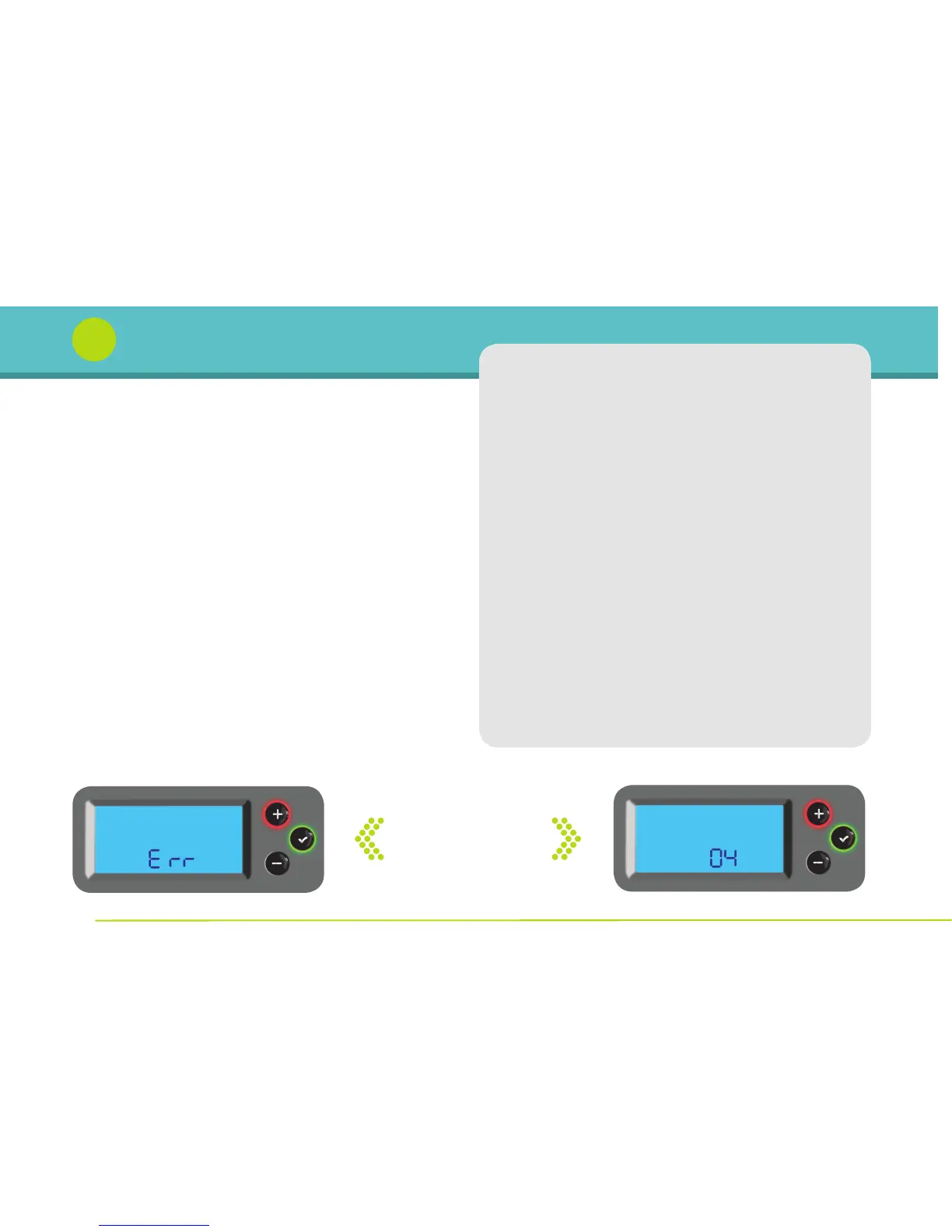
Error codes flash
between these
two screens
Alert Code Guide
Code Cause Solution
1 Food Bin Empty Refill food bin.
2 Power Lost Food not delivered during
outage. Feed pet if necessary.
3 Tag-Feeder Battery may be dead or
Connection Lost tag may be lost. Check tag.
4 Bowl Full Clear food from food
gate area.
5 Bowl Door Jam Clear obstruction and/
or clean bowl door tracks.
6 Food Jam Clear jam in food
belt system.
7 Food Belt Ensure food belt system
System Missing is properly installed.
8 Tag Battery Low Replace tag as soon
as possible.


 To Next Page