1. Lay the terminal with its rear facing
towards you and tilt the screen all the way
down.
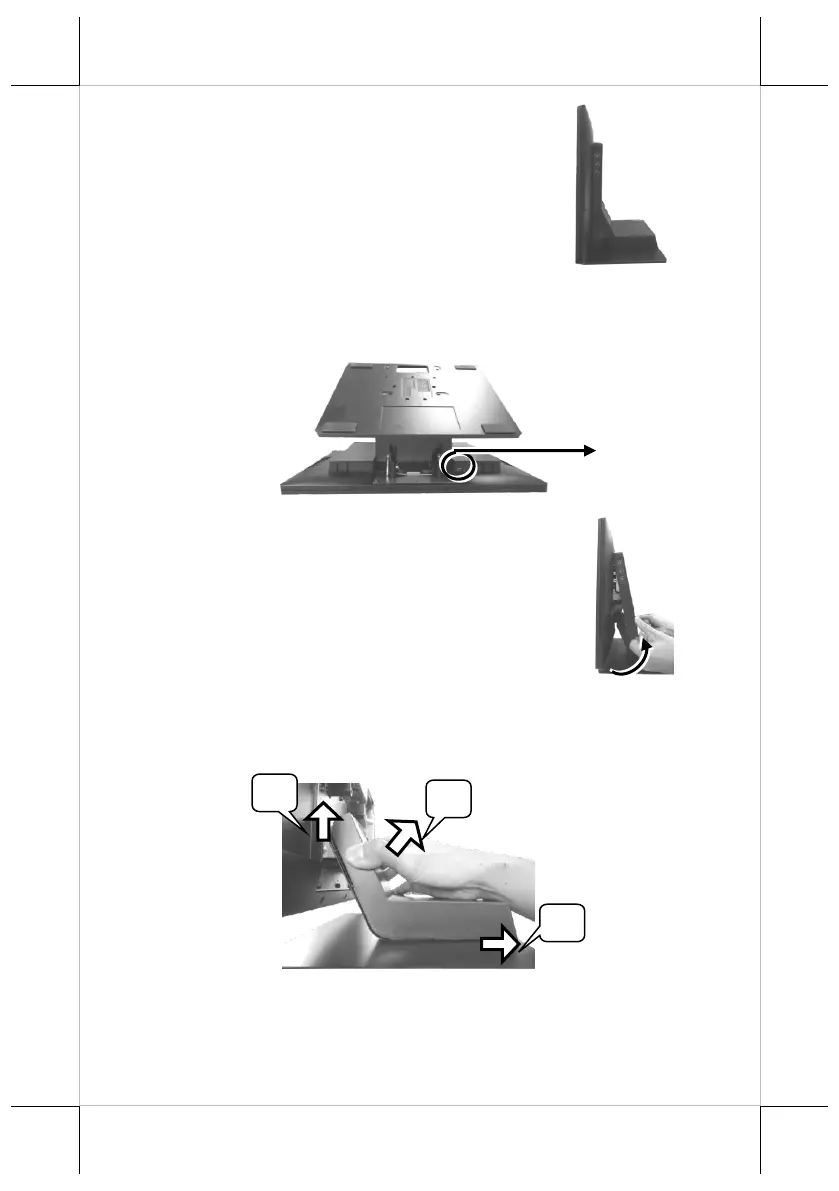
2. Remove the system back cover.
2.1 If the system back cover is fire-resistant, first locate the screw as
indicated in the figure, and then remove it.
2.2 Hold down the release lever at the bottom of
the system back cover and then pulling the
cover outwards.
3. To remove the stand cover from the base, grab the top side of the
cover, (1) lift the stand cover up gently, (2) pull it at a 45 degree
angle, and then (3) slide it in the horizontal direction shown by the
arrow.
Screw for Fire-Resistant
System Back Cover


 To Next Page
 Loading...