10
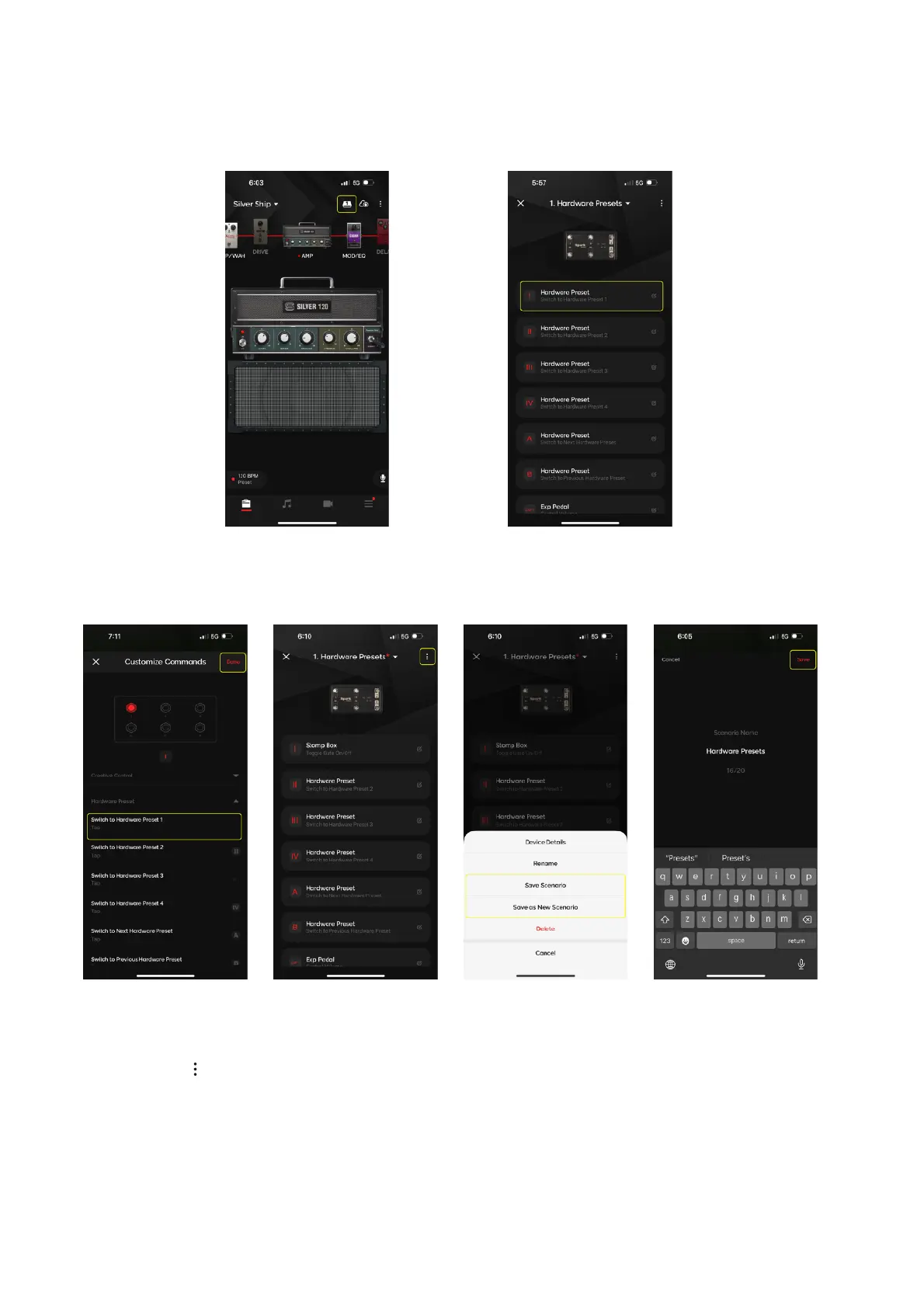
To customize which footswitch triggers which action:
1. Tap on the footswitch you would like to customize
2. Tap on a your desired action and tap Done
3. Tap on and tap Save Profile (or Save as New to also name the profile) to save the setting once
you’ve changed your footswitches to your desired actions
Spark Control Family: Customize and Assign Commands
Tap on the Control Menu on the top right of the Tone Page to enter the Command Assignment Menu.
Tip: the number shown in the icon is showing which footswitch profile number you are currently on


 To Next Page