ENGLISH
16
FRANÇAIS
17
LED INDICATORS
¹
unlit
Ready
lit
Communicating
ð
flashing
Configurating
lit
Function entry mode
ë
unlit
Power off
slow blinking with charger
Battery full
slow blinking without charger Battery powered
fast blinking
Battery level low
lit
Charging
Ï
flashing
Flashes once for every scanned
page (max 5 flashes)
lit
Paper out
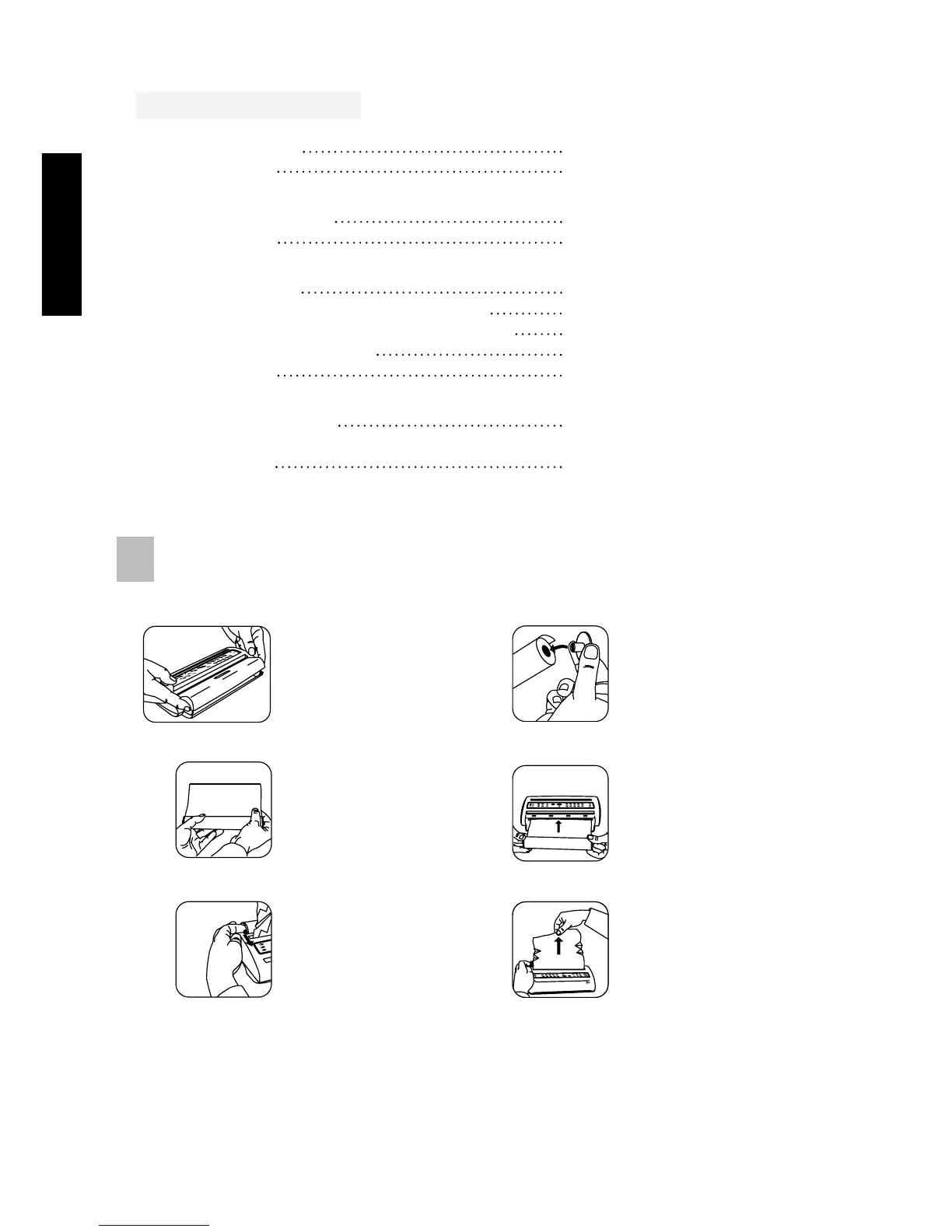
P A P E R C H A N G E
These actions may be performed with the handset mounted.
If the paper runs out while printing a fax the remaining page is stored in memory, the printing
process will be resumed 30 seconds after step 4 above.
1. Remove the lid. 2. Move the plastic
wheels to the new
paper roll.
4. Insert paper in the
paper slot and use
PAPER FORWARD
to feed paper.
3. Ensure a straight
cut edge.
5. Lift metal clips to
slide paper.
6. Pull the paper up
and replace lid.
Ì
3
¸



 To Next Page