06
Drone Battery
Discarded lithium batteries can not be thrown in the trash,
please contact the battery recycling center.
Disposal and Recycle of Lithium Battery
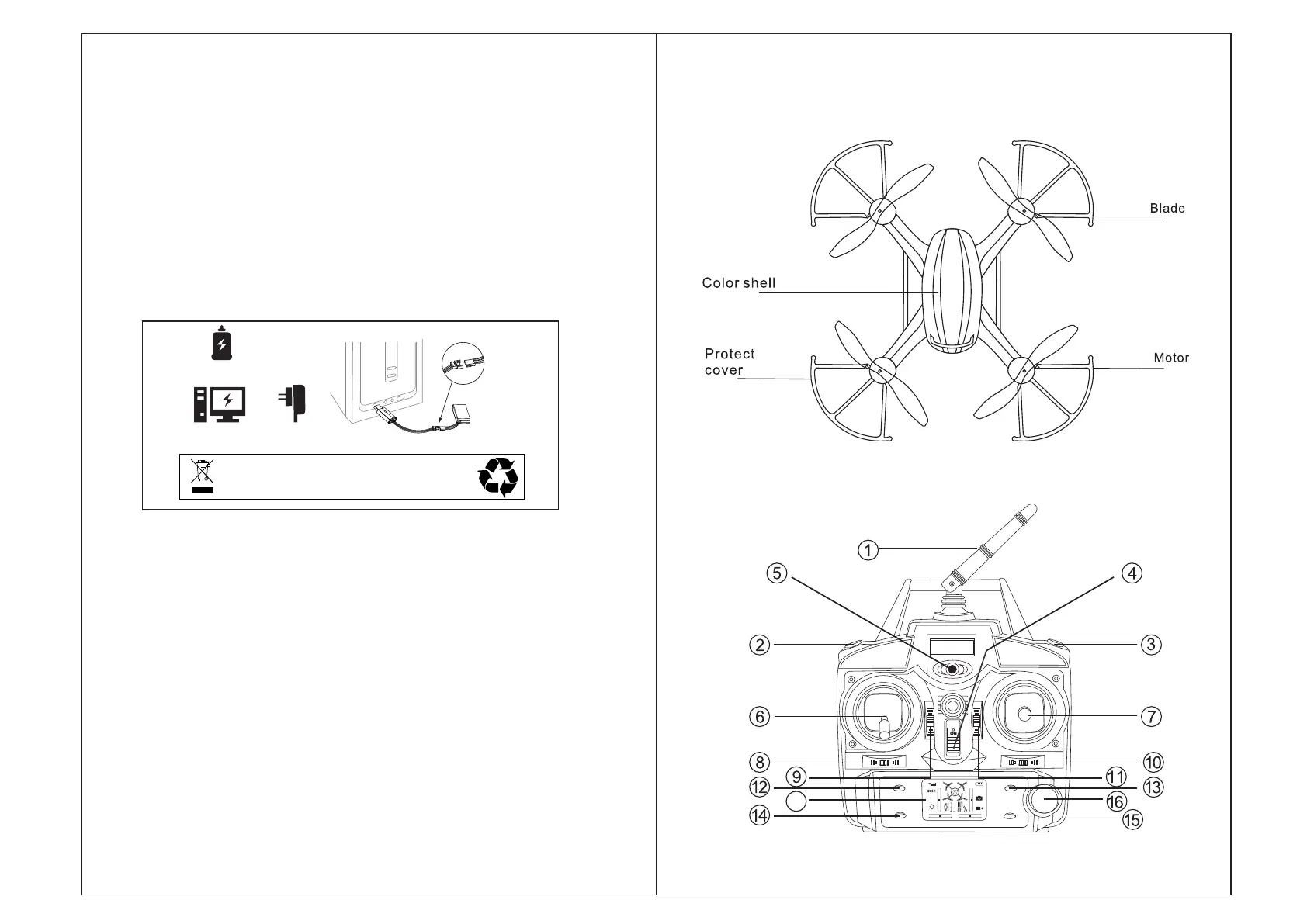
Charging by
USB Adapter
Charging by USB
Ports of Computer
Charging by
Car charger
Name of Parts
Transmitter
17
Charging Method of Li-Po Battery
Flyer warnings
It is recommended to select the output 5V2A current adapter, which will be faster
for charging. The maximum current can not exceed 5V, otherwise the battery
could be damaged.
(1) Confirm that the battery is fully charged.
(2) Confirm that the left throttle is in the middle position before power on.
(3) Before flight, please turn on the controller, first and then power on the drone. While
after flight, power off the drone first and then turn off the controller. Incorrect steps
may result in the drone out of control.
(4) Make sure the drone parts are connected strickly and securely. The continuous
vibration during flight may loosen the connection between the drone parts which
may result in hard control.
(5) Incorrect operation may result in crashing and make the drone parts damaged
/f aulty. We suggest that the user should purchase the drone parts to replace
immediately for sustainable flying.Should you need any information or help with
replacing the parts, please feel free to contact us at support@ipotensic.com .
We will be standing by all the time for you!
Definition of the Flyer and the Controller
* Use Potensic original charger only.
* Check the charger wire, plug, fuselage and other components on a regular basis to
make sure they are in good condition. If any of those parts damaged, please do not
use them until they are repaired.
* If not using the drone for over a week, please make sure that the power of the battery
remains above 50% to keep its performance and utility.
05
1. Plug the USB charging cable to your computer USB interface, the light will indicate red.
2. Then connect it with the battery, the red light will off which indicates that the battery
is being charged.
3. If the red light comes on again, then the battery is fully charged. Charging time is
about 50 minutes.



 To Next Page