1
2
3
4
9200
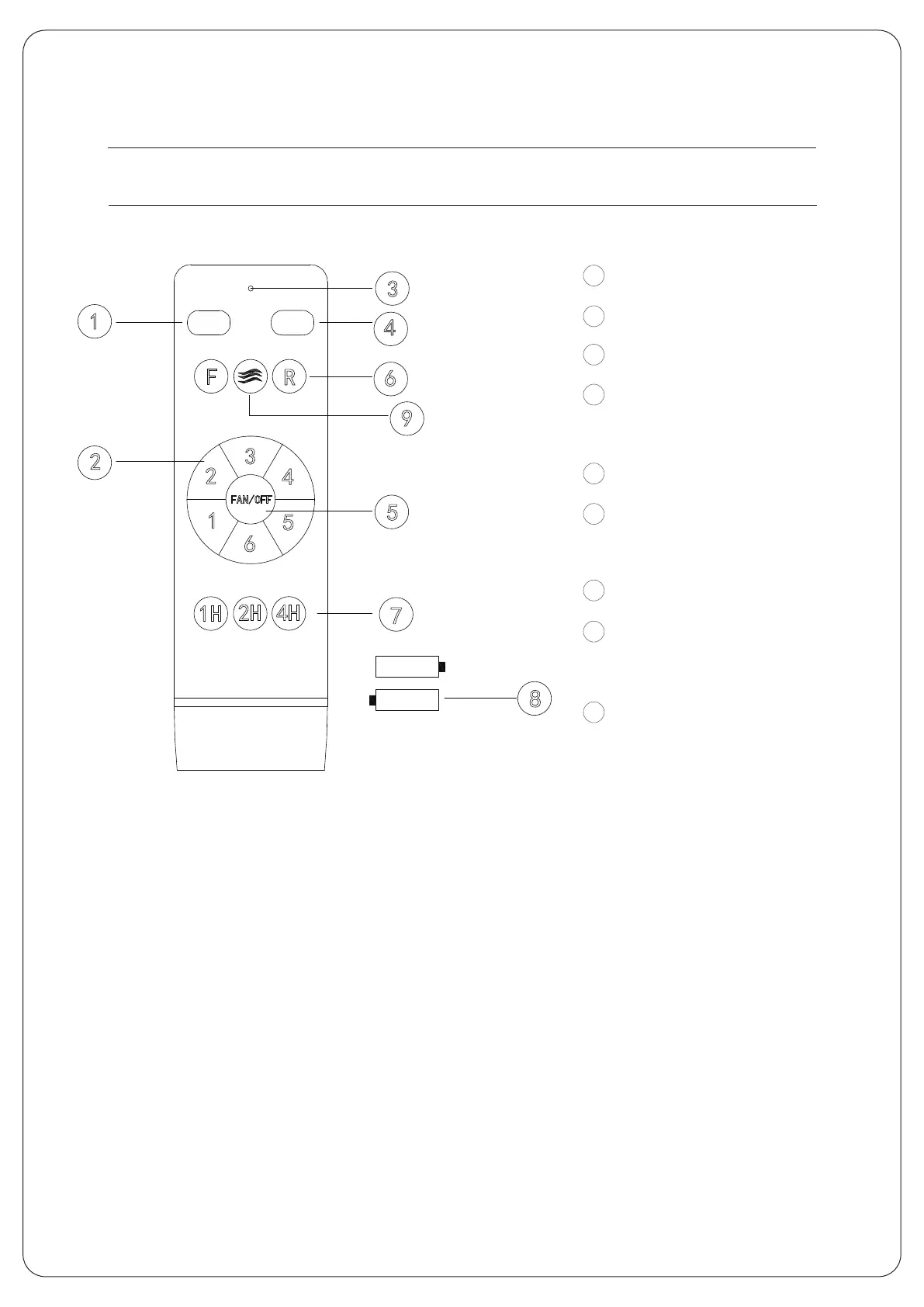
Instruction of the remote control
8
9
8
5
6
7
Turn offallloads.
Fan speed control.
LED indicator light.
Turn on the light / Color
Temperature Adjustment.
Fan off.
Fan positive and negative
rotation control.
Fan timing control.
The remote control USES
a pair of 1.5v batteries.
Natural Wind.
1
2
3
4
5
6
FAN/
O
FF
ALL OFF
LIGHT
ON/OFF
F
R
1
H
2
H 4H
1
2
3
4
5
6
7
8
9
Tips:
1.The remote control and receiver are paired as learning codes. The remote control is turned to
receive the controller within one minute after the receiver is powered on; Long press the natura
wind buttonAbout 5 seconds, in the sound of a drop, that learningsuccess, can be used normal-
ly:(note: no learning is accepted if the power is energized for more than one minute)
2. When the remote control cannot control the controller, please check whether the battery is
loadet correctly;
3.Too low battery voltage will affect the remote control distance and may cause remote control
failure Please replace the battery in time
4.When not in use for a long time,please remove the battery of the remote control;
5.support the maximum 300VV lighting6. During installation, the ceiling cover of the fan shall not
compress all the wires, which may easily cause the wires to break and short circuit



 To Next Page