Need help?
Do you have a question about the Powakaddy Freeway FW7S and is the answer not in the manual?
Configure trolley time by rotating the control knob for each digit.
Enable or disable 'competition' mode to disable ADF & calorie measurement.
Set a 4-digit PIN to secure your trolley. Default PIN is 7921.
Change measurement units between yards/miles and metres/Km.
Roll control knob counter-clockwise below zero to activate EBS.
EBS is an assisted system, not a parking brake. Ensure trolley is powered on.
Information on Lithium and Lead-Acid batteries, and expected lifespan.
Avoid water submersion, extreme temperatures, and damaged components.
Charge with compatible charger, maintain charge, minimum 12 hours.
Push wheels onto axle until clutch engages; use inner groove for drive.
Slide main lock forward to release handle latch and open the trolley.
Engage rear of battery, then front until it clips. Power connects automatically.
Depress front latch and lift battery out. Ensure isolation switch is OFF for transport.
Adjust front wheel lever and roller to correct trolley tracking left or right.
Understanding Power Indicator, Battery Gauge, and Digital Speed Setting.
Using the Central Control Knob for speed adjustment, pause, and ADF.
Left button for distance measurement; Right button for time/trip data.
Send trolley a set distance by holding control knob and selecting distance.
Ensure route is clear. Interrupt ADF by pressing the on/off button.
Five blue bars indicate charge; loss of bars shows usage or aging battery.
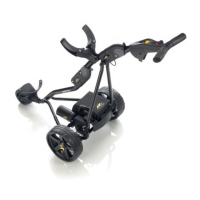
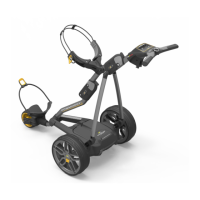
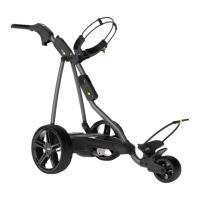
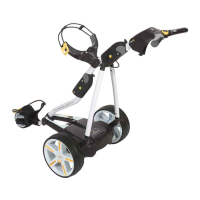
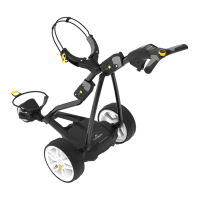
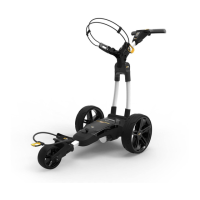
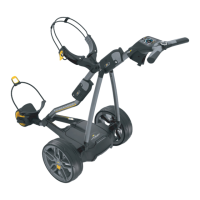
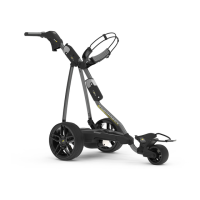
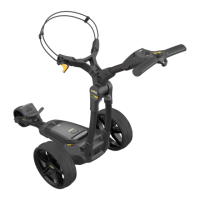
The PowaKaddy Freeway range of electric golf trolleys, including models like the FW7, FW7S EBS, FW3i, FWSi, FWZS, and FWZ, offers a sophisticated and user-friendly experience for golfers. These trolleys are designed to assist players by carrying their golf bags, reducing physical strain, and enhancing the overall enjoyment of the game.
At its core, the PowaKaddy trolley is an electric golf caddy designed to transport golf bags across various terrains. It features a robust motor and a control system that allows the user to manage its speed and direction. The trolleys are equipped with a digital display that provides essential information to the user, such as speed setting, battery status, and in some advanced models, distance measurements and calorie tracking.
The Power Indicator on the display shows whether power is being applied to the drive system, typically green for on and red for off. The Digital Speed Setting allows the user to adjust the trolley's speed from 0 to 9 using a central control dial. Pressing the dial pauses and resumes the trolley at the selected speed.
A key feature across the range is the Battery Gauge, which visually represents the remaining battery charge. In models like the FW7s, this is displayed using five blue bars, similar to a car's fuel gauge. As the battery discharges, these bars extinguish, indicating the need for a recharge.
Many models include a USB Charging Port, conveniently located on the underside of the handle. This port allows users to charge GPS devices and mobile phones, providing a practical utility during a round of golf.
The Automatic Distance Function (ADF) is a particularly useful feature, enabling the user to send the trolley a set distance autonomously. This is ideal for situations where the user wants the trolley to move ahead to the next tee or a specific point on the course. Users can select distances ranging from 5 to 50 yards/meters. To activate, the central control knob is pressed and held until 'ADF' appears, then the desired distance is selected, and the control knob is pressed again to start. A warning is provided to ensure the route is clear of obstacles before using ADF.
Advanced models like the FW7s and FW7s EBS feature a colour multifunctional LCD display that provides a rich visual interface. These displays offer various modes, including a Default Display showing time, speed, and distance.
The PowaKaddy trolleys are designed for ease of use from setup to the golf course.
To set up the trolley, the wheels are fitted by pressing a yellow release clip and pushing them onto the axle until the clutch engages. The wheels can be locked into two positions: an inner groove for drive and an outer groove for freewheeling. The frame is opened by sliding a main lock forward to release the handle latch.
The innovative Plug'n'Play™ battery system simplifies battery connection. The battery is connected by engaging its rear first, then pressing the front until it clips into position, automatically powering the trolley. To remove, the front latch is depressed, and the battery is lifted out. Lithium batteries can be stored within the tray for transportation, but it's crucial to deactivate them using the red isolation switch to prevent discharge or accidental activation.
The trolley comes pre-set to run straight. If it tracks to the left or right, the front wheel can be adjusted. By releasing a lever and rotating an adjustment roller, the user can fine-tune the tracking: rotating up moves the trolley to the left, and rotating down moves it to the right. Once adjusted, the lever is re-applied to lock it in position.
Users can customize various preferences by entering programming mode. This is done by connecting the battery, then pressing and holding both function buttons for 3 seconds. The display will show the clock flashing. Options like Time (adjusting the clock), COMP Mode (disabling ADF, distance functions, and calorie measurement for competition), Security Pin (setting a 4-digit PIN lock), and Distance Measurement Preference (switching between yards/miles and meters/km) can be adjusted using the central control knob and function buttons.
The trolleys offer various distance measurement functions accessible via the left function button.
The right function button allows users to scroll through Time (current time), Trip Time (trolley's "on" time), Total Trip (total distance for the round), and Calories (approximate calories burned). Trip Time and Total Trip reset when the battery is disconnected.
The FW7S EBS model features an advanced electronic braking system for hill descent control. This function is activated by rolling the central control knob counter-clockwise until the power setting goes below zero. An EBS logo appears, and the level of braking force (1, 2, or 3) is displayed, with 3 being the highest. It's important to note that EBS is an assisted braking system, not a parking brake, and the trolley must be powered on with wheels engaged for it to function. Users are advised to maintain a firm grip on the handle, especially on steep slopes, and to engage braking progressively.
PowaKaddy emphasizes proper battery care for longevity. Lithium batteries should never be submerged in water; a lightly dampened cloth is recommended for cleaning. Charging should occur on a hard, flat, heat-resistant surface, avoiding temperatures below 0°C or above 40°C. Only the compatible PowaKaddy charger should be used. For Lithium batteries, the isolation switch must be in the ON (1) position during charging. The charger has two lights: red for a discharged battery, and green during the charging cycle. Batteries should be charged for a minimum of 12 hours and recharged within 24 hours of use, regardless of holes played. Leaving the battery on charge, even when not in regular use, helps maintain optimum life. For long-term storage (3 months or more), batteries should be fully recharged, then stored in a cool, dry place, and recharged once a month. New lead-acid batteries may require 2-3 rounds of golf to become fully 'activated'.
PowaKaddy trolleys are designed for simple maintenance.
The serial number of the trolley is located on the underside of the central tube, under the upper bag stay, and users are advised to keep a note of it for reference.
The PowaKaddy Freeway range aims to provide golfers with a reliable, feature-rich, and easy-to-manage electric trolley experience, making their time on the course more enjoyable and less physically demanding.
 General
| Type | Electric Golf Trolley |
|---|---|
| Weight (without battery) | 9.4 kg |
| Distance Measurement | Yes |
| Automatic Distance Function (ADF) | Yes |
| USB Charging Port | Yes |
| Material | Aluminium |
| Foldable | Yes |
| Warranty | 2 years |
| Battery | Lithium |
| Range | Up to 36 holes |
| Display | LCD |

 To Next Page