Need help?
Do you have a question about the Powakaddy CT6 GPS and is the answer not in the manual?
Instructions to register your new PowaKaddy product online for warranty purposes.
Comprehensive safety rules covering assembly, usage, environment, and user condition.
Step-by-step instructions for attaching the trolley's wheels correctly.
Instructions on how to unfold the PowaKaddy trolley from its folded state.
Crucial instruction to fully charge the battery before first use.
Guidance on storing the lithium battery within the trolley tray for transport.
Procedure for adjusting the trolley's front wheel for straight-line tracking.
Instructions for adjusting the handle height to multiple positions.
Information about the magnetic bag lock system and its installation.
Explanation of the battery charge level indicator on the display.
How to operate the trolley's touch screen interface for menus and settings.
Details on using the central control dial for speed adjustment and pausing.
Understanding the indicator light for drive system power status.
How to adjust the trolley's speed using the control dial.
Guide to setting and using the Automatic Distance Function for trolley movement.
Information about the USB-C port for charging external devices.
Explanation of the Electronic Braking System for downhill descents.
Instructions for pairing the PowaKaddy trolley with the mobile app via Bluetooth.
Steps to update the trolley's software using the PowaKaddy app.
Process for updating course maps on the trolley using the PowaKaddy app.
How to report inaccuracies or errors in the golf course mapping data.
Steps to select and load a golf course for GPS functionality.
Manual selection of golf holes or automatic advancement features.
Details on the clock, round timer, and lost ball timer features.
How to navigate between different GPS display screens.
Display of the green layout and distances to front, centre, and back.
Functionality to mark a specific point on the green, like the pin location.
Using the arrow to help avoid hazards and navigate the course.
Measuring the distance of golf shots using the trolley's GPS.
Explanation of Competition Mode and its effect on distance features.
Information on mapped hazards, their symbols, and distance measurements.
A list of abbreviations used to identify different types of course hazards.
Procedure for ending a golf round and viewing a summary.
Options to adjust units, clock, security, Bluetooth, and language.
Information about trolley firmware versions, odometer, and update checks.
Step-by-step guide for charging the PowaKaddy lithium battery.
Essential safety precautions for handling and using the lithium battery.
Safety guidelines specifically for the battery charging process.
Recommendations for storing the lithium battery in optimal conditions.
Precautions and checks required before transporting the battery.
Environmentally responsible methods for disposing of the battery.
General advice on cleaning and maintaining the PowaKaddy trolley.
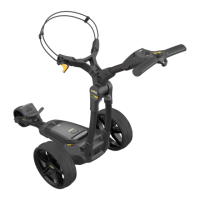
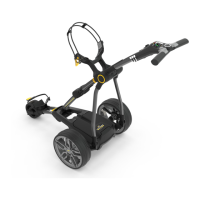
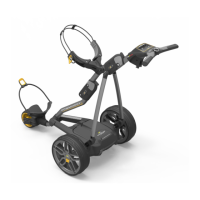
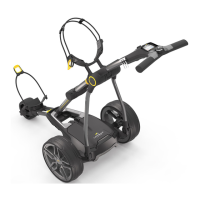
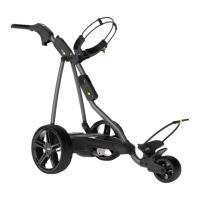
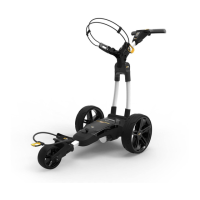
The PowaKaddy CT6 GPS is an advanced electric golf trolley designed to enhance the golfing experience with its integrated GPS features, robust construction, and user-friendly interface. This manual provides comprehensive instructions for its assembly, operation, and maintenance, ensuring optimal performance and longevity.
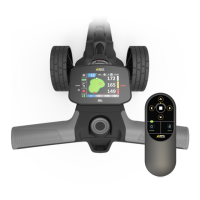
The PowaKaddy CT6 GPS trolley serves as a motorized caddy, allowing golfers to transport their golf bag effortlessly across the course. Its primary function is to reduce physical strain, enabling golfers to conserve energy for their game. The integrated GPS system is a key feature, offering precise distance measurements to the front, center, and back of the green, as well as to various hazards on the course. This information is displayed on a clear, touch-sensitive screen, providing real-time data to aid in shot selection and course management.
The trolley features a powerful motor that can be controlled via a central dial, allowing users to adjust speed from 0 to 9. A pause/resume function is also available, and the motor includes a 15-minute time-out to prevent continuous running. An Automatic Distance Function (ADF) enables users to send the trolley a pre-set distance of 5 to 50 yards/meters, ideal for sending it ahead towards the next tee or green. For downhill descents, the optional Electronic Braking System (EBS) automatically assists in maintaining a selected speed, preventing the trolley from running away.
The PowaKaddy CT6 GPS is equipped with a Plug'n'Play™ lithium battery system, designed for easy connection and secure power delivery, even on uneven terrain. The battery gauge on the display provides a clear indication of the remaining charge. A USB-C charging port is conveniently located on the underside of the handle, allowing users to charge GPS devices and mobile phones during their round.
The trolley also integrates with the PowaKaddy App, which allows for map updates, software updates, and reporting of mapping errors. This connectivity ensures that the trolley's GPS data remains current and accurate. For competitive play, a Competition Mode can be activated to disable distance measuring features, adhering to local rules.
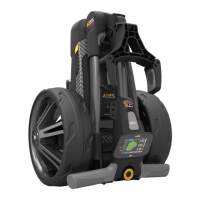
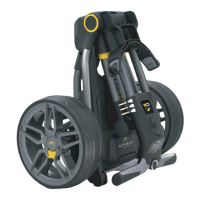
Getting started with the PowaKaddy CT6 GPS involves a few simple steps. First, the wheels must be attached by pressing the release button on the hub and sliding them onto the axle until the clutch engages. For storage or transit, the wheels can be rotated inwards. Unfolding the frame is achieved by pushing the front wheel lever and rotating the front wheel assembly until it locks, then pressing the main lock button and lifting the handle until the joints click into place.
The lithium battery must be fully charged before its first use and recharged within 24 hours after each use. To connect the battery, engage its front, then press the rear until it clips into position, and finally, press the power button to turn the trolley on. The battery can be stored within the tray for transportation, but it's crucial to turn it off to prevent discharge or accidental activation.
The handle height is adjustable to five positions, catering to different user preferences. The trolley is also compatible with PowaKaddy's Mag-Lok® system, allowing for quick and effortless attachment of compatible cart bags without a lower strap. For other cart bags, the Key-Lok™ system can be used with the provided front strap.
The touch display is central to operating the GPS functions and navigating menus. Users can swipe left and right to toggle between GPS measurement modes (Active Green View, Hazard display, Shot Distance) and swipe up and down to navigate menus. The central control dial adjusts the trolley's speed and can be pressed to pause or resume movement.
GPS functions include loading a course, changing holes manually, and clock functions such as a round timer and a lost ball timer. The Active Green View displays the green's outline and distances to the front, center, and back. The "Drop Pin" feature allows users to precisely mark the pin position on the green, updating distances accordingly. A directional approach arrow helps guide users to avoid hazards. The shot distance feature measures the distance covered from a starting point, which can be reset for new measurements.
Maintaining the PowaKaddy CT6 GPS is straightforward and essential for its longevity. The trolley should be stored indoors. Cleaning involves using a sponge and warm water to remove mud, grass, and other debris; jet washing or immersing the trolley in water is not recommended. Periodically, the wheels should be removed, and grease applied to the axles and wheels to ensure smooth operation. Only approved PowaKaddy parts should be used for repairs.
Battery care is critical. The STANDARD 30V Lithium Battery is designed for 18 holes and must be fully charged before each round. Over-discharging or stretching the battery beyond 18 holes can damage its capacity and invalidate the warranty. The XL Extended 30V Lithium Battery is designed for 36 holes. Charging instructions specify plugging the charger into the mains, turning on the battery, and then connecting the battery to the charger. The charger light will turn from green to red during charging and back to continuous green when fully charged. It's important not to leave the battery on charge for more than 12 hours.
Battery safety guidelines include never short-circuiting the battery, keeping it away from metal objects, and avoiding immersion in liquids. The battery should not be stored or charged in extreme temperatures. Only the approved PowaKaddy charger should be used. The battery casing or terminals should not be damaged, and users should never attempt to open or repair the battery due to the risk of electric shock or fire. In the unlikely event of a liquid leak, contact with the liquid should be avoided, and appropriate precautions (washing skin, seeking medical advice, wearing gloves for disposal) should be taken. The battery should not be incinerated and should only be used with a compatible PowaKaddy Trolley.
For any issues not covered in the manual, users are directed to the PowaKaddy website's support section or to contact customer service. The serial number, located in the rear joint, should be noted for reference.
 General
| Type | Electric Golf Trolley |
|---|---|
| Distance Measurement | Yes |
| GPS | Integrated GPS |
| Battery | Lithium-ion |
| Motor | 230W motor |
| Folded Dimensions | 510mm (H) x 425mm (W) x 375mm (D) |
| Features | USB charging port |
| Hole Information | Yes |
| Warranty | 2-year trolley warranty; 5-year pro-rata lithium battery warranty |
| EBS (Electronic Braking System) | Yes |
| Display | 2.8" full color widescreen display |


 To Next Page