EasyManua.ls Logo

Power Acoustik PD-1032B - User Manual

Power Acoustik PD-1032B
28 pages
Print Icon
To Next Page IconTo Next Page
Loading...
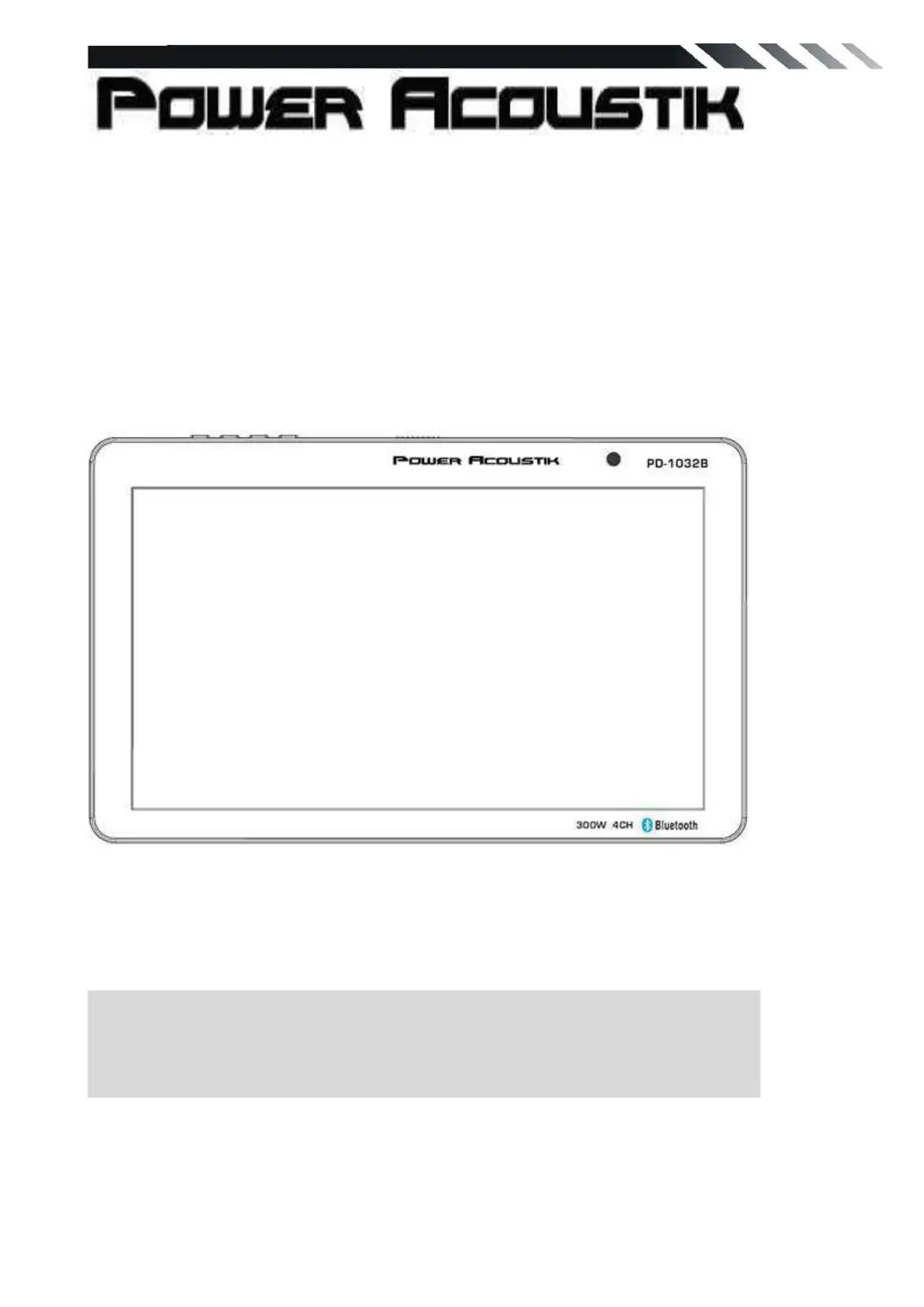
PD-1032B
2 DIN 10' Touch Screen
DVD/CD/MP3/MP4 Player
AM/FM Radio
Support Bluetooth
Owner’s Manual
Take the time to read through this owner’s manual.
Familiarity with installation and operation procedures will help you obtain the best
Performance from your new DVD-receiver.

Questions and Answers

  • M
    Mary LamJul 27, 2025
    How to fix Power Acoustik Touch Panel with no sound output when operating the unit with amplifiers?
    • J
      Jon MurphyJul 28, 2025
      If there's no sound output from your Power Acoustik Touch Panel when using amplifiers, the power antenna lead might be shorted to ground. Here’s how to troubleshoot: 1. Turn off the unit. 2. Remove all wires attached to the power antenna lead and check each wire for a possible short to ground using an ohm meter. 3. Turn on the unit. 4. Reconnect each amplifier remote wire or power antenna to the power antenna lead one by one. If the amplifiers turn off before all wires are attached, use an external relay to provide remote-on voltage.
  • P
    patelcoryAug 2, 2025
    Why is the display not accurate on my Power Acoustik Touch Panel?
    • M
      Madeline BuckAug 2, 2025
      If the display on your Power Acoustik Touch Panel is not accurate, it could be due to dirty connectors. Wipe the dirt off with a soft cloth moistened with cleaning alcohol.
  • J
    jason79Aug 6, 2025
    Why does my Power Acoustik Touch Panel not turn on?
    • C
      caroline08Aug 6, 2025
      Your Power Acoustik Touch Panel might not be turning on because the fuse is blown. Replace it with a fuse of the same amperage. If the fuse blows again, consult your store of purchase. Also, incorrect wiring may be the cause, in which case you should consult your local retailer.
  • T
    Theresa ThompsonAug 12, 2025
    What to do if nothing happens when buttons are pressed on my Power Acoustik Touch Panel?
    • S
      Stephen MartinezAug 12, 2025
      If nothing happens when you press the buttons on your Power Acoustik Touch Panel, it might be due to a microprocessor malfunction caused by noise. Turn off the power, then press the [open] button and remove the DCP. Press the reset button for about 2 seconds using a thin rod.
  • R
    Richard SanchezAug 16, 2025
    What to do if my Power Acoustik Touch Panel deck mechanism shows ERROR 1 or LCD error shows ERROR 2 or shows ERROR 3?
    • T
      Terry MorrisonAug 16, 2025
      If your Power Acoustik Touch Panel displays ERROR 1, ERROR 2, or ERROR 3, especially related to a USB error, try these steps: 1. Remove the USB and reinsert it. 2. Check the USB file for errors. 3. Reset the unit.
  • D
    Dakota BurtonAug 21, 2025
    What to do if the sound is bad directly after power is turned on in my Power Acoustik Touch Panel?
    • N
      Nicholas KennedyAug 21, 2025
      If the sound quality of your Power Acoustik Touch Panel is poor immediately after turning it on, it could be due to several reasons: * The compact disc might be dirty: Clean the compact disc without scratches. * The compact disc might be heavily scratched or warped: Replace it with a compact disc without scratches. * Water droplets may have formed on the internal lens due to humidity: Let it dry for about 1 hour.

Summary

WARNING!

OPERATION PRECAUTIONS

UNIT INSTALLATION AND REMOVAL

INSTALLATION

Step-by-step guide for installing the unit into the dashboard.

Removing the Unit

Instructions on how to detach and remove the unit from its mounting.

WIRING CONNECTIONS

Using the ISO Connector

Guide for connecting the unit using the ISO connector for proper wiring.

Parking wire

Explanation of the parking wire connection for safety and program display.

Reverse Line and Taillight Connection

Details on connecting the reversing line to the car's taillight for rear view camera.

Speaker Connection Guidelines

Instructions on correct and incorrect speaker connections to avoid unit damage.

FRONT PANEL

MAIN MENU

RADIO PLAYER

Instructions on how to access and operate the Radio Player function.

DVD PLAYER

DISC;USB;SD INTERFACE OPERATION

How to play media files from discs, USB drives, and SD cards.

SETTING CONTROL

Sound Settings

Adjusting EQ, balance, fader, beep, loud level, and subwoofer settings.

BLUETOOTH SECTION

Pairing Mode

Instructions for pairing a mobile phone with the unit via Bluetooth.

TROUBLESHOOTING

General Issues

Troubleshooting common problems like no power, no sound, or inaccurate display.

CD;DVD Issues

Resolving issues related to disc reading, sound quality, and playback.

ATTENTION INSTALLER: Bluetooth Connection

Video File Conversion 101

Power Acoustik PD-1032B Specifications

General IconGeneral
Screen Size10.1 inches
Resolution1024 x 600 pixels
TouchscreenYes
BluetoothYes
USB PortYes
SD Card InputYes
Operating SystemAndroid
ProcessorQuad-Core
RAM1 GB
Internal Storage16 GB
Expandable StorageUp to 32 GB
Wi-FiYes
HDMI PortYes

Related product manuals