NOTE: Each Power-Pole anchor comes paired to the included
Dash Switch and Key Fob remotes. When installing dual
anchors, you can program a single Dash Switch and/or
Key Fob remote to control both units as follows:
1. Determine which HPU is paired with the controller by
pressing the UP or DOWN button on the controller.
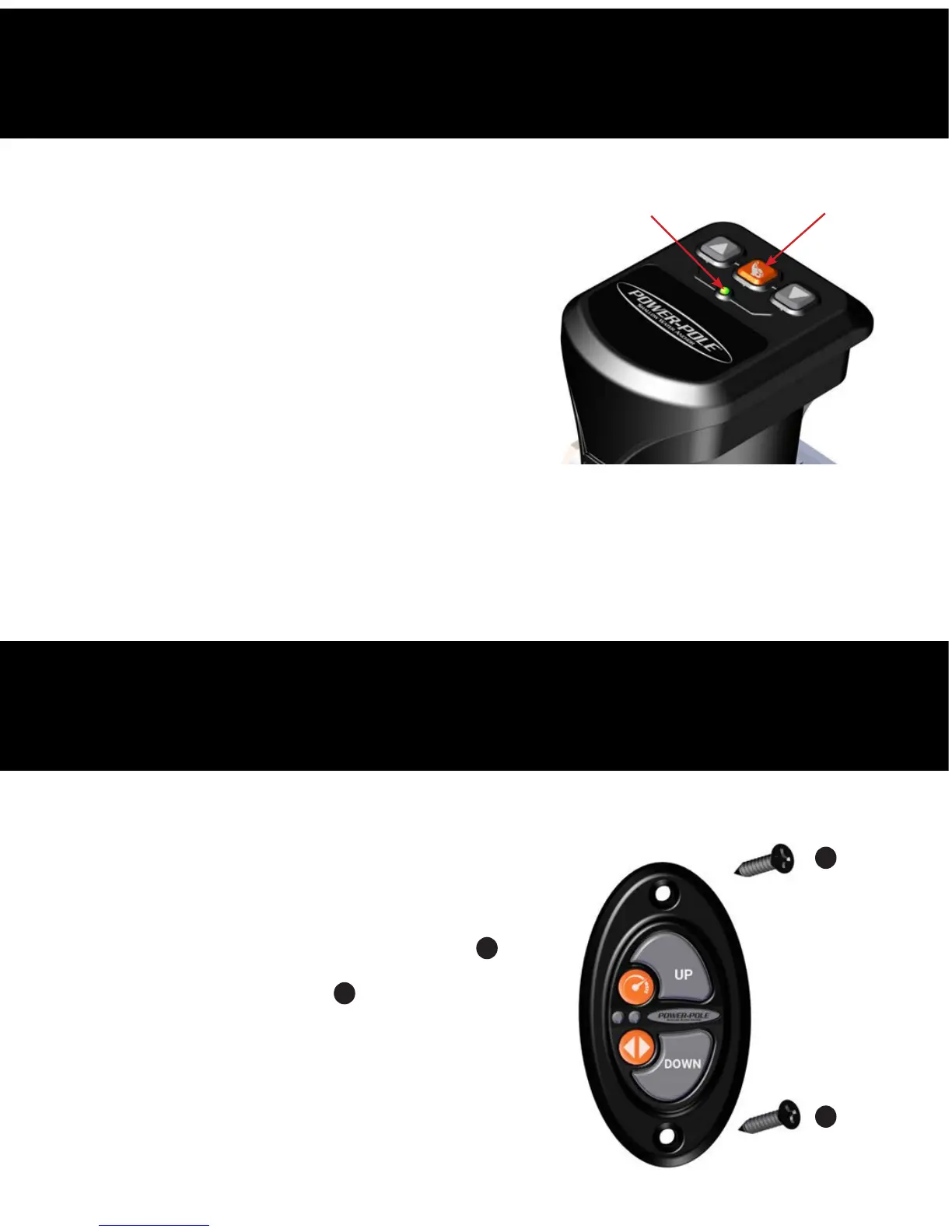
2. Press and hold the PROGRAM button on the other HPU
for 3 seconds until the LED turns GREEN and a single beep
is heard.
3. Press and release either the UP or DOWN button on the
controller until the unit responds. FIG. 21
IMPORTANT: The first time your remote is paired to a recently-
updated pump it may perform a firmware update. When this occurs the remote will blink for
approximately 1 minute. Please do not interrupt power to either the pump or remote during this
process. When the blinking has ceased your remote has finished updating and is ready to use.
NOTE: The pump will not update an unpaired remote.
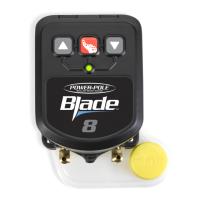
1. Locate a suitable area with a flat surface to mount the
Dash Switch and mark the hole location with a fine point
marker.
2. Carefully drill the marked hole locations with a 7/64” drill
bit to fasten the switch using the (2) flat head screws
G
supplied (do not over tighten). Or you may choose to install
using the supplied adhesive strip
L
(not shown).
STEP7
STEP8
Pairing Dual Units To A Single Wireless Controller
Installing The Advanced Dash Switch
G
G
PROGRAM button
LED
Figure 21


 To Next Page