EasyManua.ls Logo

PowerBoss 5500 Storm-Plus - User Manual

PowerBoss 5500 Storm-Plus
32 pages
Print Icon
To Next Page IconTo Next Page
Loading...
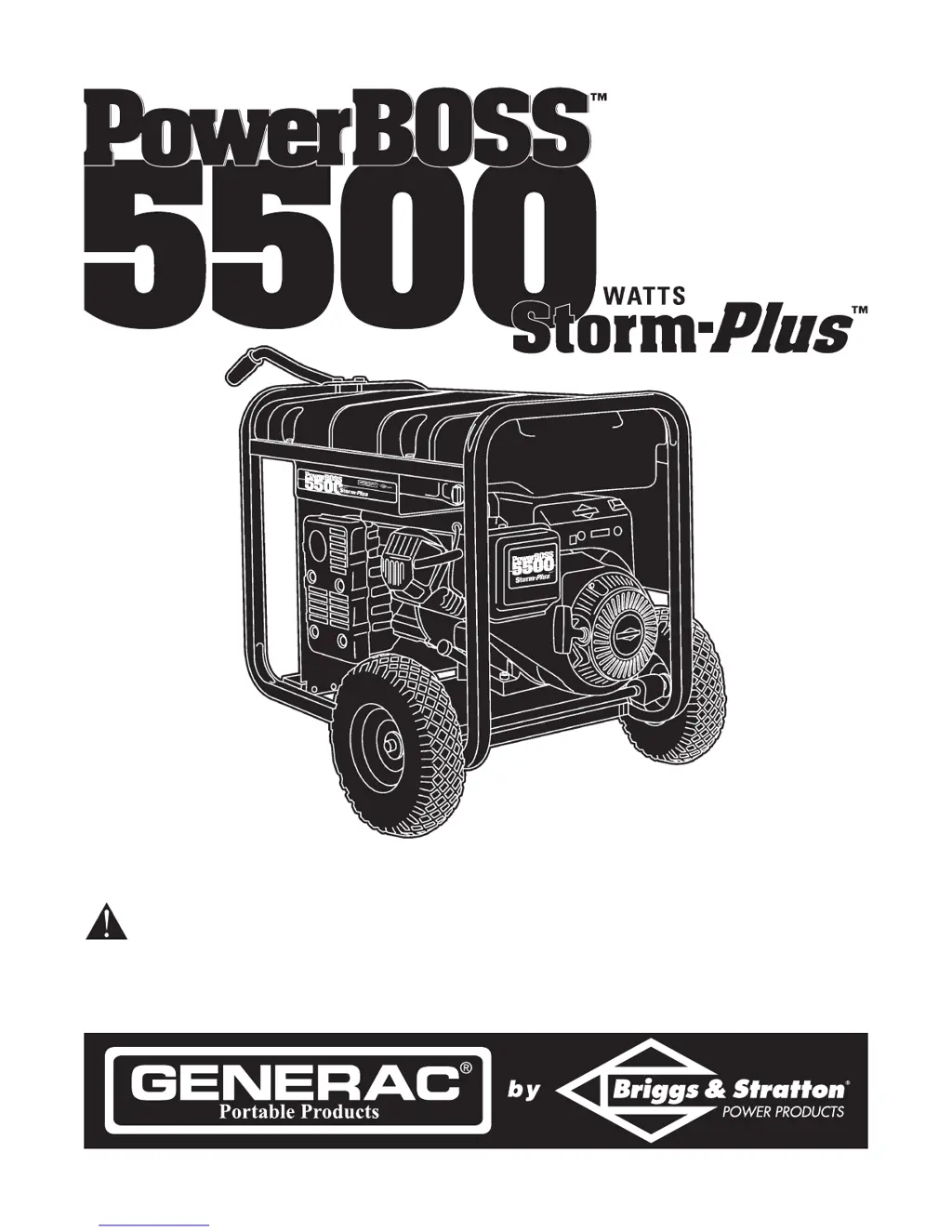
Portable Generator Owner’s Manual
This is the safety alert symbol. It is used to alert you to potential personal injury hazards. Obey all safety messages
that follow this symbol to avoid possible injury or death.
Questions? Help is just a moment away!
Call: Generac Generator Helpline - 1-800-270-1408 M-F 8-5 CT
Web: www.generac-portables.com or www.briggsandstratton.com
Model No. 1642-1 (5,500 Watt AC Generator) Manual No. 189438 Revision 1 (11/20/2001)

Questions and Answers

  • B
    Brian BellJul 26, 2025
    How to fix a PowerBoss 5500 Storm-Plus Portable Generator with no AC output?
    • A
      aryanJul 27, 2025
      If your PowerBoss Portable Generator's engine is running but there's no AC output, try these steps: * First, reset the circuit breaker. * Then, check the cord set for poor connections or defects and repair if needed. * Ensure the connected device is working correctly by testing with another device. * If none of these steps work, there may be a fault in the generator, and you should contact a Generac service facility.
  • J
    Jessica HamptonAug 1, 2025
    What to do if PowerBoss 5500 Storm-Plus Portable Generator bogs down when loaded?
    • I
      Ian HawkinsAug 1, 2025
      If your PowerBoss Portable Generator engine runs well but bogs down when you connect loads, it could be due to several reasons: 1. A short circuit in a connected load: Disconnect the shorted electrical load. 2. Generator overload: Consult the “Don’t Overload the Generator” information. 3. Engine speed too slow or shorted generator circuit: Contact a Briggs or Generac service facility.
  • J
    John PetersenAug 5, 2025
    How to troubleshoot starting problems with a PowerBoss Portable Generator?
    • E
      Eddie SmithAug 6, 2025
      If your PowerBoss Portable Generator engine won't start or runs roughly, here are some things to check: * Ensure the rocker switch is set to “On”. * Make sure the fuel valve is in the “Open” position. * Check and fill the oil to the proper level. * Clean or replace the air cleaner. * Fill the fuel tank with fresh gasoline. * Ensure the spark plug wire is connected, and the spark plug is in good condition. Replace if needed. * Drain any water from the gas tank and refill with fresh fuel. * Adjust the choke to the “Off” position if overchoking is suspected. If the problem persists, it may require contacting a Briggs service facility.
  • S
    Sara MarshallAug 10, 2025
    Why does my PowerBoss 5500 Storm-Plus Portable Generator shut down during operation?
    • L
      Laura HollandAug 10, 2025
      If your PowerBoss Portable Generator engine shuts down during operation, it could be due to the following reasons: * The generator is out of gasoline: Fill the fuel tank. * There is a fault in the engine: Contact a Briggs service facility.
  • T
    Terri DavisAug 16, 2025
    What causes a PowerBoss Portable Generator to lack power?
    • A
      Alexander PerezAug 16, 2025
      If your PowerBoss Portable Generator engine lacks power, consider these potential issues: * The load is too high. Refer to the “Don’t Overload the Generator” information. * The air filter is dirty. Replace the air filter. * The engine requires servicing. Contact a Briggs service facility.
  • W
    William GambleAug 20, 2025
    What to do if PowerBoss 5500 Storm-Plus Portable Generator engine hunts or falters?
    • X
      xcrawfordAug 21, 2025
      If your PowerBoss Portable Generator engine “hunts” or falters, consider these potential issues: * The choke may be opened too soon. Move the choke to the halfway position until the engine runs smoothly. * The carburetor may be running too rich or too lean. Contact a Briggs service facility.

Summary

Equipment Description

Hazard Symbol Definitions

Explains the meaning and severity of DANGER, WARNING, and CAUTION symbols.

Critical Safety Precautions

Covers outdoor operation, ventilation, and fuel handling hazards.

Specific Safety Hazards

Electrical and Burn Risks

Details electrical shock, backfeed, hot surfaces, and burn hazards.

Battery, Overload, and Operational Safety

Warns about battery gases, overloads, speed, and generator modification.

Know Your Generator

Component Identification

Identifies key generator parts such as fuel tank, starter, and receptacles.

Understanding Receptacles

Explains the function and usage of 120V duplex and 120/240V locking receptacles.

Generator Assembly

Unpacking and Contents Check

Guides on safely removing the generator from its carton and checking parts.

Wheel Kit Installation

Provides step-by-step instructions for installing the generator's wheel kit.

Engine Preparation for Starting

Adding Engine Oil

Instructions and cautions for filling the engine with the correct oil.

Refueling Safely

Covers safe practices for adding gasoline, including indoor warnings.

Operating the Generator

Proper Grounding Procedures

Explains the importance and method of grounding the generator for safety.

Engine Starting Sequence

Detailed steps for starting the generator's engine.

Connecting and Stopping Loads

Connecting Electrical Loads

Guidelines for connecting loads, avoiding overloads, and using correct receptacles.

Engine Stopping Procedure

Steps for safely shutting down the generator engine and loads.

Generator Capacity Management

Calculating Wattage Needs

Guides on estimating running and surge watts for appliances.

Adding Loads Sequentially

Best practices for connecting loads to avoid overloading the generator.

Specifications and Maintenance

Product Specifications Overview

Lists key technical data like maximum watts, phase, and fuel capacity.

Routine Maintenance Tasks

Covers engine and generator maintenance, including cleaning.

Generator Storage Procedures

Preparing for Long-Term Storage

Steps for cleaning and preparing the generator for storage.

Fuel and Storage Best Practices

Advice on fuel management and storage environment.

Troubleshooting Common Issues

Engine and Output Problems

Solutions for issues like no AC output, engine bogging, or starting failures.

Performance and Running Issues

Addresses engine shutdown, lack of power, and engine faltering problems.

Electrical Schematics

Wiring Diagram Details

Exploded View - Main Unit

Parts List - Main Unit

Exploded View & Parts - Wheel Kit

Exploded View & Parts - Control Panel

Limited Warranty Information

Warranty Coverage and Period

Outlines warranty terms, periods, and consumer vs. commercial use.

Warranty Exclusions and Claims Process

Details what is not covered and how to obtain warranty service.

PowerBoss 5500 Storm-Plus Specifications

General IconGeneral
BrandPowerBoss
Model5500 Storm-Plus
CategoryPortable Generator
LanguageEnglish

Related product manuals