EasyManua.ls Logo

Powerfix Profi 271367 - User Manual

Powerfix Profi 271367
79 pages
Print Icon
To Next Page IconTo Next Page
Loading...
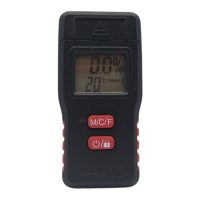
MOISTURE METER
IAN 271367
BAU- UND HOLZFEUCHTEMESSGERÄT
Bedienungs- und Sicherheitshinweise
UREĐAJ ZA MJERENJE VLAGE GRAĐEVNOG
MATERIJALA I DRVETA
Upute za posluživanje i za Vašu sigurnost
APARAT DE MĂSURARE A UMIDITĂŢII
LEMNULUI ȘI CONSTRUCŢIEI
Instrucţiuni de utilizare şi de siguranţă
ВЛАГОМЕР ЗА СТРОИТЕЛНИ МАТЕРИАЛИ
И ДЪРВЕСИНА
Инструкции за обслужване и безопасност
ΜΕΤΡΗΤΗΣ ΥΓΡΑΣΊΑΣ ΓΊΑ ΜΠΕΤΌΝ & ΞΥΛΌ
Υποδείξεις χειρισμού και ασφαλείας
MOISTURE METER
Operation and Safety Notes

Table of Contents

Questions and Answers

  • A
    Adrian TuckerAug 12, 2025
    Why is my Powerfix Profi Measuring Instruments giving incorrect readings?
    • C
      Carlos GreenAug 12, 2025
      If the measurement from your Powerfix Profi Measuring Instruments seems too high or too low, ensure the device is set to the correct material. Also, check that the measuring pins are correctly pressed against the material you are measuring. Repeating the measurement process may also help.
  • B
    bsmithAug 15, 2025
    Why is the display dim on my Powerfix Profi Measuring Instruments?
    • A
      Albert ParkerAug 15, 2025
      If you can barely see the number on the display of your Powerfix Profi Measuring Instruments, it's likely that the battery is low. Please refer to the chapter on 'Inserting/ changing the battery' for instructions.
  • P
    Patrick Lee Jr.Aug 19, 2025
    How to unlock the display on Powerfix Profi Measuring Instruments?
    • T
      tgallegosAug 19, 2025
      If the number on the display of your Powerfix Profi Measuring Instruments is not reacting, check if the lock key on the display is activated. If it is, press the button to unlock it.
  • D
    daniel90Aug 23, 2025
    What to do if the number on the Powerfix Profi Measuring Instruments display is not reacting?
    • L
      Leslie PerryAug 25, 2025
      If the display is not reacting, check if the lock key is activated. If so, press button 4 to unlock it.
  • F
    fitzgeraldjessicaAug 27, 2025
    Why is the display on my Powerfix Profi Measuring Instruments reading 'Lo' or 'Hi'?
    • S
      sullivanjamesAug 27, 2025
      The 'Lo' or 'Hi' reading on the display indicates that the measurement range has been exceeded or you have not reached the measuring range.
  • M
    Miranda BushAug 30, 2025
    What to do if electrostatic discharges cause malfunctions in Powerfix Profi Measuring Instruments?
    • K
      Kelly MoonAug 30, 2025
      If electrostatic discharges cause malfunctions, remove the batteries briefly and then reinsert them.
  • A
    Andrew HamiltonSep 3, 2025
    What to do if the Powerfix Profi Measuring Instruments measurement is too high or low?
    • M
      Michael RojasSep 3, 2025
      If the measurement from your Powerfix Profi Measuring Instruments seems incorrect, first ensure that the device is set to measure the correct material. Next, check that the measuring pins are firmly pressed against the material during measurement. If the issue persists, try repeating the measurement process.
  • G
    Gregory BarkerSep 7, 2025
    Why does my Powerfix Profi Measuring Instruments display 'Lo' or 'Hi'?
    • J
      James PayneSep 7, 2025
      The 'Lo' or 'Hi' reading on your Powerfix Profi Measuring Instruments display indicates that the measurement range has been either exceeded or not reached.

Summary

Intended Use and Technical Details

Intended Use

Specifies the device's suitability for measuring moisture in wood and building materials.

Parts Description

Details the components of the moisture meter, including the protective cap, pins, and display elements.

Technical Data

Provides key specifications like operating voltage, battery type, precision, and temperature range.

General Safety and Battery Handling

Scope of Delivery

Lists the items included in the product packaging: meter, battery, and instructions.

General Safety Instructions

Covers essential safety guidelines for device usage, including checking for damage and proper handling.

Battery Safety Information

Critical warnings regarding battery handling, including ingestion, explosion, and leakage risks.

Measuring Pin Safety

Highlights the sharpness of measuring pins and the necessity of using the protective cap.

Operation and Battery Management

Risk of Property Damage

Advises on using the correct battery type and ensuring proper polarity to prevent damage.

Inserting and Changing the Battery

Provides step-by-step instructions for replacing the device's battery.

Device Startup and Measurement

Before Taking a Measurement

Guidance on ensuring proper contact, pressure, and surface preparation before measurements.

Taking a Measurement

Instructions on how to power on the device and initiate a moisture reading.

Material Selection and Calibration

Details on selecting materials and calibrating the device for accurate readings.

Measurement and Display Functions

Completing a Measurement

Procedure for reading results, freezing the display, and powering off the device.

Battery Display

Explains the battery indicator and when replacement is necessary to ensure accuracy.

Temperature Display

Information on how to switch the temperature display between Celsius (°C) and Fahrenheit (°F).

Troubleshooting and Maintenance

Troubleshooting Common Errors

Addresses common issues like incorrect readings, display errors, and device responsiveness.

Cleaning and Care

Guidance on cleaning the device and its measuring pins to maintain performance.

Storage, Disposal, and Warranty

Storage Guidelines

Recommendations for storing the device properly when not in use, including battery removal.

Disposal Information

Instructions on environmentally friendly disposal of packaging, the product, and batteries.

Warranty Details

Outlines the 3-year warranty period, coverage, and conditions for product defects.

Powerfix Profi 271367 Specifications

General IconGeneral
BrandPowerfix Profi
Model271367
CategorySecurity Sensors
LanguageEnglish

Related product manuals