11 GB/IE
and the previously selected material (1–6)
appears.
Press the button
4
and hold it down for
approximately 5 seconds to switch the tem-
perature display between °C and °F.
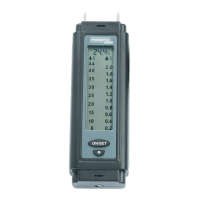
If the display does not show ‚0.0 %‘ after
switching it on, you can calibrate the device.
Do this as follows:
Open the battery compartment
6
, remove
the batteries and press the RESET button with
a pointed object, this button is on the bottom
of the device in the middle.
Press the MODE button
3
again to set the
moisture measuring device to the material
you wish to measure.
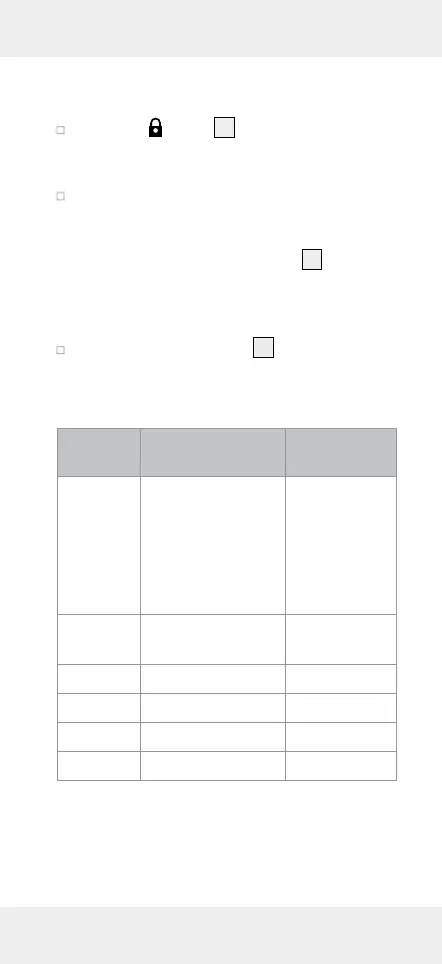
Number Material Measuring
range
1
Beech, spruce,
larch, birch,
cherry tree,
walnut tree, oak,
pine, maple, ash,
Douglas fir
6–44 %
2
Cement screed,
concrete, plaster
1.4–7.4 %
3
Anhydride screed 0.0–4.1 %
4
Cement mortar 0.8–5.1 %
5
Lime mortar 0.4–3.7 %
6
Brick 0.0–8.5 %
Note: When measuring under the measure-
ment range, the display shows ‚0.0%‘ or
‚Lo‘. For measurements above the measure-
ment range, the display shows ‚Hi‘.


 To Next Page
 Loading...