EasyManua.ls Logo

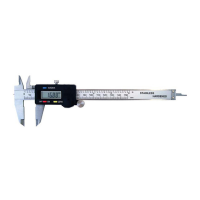
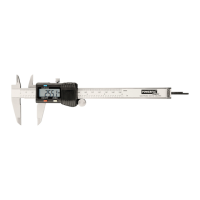
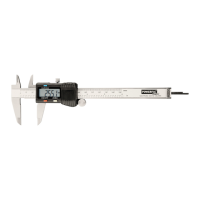
Powerfix Profi DIGITAL CALLIPER - User Manual

Powerfix Profi DIGITAL CALLIPER
81 pages
Go to English
Print Icon
To Next Page IconTo Next Page
Loading...
IAN 285136
DIGITALER MESSSCHIEBER
Bedienungs- und Sicherheitshinweise
DIGITAL CALLIPER
Operation and Safety Notes
PIED À COULISSE NUMÉRIQUE
Instructions d‘utilisation et consignes de sécurité
DIGITALE SCHUIFMAAT
Bedienings- en veiligheidsinstructies
DIGITÁLNÍ POSUVNÉ MĚŘÍTKO
Pokyny pro obsluhu a bezpečnostní pokyny
CALIBRE DIGITAL
Instrucciones de utilización y de seguridad
PAQUÍMETRO DIGITAL
Instruções de utilização e de segurança
DIGITALER MESSSCHIEBER
DIGITAL CALLIPER
PIED À COULISSE NUMÉRIQUE

Table of Contents

Questions and Answers

Powerfix Profi DIGITAL CALLIPER Specifications

General IconGeneral
Measurement Range0 - 150 mm
Display TypeLCD
Accuracy+/- 0.03 mm / 0.001 inch
MaterialStainless Steel
Resolution0.01 mm
Protection RatingIP54
Battery1.5V button cell (SR44)
Battery Type1.5V button cell (SR44)

Summary

Introduction

Intended Use

Specifies the exclusive purpose of the digital caliper for private use only.

Scope of Delivery

Details the items included with the digital caliper upon purchase.

Description of Parts

Identifies and labels all components of the digital caliper for user familiarity.

Technical Data

Provides key specifications and measurement capabilities of the digital caliper.

Safety Instructions

Safety Instructions for Batteries

Outlines critical safety precautions for handling and using batteries.

Before Start of Operation

Insert or Replace Battery

Step-by-step guide for battery insertion and replacement procedures.

Preparing the Caliper

Instructions on cleaning and initial setup before using the caliper.

Starting Up the Device

Using the Caliper

Basic operation guide for turning on and using the digital caliper.

Measuring an Object from the Outside

Procedure for measuring external dimensions of an object.

Measuring an Object from the Inside

Procedure for measuring internal dimensions of an object.

Measuring the Depth of an Object

Procedure for measuring the depth of a feature or hole.

After Measurement

Steps to take after completing a measurement, including shutdown.

Examples of Use

Comparison of Plug and Socket

Demonstrates measuring plug and socket dimensions for comparison.

Deviation from a Reference Value

Explains how to measure and display deviations from a reference.

Measuring the Thickness of the Floor of an Object

Guide to measuring the thickness of an object's floor or base.

Measuring the Distance Between Two Identical Holes

Method for measuring the distance between two equally sized holes.

Troubleshooting

Five Digits Flash Simultaneously

Addresses the issue of all five digits flashing, indicating low battery.

LCD Display Does Not Continue to Count

Troubleshoots the problem of the LCD display freezing or not counting.

Nothing Displayed on LCD

Resolves issues where the LCD display shows no output.

Cleaning and Maintenance

Cleaning the Caliper

Instructions for cleaning the caliper using a dry cloth and avoiding liquids.

Switching Off the Display

Guidance on switching off the LCD display to extend battery life.

Avoiding Damage to the Chip

Recommendations to prevent damage to the caliper's chip from electrical sources.

Disposal

Packaging Disposal

Information on the proper disposal of recyclable packaging materials.

Product and Packaging Recyclability

Details on the recyclability of the product and its packaging.

Environmental Damage from Battery Disposal

Highlights risks of environmental damage from improper battery disposal.

Warranty

Warranty Period and Terms

Specifies the duration and general conditions of the product warranty.

Warranty Exclusions

Details parts or conditions not covered by the product warranty.

Related product manuals