EasyManua.ls Logo

Powerfix Profi HG00384C - User Manual

Powerfix Profi HG00384C
87 pages
Print Icon
To Next Page IconTo Next Page
Loading...
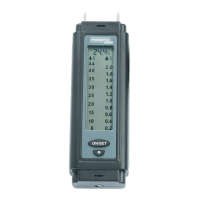
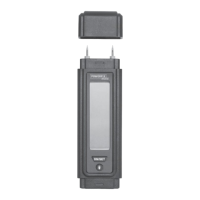
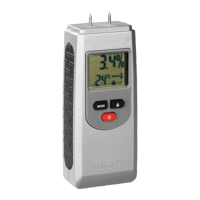
MOISTURE METER
BAU- UND HOLZFEUCHTEMESSGERÄT
Bedienungs- und Sicherheitshinweise
FUGTIGHEDSMÅLER TIL BYGGERI OG TRÆ
Brugs- og sikkerhedsanvisninger
FUKTMÄTARE FÖR TRÄ OCH BYGG
Bruksanvisning och säkerhetsanvisningar
MOISTURE METER
Operation and Safety Notes
PUU- JA RAKENNEKOSTEUSMITTARI
Käyttö- ja turvallisuusohjeet
HUMIDIMÈTRE
Instructions d‘utilisation et consignes de sécurité
BOUW- EN HOUTVOCHTIGHEIDSMETER
Bedienings- en veiligheidsinstructies
IAN 271367

Table of Contents

Questions and Answers

  • H
    hurstcynthiaJul 25, 2025
    Why is my Powerfix Profi HG00384C Measuring Instruments giving incorrect readings?
    • K
      Kenneth AndersonJul 25, 2025
      If the measurement from your Powerfix Profi Measuring Instruments seems too high or too low, ensure the device is set to the correct material. Also, check that the measuring pins are correctly pressed against the material you are measuring. Repeating the measurement process may also help.
  • M
    Melissa FreyJul 30, 2025
    Why is the display dim on my Powerfix Profi HG00384C Measuring Instruments?
    • J
      Jessica JohnsonJul 30, 2025
      If you can barely see the number on the display of your Powerfix Profi Measuring Instruments, it's likely that the battery is low. Please refer to the chapter on 'Inserting/ changing the battery' for instructions.
  • A
    Angela WilliamsAug 4, 2025
    How to unlock the display on Powerfix Profi Measuring Instruments?
    • C
      Christopher WadeAug 5, 2025
      If the number on the display of your Powerfix Profi Measuring Instruments is not reacting, check if the lock key on the display is activated. If it is, press the button to unlock it.
  • I
    ibutlerAug 9, 2025
    What to do if the Powerfix Profi Measuring Instruments measurement is too high or low?
    • J
      Jack AguilarAug 9, 2025
      If the measurement from your Powerfix Profi Measuring Instruments seems incorrect, first ensure that the device is set to measure the correct material. Next, check that the measuring pins are firmly pressed against the material during measurement. If the issue persists, try repeating the measurement process.
  • C
    cfranklinAug 14, 2025
    Why does my Powerfix Profi Measuring Instruments display 'Lo' or 'Hi'?
    • R
      Ruben RoweAug 15, 2025
      The 'Lo' or 'Hi' reading on your Powerfix Profi Measuring Instruments display indicates that the measurement range has been either exceeded or not reached.
  • D
    daniel96Aug 19, 2025
    What to do if the number on the Powerfix Profi Measuring Instruments display is not reacting?
    • J
      Justin JohnsonAug 19, 2025
      If the display on your Powerfix Profi Measuring Instruments is not responding, check if the lock key is activated. If it is, press the button 4 to unlock the display.

Summary

Intended Use

Parts Description

Technical Data

Scope of Delivery

General Safety Instructions

Battery Safety Information

Risk of Battery Leakage

Details risks associated with battery leakage and necessary precautions.

Inserting;Changing the Battery

Start-up

Before You Take a Measurement

Preparation steps before conducting a moisture measurement.

Taking a Measurement

Procedure for performing a moisture measurement with the device.

Troubleshooting

Cleaning and Care

Storage

Disposal

Warranty

Powerfix Profi HG00384C Specifications

General IconGeneral
BrandPowerfix Profi
ModelHG00384C
CategoryMeasuring Instruments
LanguageEnglish

Related product manuals