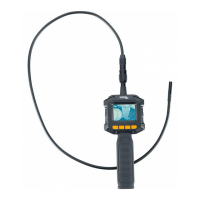
PowerFix PEK 2.4 B1
English - 11
Use of the device
Switching the endoscope camera on and off
The endoscope camera is switched on and off by pressing the on/off switch
[4]. The power indicator [2] lights up green and, after a short delay, the image
is shown on the screen [1].
Lighting
The camera head is equipped with 4 LEDs. This lighting can be switched on
with the lighting button [7]. This button can also be used to gradually increase
the brightness of the LEDs by pressing it several times. When the highest level is
reached and the lighting button [7] is pressed again, the lighting switches off.
Screen brightness
The brightness setting of the screen can be changed with the brightness
adjustment button [8]. The brightness of the screen is gradually increased when
this button is pressed several times. When the highest level is reached and the
brightness adjustment button [8] is pressed again, the brightness setting is reset
to the default value.
Changing the display
The camera image can be rotated by 180° and mirrored vertically or
horizontally by pressing the view button [6]. This setting enables you to select
four different views. When the device is switched off, the last setting is retained.



 To Next Page
 Loading...