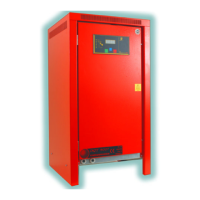
Need help?
Do you have a question about the Powergen Sirius and is the answer not in the manual?
Warning about checking nuts and bolts for tightness due to transport vibrations.
Instructions for connecting auxiliary transformer for 230-240V and 400-415V.
Check connections, wires, and remove dust. No scheduled maintenance.
Check input voltage, avoid sparks/flames in explosive environments, indoor use only.
Setting battery parameters, meter, charge cycle, and general options.
Real-time data display, charge logic, and system monitoring.
Overview of internal circuitry, cards (CPU, display, radio), and interfaces like USB.
Volt/Ammeter, CPU, Display, Radio, and Remote Monitor unit details.
How to read the display symbols and use navigation keys for parameters.
Accessing activated alarms and historical charge reports from the main menu.
Accessing connectivity options (optional) and device information like firmware and serial number.
Accessing and configuring battery parameters like voltage, current, and capacity.
Accessing counters, timed cycles, security counter, and charge cycle settings.
Accessing setup options like functioning modality, factory setup, language, watch, and date.
Critical safety instruction before disconnecting the battery or charger.
Details on the 12-month warranty, coverage for defects, and exclusions.
Conditions that nullify the warranty, such as incorrect installation, misuse, or tampering.
Checks for connection, voltage, and fuses when the charger does not start.
Solutions for insufficient charging or excessive charge delivery.
Troubleshooting control panel not switching on and battery not holding autonomy.
 General
| Brand | Powergen |
|---|---|
| Model | Sirius |
| Category | Battery Charger |
| Language | English |

 To Next Page