EasyManua.ls Logo

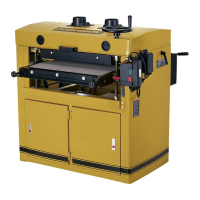
Powermatic PM2244 - User Manual

Powermatic PM2244
32 pages
Print Icon
To Next Page IconTo Next Page
Loading...
1
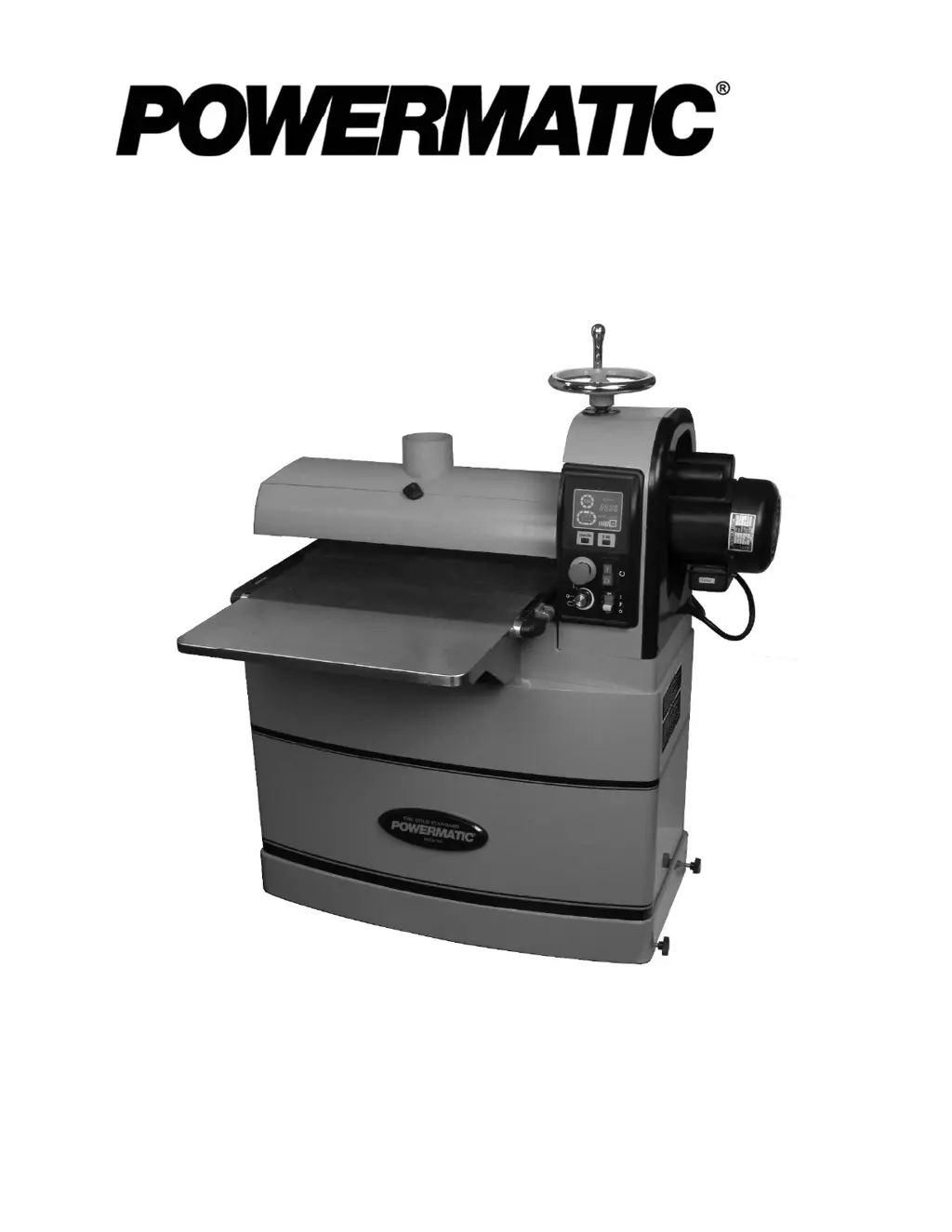
Operating Instructions and Parts Manual
Drum Sander
Model PM2244
Powermatic
427 New Sanford Road
LaVergne, Tennessee 37086 Part No. M-1792244
Ph.: 800-274-6848 Edition 1 08/2015
www.powermatic.com Copyright © 2015 Powermatic

Other manuals for Powermatic PM2244

Questions and Answers

  • W
    wilcoxtanyaAug 21, 2025
    Why does my Powermatic PM2244 motor blow fuses or trip circuit breakers?
    • N
      Nicole RiversAug 21, 2025
      If your Powermatic Sander's motor causes fuses to blow or circuit breakers to trip, it could be due to a short circuit in the line cord or plug. Inspect the cord or plug for damaged insulation and shorted wires. Also, check all connections on the motor for loose or shorted terminals or worn insulation. Finally, ensure that you have the correct fuse or circuit breaker installed in the power line.
  • J
    Joseph WilsonAug 23, 2025
    What causes a Powermatic PM2244 Sander motor to overheat?
    • C
      carrie14Aug 23, 2025
      A Powermatic Sander motor may overheat if air circulation through the motor is restricted. Clean the motor fan with compressed air to restore normal air circulation. Another cause could be the motor being overloaded, indicating that the Feed Logic is not functioning properly and requires inspection and repair.
  • K
    Kathryn ThompsonAug 26, 2025
    What to do if Powermatic Sander motor stalls and blows fuses?
    • S
      sabrina00Aug 26, 2025
      If your Powermatic Sander motor stalls, resulting in blown fuses or a tripped circuit, inspect the connections on the motor for loose or shorted terminals or worn insulation. Also, verify that the power line voltage is correct and that the correct fuse or circuit breaker is installed.
  • B
    Becky SchmittAug 27, 2025
    How to fix loud noise or vibration in Powermatic PM2244?
    • J
      jeremiah85Aug 27, 2025
      If you notice loud, repetitive noise or vibration coming from your Powermatic Sander, start by inspecting all fasteners and tightening them where needed. Check if the motor fan is hitting the cover and tighten the fan or shim the fan cover. Also, ensure the machine is on a level floor; shim it if needed.
  • J
    John BryantAug 29, 2025
    Why does my Powermatic Sander drum motor shut off when I release the switch?
    • M
      Michael GreenAug 30, 2025
      If the drum motor on your Powermatic Sander shuts off when you release the on/off switch, make sure you are pressing and holding the switch for at least 1 second. Also, ensure the conveyor speed dial is in the OFF position after using the E-stop or switching off the main switch.
  • E
    Erica HoganSep 1, 2025
    What to do if the Powermatic PM2244 Sander conveyor motor will not run?
    • D
      Daniel AlexanderSep 1, 2025
      If the conveyor motor on your Powermatic Sander will not run, ensure that the conveyor speed dial is in the OFF position after using the E-stop. Then, try starting the machine again.
  • J
    Jessica MartinezSep 3, 2025
    Why won't the drum motor start on my Powermatic Sander?
    • J
      John PenaSep 3, 2025
      If the drum motor of your Powermatic Sander doesn't start, several factors could be at play. First, ensure there's incoming current by checking connections at the plug or circuit panel. Verify that the safety key is properly installed in the switch. If the E-stop is engaged (indicated by a flashing racetrack), disengage it by rotating clockwise. Also, make sure the conveyor speed dial is set to the OFF position after using the E-stop. Low voltage could also be the culprit, so check the power line. Lastly, inspect all lead connections on the motor for any loose or open connections.
  • S
    Sheena GreenSep 5, 2025
    What to do if my Powermatic Sander motor won't start and the fuses blow?
    • G
      Gary MartinSep 5, 2025
      If the motor of your Powermatic Sander won't start and fuses are blowing or circuit breakers are tripping, there might be a short circuit in the line cord or plug. Inspect the cord and plug for damaged insulation or shorted wires. Also, check all connections on the motor for loose or shorted terminals, or worn insulation. Finally, make sure you have the correct fuse or circuit breaker installed in the power line.
  • W
    William ClarkSep 7, 2025
    Why does my Powermatic Sander motor overheat?
    • G
      gregorytanyaSep 7, 2025
      If your Powermatic Sander motor overheats, it could be due to restricted air circulation. Try cleaning the motor fan with compressed air to restore normal air circulation. Alternatively, the motor might be overloaded due to Feed Logic not functioning properly; in this case, have the controls inspected and repaired.
  • S
    Sarah GomezSep 9, 2025
    What causes my Powermatic PM2244 motor to stall and blow fuses?
    • C
      chambersmarvinSep 9, 2025
      If the motor on your Powermatic Sander stalls, causing blown fuses or a tripped circuit, check the motor connections for loose or shorted terminals, or worn insulation. Also, verify that there are no low voltage conditions and ensure that the correct fuse or circuit breaker is installed in the power line.

Summary

1.0 IMPORTANT SAFETY INSTRUCTIONS

Understand Manual and Warnings

Read and understand all warnings and the owner's manual before operation for injury prevention.

Personal Protective Equipment and Practices

Wear safety glasses, appropriate clothing, and hearing protection during operation.

Safe Operating Procedures

Ensure proper grounding, unplug for adjustments, keep guards in place, and maintain a balanced stance.

2.0 About this manual

Manual Purpose and Scope

This manual covers safe operation, maintenance, and parts for the Powermatic PM2244 Drum Sander.

Contact and Future Reference

Contact Powermatic for questions and retain the manual for future reference or ownership transfer.

4.0 Specifications

Motor and Electrical Specifications

Details drum and conveyor motor type, horsepower, voltage, amperage, and speed ratings.

Machine Capacities and Materials

Specifies maximum board width/thickness, minimum board length, and materials used in construction.

Drum and Conveyor Dimensions;Speeds

Lists dimensions and rotational/feed speeds for the drum and conveyor system.

5.0 Setup and Assembly

Shipping Contents and Tools Required

Lists all included parts and necessary tools for assembly, along with unpacking instructions.

Handwheel Installation

Instructions for attaching and using the handwheel for drum height adjustment.

Table Installation and Alignment

Guides for attaching extension tables and ensuring proper alignment with the conveyor bed.

Caster Lock Knob Installation

Dust Collection Setup

Mandatory dust collection setup using a 4-inch port and high-volume dust collector (min. 800 CFM).

Installing Abrasive Strips

Proper attachment of abrasive strips to the drum, including pre-installed and optional abrasives.

6.0 Electrical Connections

Grounding Instructions

Ensures proper grounding for safety and risk reduction of electric shock, with specific instructions.

Extension Cord Recommendations

Guidelines for using extension cords, including gauge size based on amperage and length.

7.0 Adjustments

Depth Scale Calibration

Procedure to align the depth scale pointer with the zero mark for accurate depth of cut settings.

Conveyor Belt Tension Adjustment

Steps to adjust belt tension using take-up screw nuts to ensure proper tracking and prevent slippage.

Conveyor Belt Tracking

Adjusting conveyor belt tracking by turning take-up screw nuts to ensure central movement on rollers.

Drum Alignment Inspection

Tension Roller Adjustment

Adjusting infeed/outfeed roller tension to provide downward pressure and prevent workpiece slippage.

Storage Cabinet Access

Instructions on how to open the storage cabinet by pulling the latch and rotating it.

8.0 Operations

Basic Operating Procedure

Step-by-step guide to start the machine, feed stock, and receive the workpiece.

Controls and LED Display

Explanation of the control panel layout, buttons, dials, and LED indicators.

Drum and Conveyor Motor Operation

Start, stop, and control the drum and conveyor motors, including safety features like E-stop.

Setting Depth of Cut and Drum Height

Safety Features and Operation

Utilizing the emergency stop button and safety key for secure and safe machine operation.

Feed Logic and Unit Settings

Understanding the automatic feed logic and how to switch between imperial and metric units.

Selecting Conveyor Rate

Guidance on selecting optimal conveyor feed rates for different sanding tasks and achieving smooth finishes.

8.13 Maximum Performance Tips

Dust Collection Best Practices

Recommendations for connecting dust collectors, including hose diameter and fitting types.

Sanding Techniques for Multiple Pieces

Methods for sanding multiple pieces simultaneously or in runs for consistent thickness.

Advanced Sanding Techniques

Guidance on edge sanding, handling imperfect stock, and face frames for optimal results.

Optimizing Stock Feeding

Techniques for feeding stock at optimal angles and speeds to prevent burning and ensure efficiency.

9.0 Maintenance

Cleaning and Lubrication

Regular cleaning of drums, belts, and components, plus lubrication points for optimal performance.

Drum Maintenance Procedures

Information on drum removal and replacement, noting it's not typically required.

Conveyor Belt Replacement

Step-by-step guide for removing, installing, and tensioning the conveyor belt.

10.0 Optional Abrasives

Available Abrasive Grits

List of optional precut abrasive grits available for the PM2244 drum sander.

Abrasive Dimensions

Diagram and specifications for cutting after-market abrasive strips to fit the drum.

11.0 Tracker Kit

Tracker Installation and Resetting

Procedure for installing, resetting, and maintaining ceramic 'Trackers' for conveyor belt alignment.

12.0 Abrasives

Selecting Drum Abrasives

Guidance on choosing the right abrasive grit based on stock condition and desired finish.

Cleaning and Increasing Abrasive Life

Methods for cleaning and reversing abrasive strips to extend their operational life.

Abrasive Selection Guide

Chart detailing common applications for various abrasive grits from 24 to 220.

13.0 Troubleshooting

Motor and Operation Troubleshooting

Diagnosing and correcting issues with motor problems, noise, vibration, and unexpected shutdowns.

Replacement Parts

Information on how to order replacement parts and contact the service department.

14.1.1 PM2244 Head Assembly I - Exploded View

14.1.2 PM2244 Head Assembly II - Exploded View

14.1.3 PM2244 Head Assembly III - Exploded View

14.1.4 PM2244 Head Assembly - Parts List

PM2244 Head Assembly - Parts List (Continued)

14.2.1 PM2244 Conveyor Bed Assembly - Exploded View

14.2.2 PM2244 Conveyor Bed Assembly - Parts List

14.3.1 PM2244 Cabinet Assembly - Exploded View

14.3.2 PM2244 Cabinet Assembly - Parts List

15.0 Electrical Connections - PM2244 Drum Sander

16.0 Warranty and Service

Warranty Coverage and Limitations

Details on what is covered by Powermatic's warranty, exclusions, and legal rights.

Technical Support and Service

Instructions for contacting technical support, providing proof of purchase, and finding service centers.

Powermatic PM2244 Specifications

General IconGeneral
BrandPowermatic
ModelPM2244
CategorySander
LanguageEnglish

Related product manuals