EasyManua.ls Logo

Powerplus POWX0400 - User Manual

Powerplus POWX0400
7 pages
Print Icon
To Next Page IconTo Next Page
Loading...
POWX0400 EN
Copyright © 2014 VARO NV P a g e | 1 www.varo.com
1 APPLICATION .................................................................................. 2
2 DESCRIPTION ................................................................................. 2
3 PACKAGE CONTENT LIST ............................................................. 2
4 SYMBOLS ........................................................................................ 2
5 GENERAL POWER TOOL SAFETY WARNINGS .......................... 3
5.1 Work area ................................................................................................................ 3
5.2 Electrical safety ....................................................................................................... 3
5.3 Personal safety ....................................................................................................... 3
5.4 Power tool use and care ......................................................................................... 4
5.5 Service ..................................................................................................................... 4
6 SPECIFIC SAFETY WARNINGS ..................................................... 4
7 OPERATION ..................................................................................... 4
7.1 Switch on and off .................................................................................................... 4
7.2 Fitting the hook-and-loop system .......................................................................... 4
7.3 Fitting with paper-clamps ....................................................................................... 4
7.4 Fitting dust collection box ...................................................................................... 5
8 CLEANING AND MAINTENANCE ................................................... 5
8.1 Cleaning................................................................................................................... 5
9 TECHNICAL DATA .......................................................................... 5
10 NOISE ............................................................................................... 5
11 SERVICE DEPARTMENT ................................................................ 5
12 STORAGE ........................................................................................ 6
13 WARRANTY ..................................................................................... 6
14 ENVIRONMENT ............................................................................... 6
15 DECLARATION OF CONFORMITY ................................................ 7
Question and Answer IconNeed help?

Do you have a question about the Powerplus POWX0400 and is the answer not in the manual?

Overview

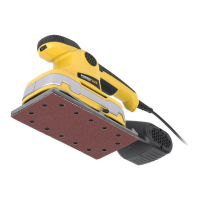
The device described in this manual is a POWERPLUS POWX0400 Finishing Sander, designed for sanding and buffing wood, plastic, and similar materials. It is intended for non-commercial use and requires the correct sandpaper for optimal performance.

Technical Specifications

  • Voltage: 230-240 V AC~ / 50 Hz
  • Power input: 220 W
  • Sanding area: 187 x 90 mm
  • No. of vibrations: 12000 min-1
  • Weight: 1.5 kg
  • Protection class: Class II (double insulated, earthing wire not necessary)
  • Noise levels (K=3):
    • Acoustic pressure level LpA: 86 dB(A)
    • Acoustic power level LwA: 97 dB(A)
  • Vibration (aw): Max 10.4 m/s² (K = 1.5 m/s²)

Usage Features

The POWX0400 Finishing Sander is equipped with several features to facilitate its operation:

  • Front-handle (1): Provides a secure grip for control during operation.
  • On-/off switch (2): Allows for easy control of the tool. To switch on, push the button forwards to the "I" position. To switch off, pull the button backwards to the "O" position.
  • Dust box (3): Collects dust generated during sanding. It can be pulled and slid over the dust extraction port. Release buttons on the sides of the rear cover allow for easy removal.
  • Paper clamp (4): Used for fitting sandpaper, particularly when not using the hook-and-loop system.
  • Base with hook & loop (5): Enables quick and easy attachment of sandpaper using a hook-and-loop system.

Sandpaper Attachment: The sander offers two methods for attaching sandpaper:

  1. Hook-and-loop system:

    • Ensure the sanding plate is clean of dirt.
    • Attach the sandpaper directly to the sanding plate using the hook-and-loop system.
    • Verify that the perforations in the sandpaper align with those on the sanding plate for effective dust collection.
  2. Paper-clamps:

    • Open the paper-clamps located on both sides of the sanding plate.
    • Place a new sanding paper on the sanding plate and fasten one clamp first.
    • Press the sandpaper against the sanding plate, bend the other end, and then fasten the second clamp.

Dust Collection: The device includes a dust collection box. For optimal dust extraction, it is recommended to connect a vacuum cleaner to the attached adaptor during work. Always keep the holes in the baseplate clean from dust to maintain efficiency.

Safety Warnings (General and Specific)

The manual emphasizes several safety precautions:

  • General Power Tool Safety:

    • Work Area: Keep the work area clean, well-lit, and free from flammable materials. Keep children and bystanders away.
    • Electrical Safety: Ensure the power supply matches the tool's voltage. Avoid body contact with earthed surfaces. Do not expose the tool to rain or wet conditions. Do not abuse the cord. Use an appropriate extension cord for outdoor use. Use an RCD protected supply in damp locations.
    • Personal Safety: Stay alert, use common sense, and do not operate the tool while tired or under the influence. Wear safety equipment, including eye protection and a dust mask. Avoid accidental starting. Remove adjusting keys before turning on. Maintain proper footing and balance. Dress properly, avoiding loose clothing or jewelry.
    • Power Tool Use and Care: Do not force the tool. Use the correct tool for the application. Do not use a tool with a faulty switch. Disconnect the plug before adjustments or storage. Store idle tools out of reach of children. Maintain tools, checking for misalignment or breakage. Keep cutting tools sharp and clean. Use the tool and accessories as instructed.
  • Specific Safety Warnings for Finishing Sander:

    • Always wear safety goggles and a dust mask during work.
    • Secure the workpiece with clamps to prevent slipping.
    • Keep the holes in the baseplate clean from dust.
    • Always connect a vacuum cleaner to the attached adaptor during work.

Maintenance Features

Proper cleaning and maintenance are crucial for the longevity and safe operation of the sander:

  • Cleaning:

    • Before any work on the equipment, always pull the power plug.
    • Keep the ventilation slots of the machine clean to prevent engine overheating.
    • Regularly clean the machine housing with a soft cloth, preferably after each use.
    • Keep the ventilation slots free from dust and dirt.
    • If dirt persists, use a soft cloth moistened with soapy water.
    • Never use solvents such as petrol, alcohol, or ammonia water, as these can damage the plastic parts.
  • Service:

    • Damaged switches must be replaced by the after-sales service department.
    • If the connecting cable or mains plug is damaged, it must be replaced by a particular connecting cable available from the service department. Replacement should only be carried out by the service department or a qualified electrician.
    • Have your power tool serviced by a qualified repair person using only identical replacement parts to ensure safety.

Storage

  • Thoroughly clean the machine and its accessories.
  • Store it out of the reach of children in a stable, secure, cool, and dry place.
  • Avoid too high and too low temperatures.
  • Protect it from direct sunlight and keep it in the dark if possible.
  • Do not store it in plastic bags to avoid humidity build-up.

Warranty

The product comes with a 36-month warranty from the date of purchase by the first user. The warranty covers material or production flaws but excludes:

  • Batteries, chargers, and defective parts subject to normal wear & tear (bearings, brushes, cables, plugs).
  • Accessories (drills, drill bits, saw blades).
  • Damage or defects resulting from maltreatment, accidents, or alterations.
  • Cost of transportation.
  • Damage from inappropriate use.

Repairs must be carried out by an authorized customer service center for Powerplus tools. Claims cannot be made if damage results from negligent maintenance, overload, fluid permeation, excessive dust penetration, intentional damage, inappropriate usage, incompetent usage, inexpert assembly, lightning strike, or erroneous net voltage. The purchase receipt is required as proof of purchase. The appliance must be returned undismantled, in an acceptably clean state, and in its original case (if applicable), accompanied by proof of purchase.

Environment

When the machine needs replacement after extended use, it should not be disposed of with domestic waste. Instead, dispose of it in an environmentally safe way. Recycle electrical products where facilities exist, checking with local authorities or retailers for advice.

Powerplus POWX0400 Specifications

General IconGeneral
BrandPowerplus
ModelPOWX0400
CategorySander
LanguageEnglish

Related product manuals