
 Need help?
Do you have a question about the POWERTECH PLUS MS-6108 and is the answer not in the manual?
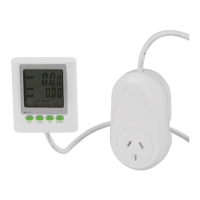
Shows consumption, total cost, voltage, current, and CO2 values.
Represents approximate weekly, monthly, or yearly costs and CO2 values.
Displays the current time.
Guides through setting year, date format, month, day, hour, and minute.
Allows setting currency, tariff periods, and cost values for electricity.
Explains switching between cost, power, voltage, current, and CO2 displays.
Details how to clear all settings or just accumulated data.
 General
| Model | MS-6108 |
|---|---|
| Category | Measuring Instruments |
| Type | Digital Multimeter |
| Display | LCD |
| Temperature Range | -20°C to 1000°C |
| Safety Rating | CAT III 600V |
| Battery | 9V |

 To Next Page