User Guide
- 21 -
en
5.1 Screen indicators
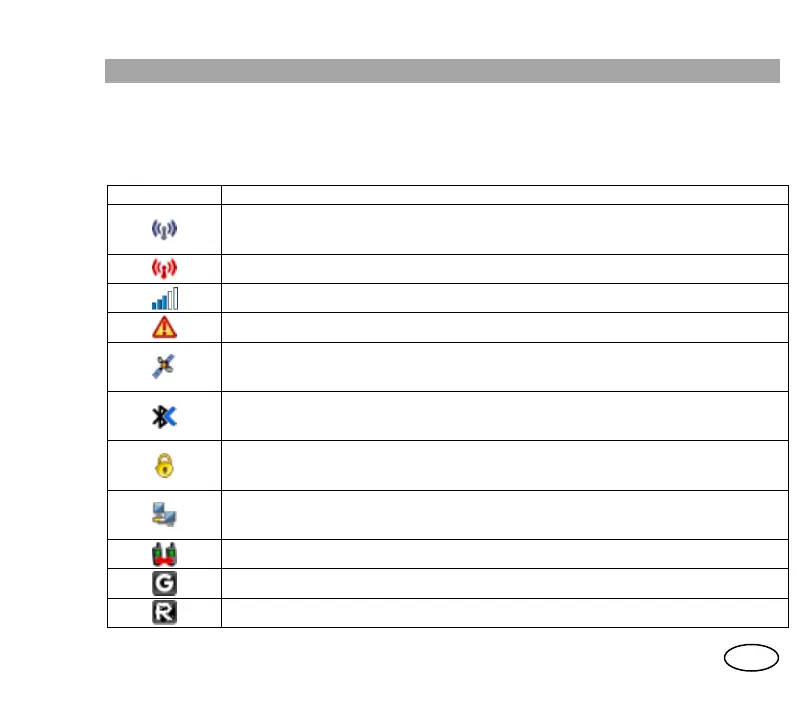
The screen indicators show information about terminal operation:
Symbol Description
Terminal registration status. (Blue)
- Constant: Terminal registered.
- Flashing: Seeking for registration.
Migration: Terminal registered on a network other than your local network. (Red)
Level of coverage.
Emergency call.
GPS module state.
- Constant: GPS active and obtained connection with satellites.
- Flashing: GPS module is synchronising and still does not have position information.
Bluetooth
TM
interface active.
- Flashing: Activated.
- Constant: Pairing with device.
Active call with air interface encryption.
- Constant: Terminal registered in encrypted mode. Encrypted call.
- Flashing: Terminal registered in encrypted mode but call set up in clear mode.
Data service.
- Constant: Packet data session active.
- Flashing: The icon flashes while transmitting or receiving packets.
Direct mode (DMO).
DMO-GAT presence detected in the selected DMO frequency.
DMO-REP presence detected in the selected DMO frequency.



 To Next Page