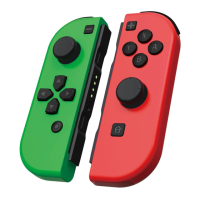
INSTRUCTIONS
SWITCH
WIRELESS
CONTROLLER
3.Dormant State and Disconnection
If the console screen is off, the controller will automatically enter the dormant state.
If no button is pressed within 5 minutes, the controller will enter the dormant state
automatically (the sensor will also not work).
In the wireless connection state, you can press HOME Button for 5 seconds to disconnect it
from the console.
4.Charging Indication
While Controller is off: If the controller is charging, LED1-LED4 will flash slowly. If the controller
is fully charged the LED light will be off.
While Controller is on: If the controller is charging, the current channel indicator will flash
(slow flashing). e current channel indicator will be always on when the controller is fully
charged.
5.Low Voltage Alarm
If the battery voltage is lower than 3.55V± 0.1V, the current channel light will flash quickly to
show the low voltage. When the battery voltage is lower than 3.45V士0.1V, the controller will
enter the dormant state automatically. Low voltage alarm: e current channel indicator flashes
(fast flash).
6.Turbo Function
Manual Turbo Function: Press and hold T button and press one or several buttons
(A/B/X/Y/L/R/ZL/ZR) you would like to activate the turbo function on.
en release T button.
*Manual Turbo Function means an input can activate continuously when a button is held down.
Automatic Turbo Function: After Manual Turbo Function has been activated on a button, press
and hold T button again and press another button a second time to activate automatic turbo
function.
*Automatic Turbo Function means an input will activate continuously when a button is pressed
a single time.


 To Next Page
 Loading...