User Manual
ScanLog 96 Pen Drive Version
8
Back-up File System
It is possible that a file-write operation may be interrupted due to reasons like sudden power-failure or removal (or, loose-
contact) of the Pen Drive, resulting in a partial transfer of records. An interrupted file-write operation makes the file unusable
for appending any further records. Also, the partially transferred records in the interrupted file are lost (but are still retained
inside the ScanLog’s internal memory). That is, the file on Pen Drive exists with the previous records intact (if any) and
becomes a read-only file.
An interrupted file-write operation event is registered by the ScanLog in its internal memory as well as on the Pen Drive that
was being written. Upon resumption of operation, the ScanLog prompts for Recovery of the interrupted operation. Upon
selecting the “Recover” operation, the following sequence of steps is executed.
1. A back-up file of the interrupted file is created to retain the previous records
The back-up file is named BN_S.csv; where, ‘N’ is the last 3 digits of the 5 Digit Code and ‘S’ is the sequential number (1 to
250) assigned to the back-up file. For example; if the 5 Digit Code is 30006 and there does not exist any previous back-up
file, then the new back-up file is named B006_1.csv. If, however, there exists previous back-up file(s), then ‘S’ is assigned
the lowest numeric value (in sequential order). For example; if a Pen Drive already contains back-up files - [B006_1.csv,
B006_4.csv and B006_14.csv] - then the new back-up file is named B006_2.csv.
2. The interrupted file is deleted.
3. A New File with the same name as the deleted interrupted file is created.
4. All the records (including those that were partially transferred during the interrupted operation) are downloaded to the New
File.
The above message implies that there exists multiple ScanLog with the same user defined file names. Assign a different file
name and then download the records.
Case 2 : File does not exist
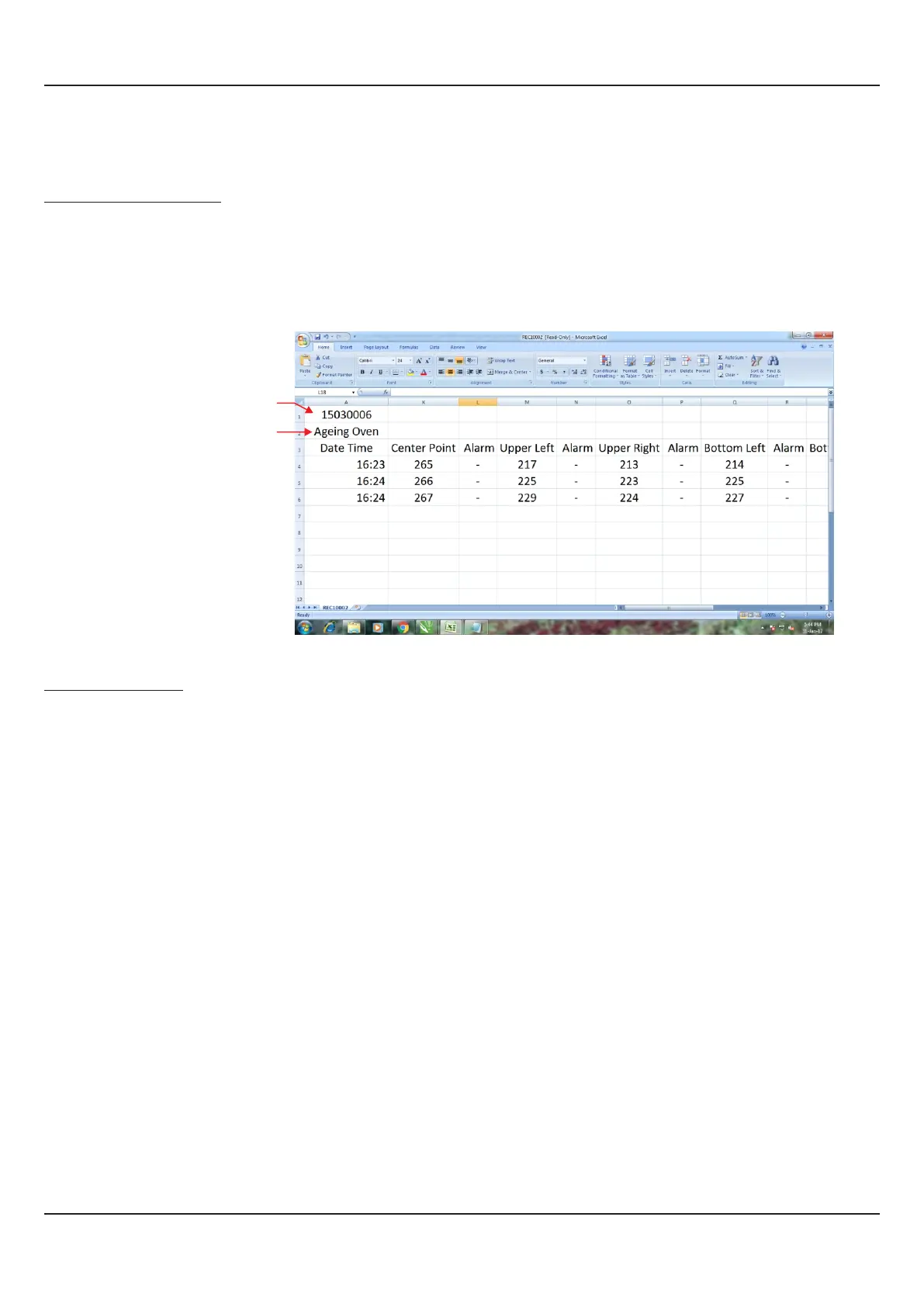
If the file does not exist, the ScanLog automatically creates a new file with the name stored in its memory and then creates a
File Header using the Instrument Name & the 8 digit UNIQUE ID NUMBER. This is followed by downloading the records. Refer
Figure 3.2.
Figure 3.2
8 digit
UNIQUE ID NUMBER
Instrument Name
Records
{
File Header
{
01-01-20
01-01-20
01-01-20



 To Next Page