10 4801 V100-UK
Change from point to point communication
to LAN communication
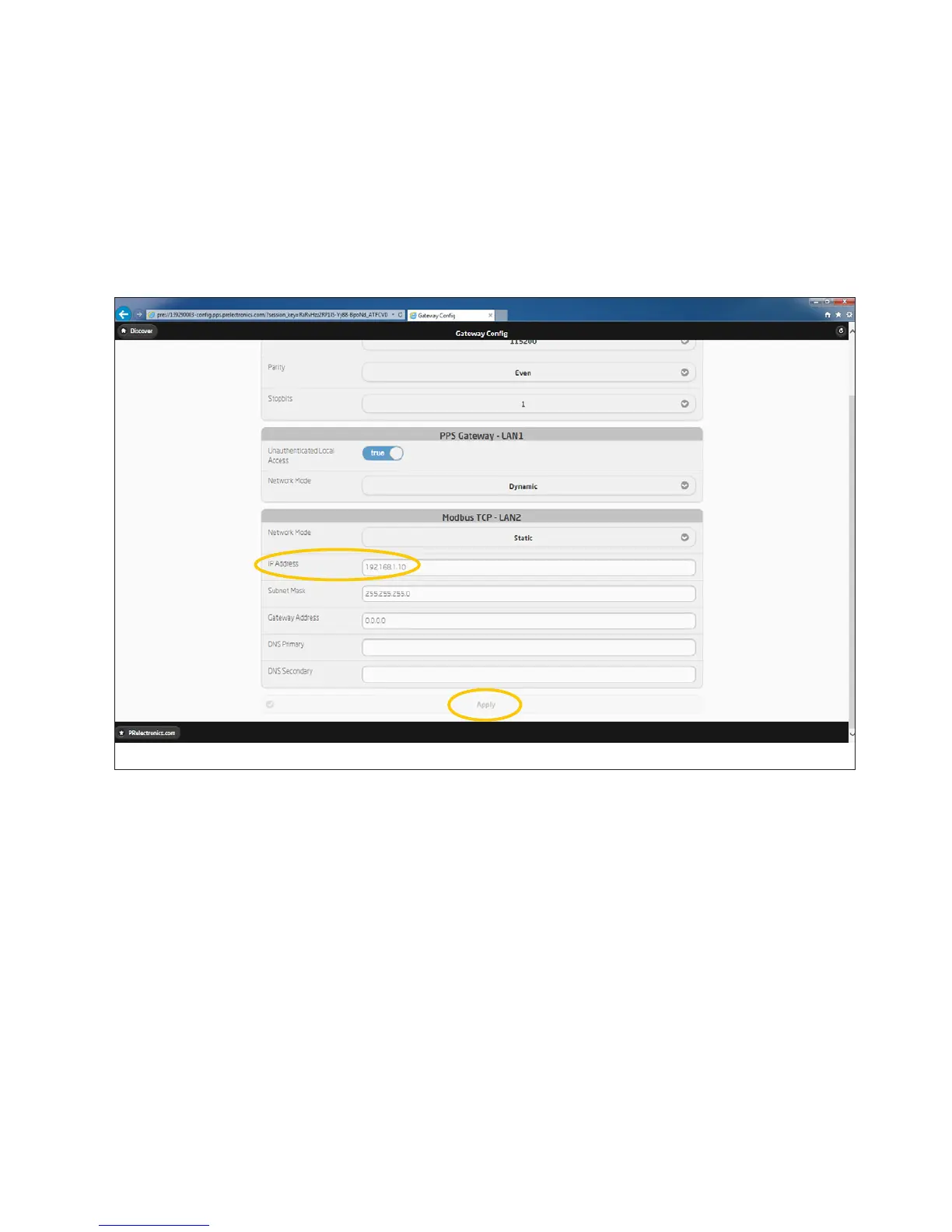
Give the 4801 gateway - an available IP address on your local
network. Press “Apply” to acknowledge.
An example:
A Computer on the local network has the following setup:
IP: 192.168.1.126 and Subnet Mask: 255.255.255.0.
Configure the 4801 gateway as the following:
IP: 192.168.1.X - where X is a number between 1 and 255.
(Make sure the number isn’t used by another device).
Subnet Mask: 255.255.255.0



 To Next Page