Installation and Operation Manual
1311 East Franklin Road, Suite 102
Meridian, Idaho 83642
Support: 1-888-254-1634
www.PreCiseMRM.com
a subsidiary of FORCE America
Copyright 2017
Sales: 1-888-449-0357
Accel Threshold
The wireless sensor (WTS-01) will “wake up” and determine if its paired display is on,
based on sensing movement via the built-in accelerometer and periodically based on
the wake interval. The wired sensor (TS-01) does not have an accelerometer. If the
accelerometer detects movement above the threshold setting, it will wake the sensor.
The higher the setting, the more force will be required to wake the sensor. The
default is set to “3”, with a maximum of “127”. In situations where the vehicle is
frequently exposed to gusting winds or similar environments, the user may choose to
increase this threshold to avoid waking the sensor inappropriately. Select the lowest
number (start with “4” or “5”) that appears to sufficiently reduce the number of false
starts while retaining the sensitivity to wake the sensor appropriately.
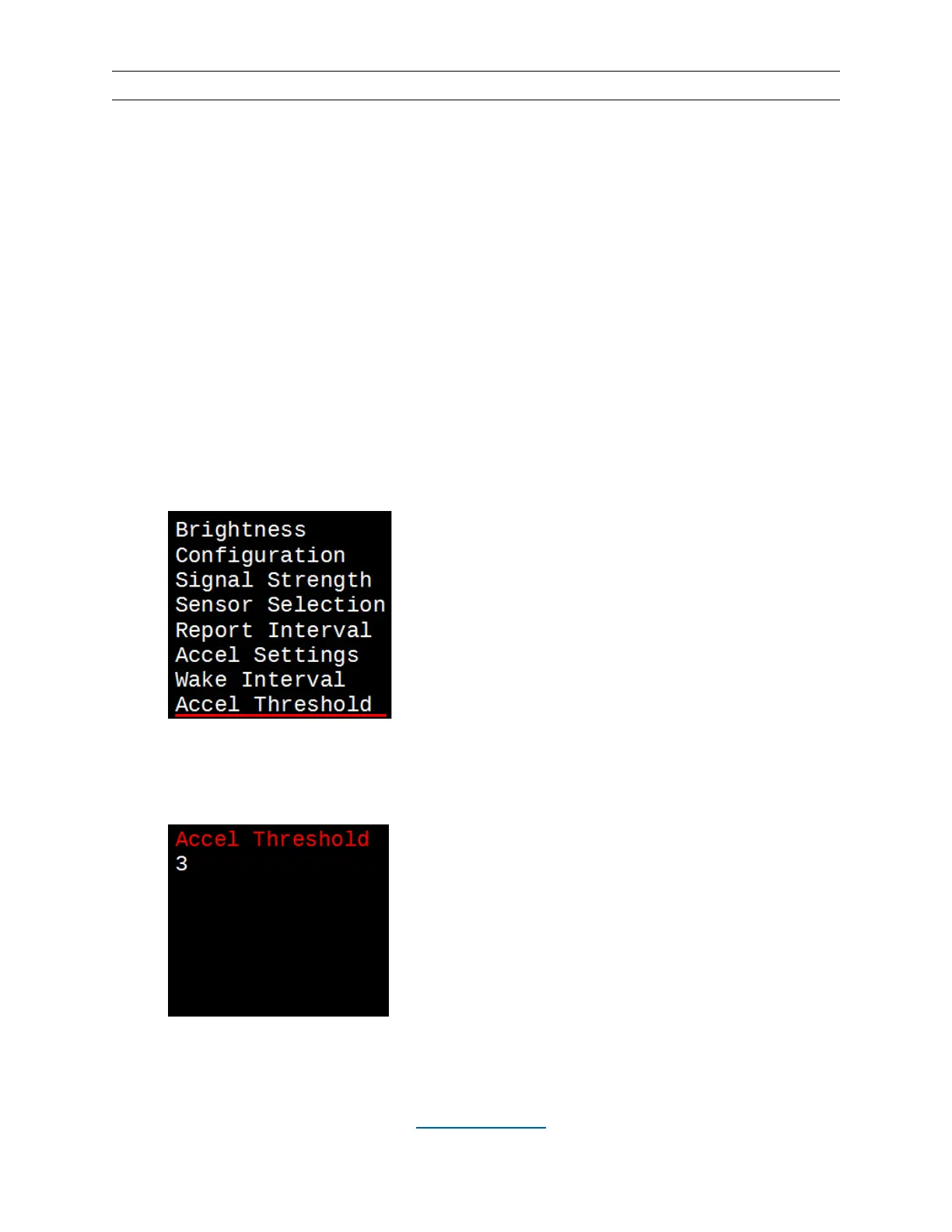
• Hit the MENU button.
• Use the DOWN (▼) buttons to scroll past the bottom of the screen and underline
“Accel Threshold”.
• Hit the SELECT button, then increment or decrement the threshold with the UP
(▲) and DOWN (▼) buttons. Hit SELECT again. This will take you back to the
menu screen.


 To Next Page
 Loading...