955205_01 11/11 22
Sidedress Mode
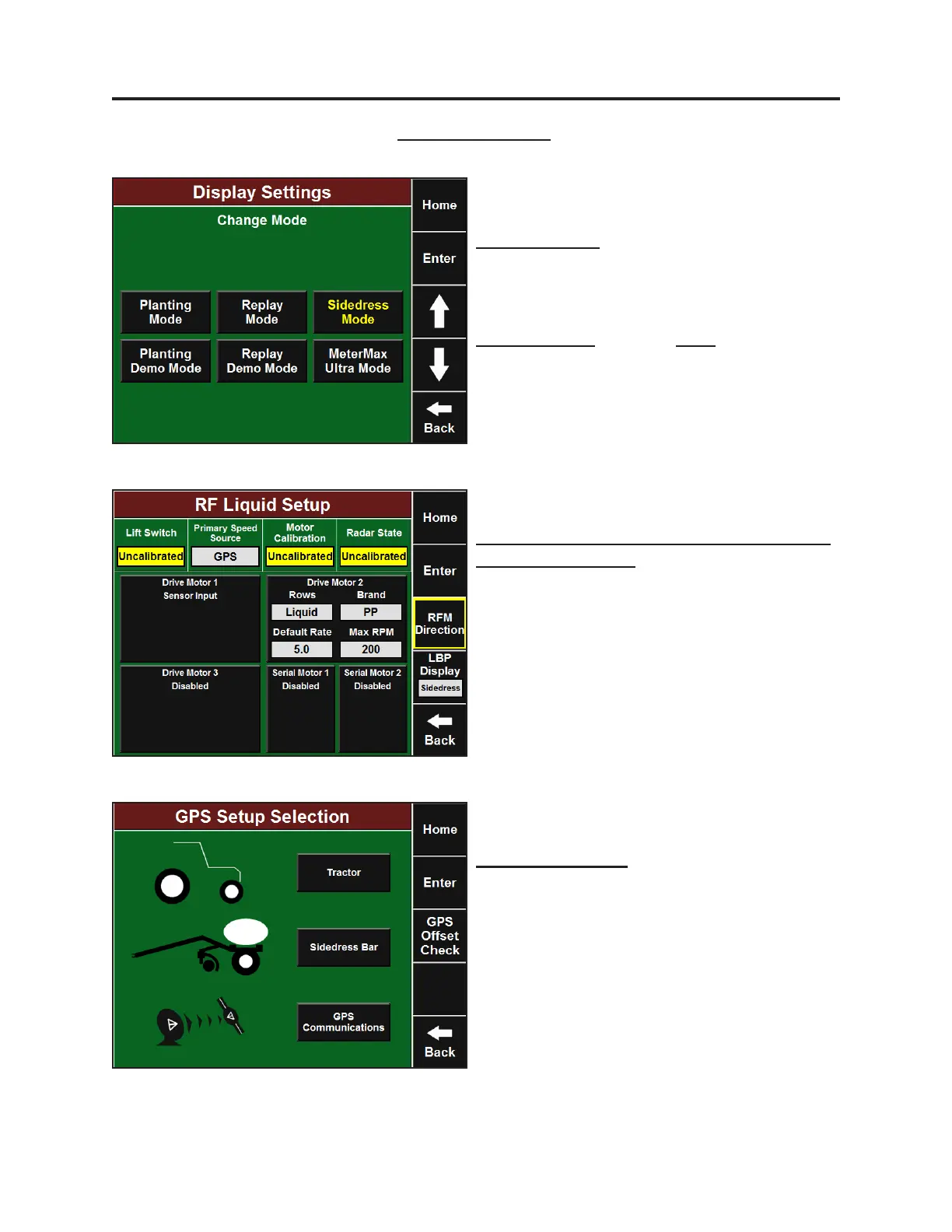
The rst step in seng up the 20/20 SeedSense
for sidedressing is to put it into Sidedress Mode
(Setup-Systems-Display-Display Mode). Select
Sidedress Mode and press Enter. Your display is
now ready for Sidedress Setup and Operaon.
Setup and Operaon (Sidedress)
Li Switch Calibraon, Radar Calibraon, and
RFM Direcon Setup
Sidedress Mode requires you to calibrate the
li switch on the sidedress applicator, calibrate
applicator li switch, and tractor radar. RFM
Mounng Direcon will also need to be
specied. Refer to the RowFlow Operators
Manual for these instrucons.
Sidedress Setup
GPS Setup – Tractor
When entering Sidedress Mode for the rst
me, all GPS sengs are reset to zero. Your
Planng GPS sengs are saved with Planng
Mode, and your Sidedress sengs will be saved
with Sidedress Mode. Refer to RowFlow
Operators Manual for setup of Tractor GPS.



 To Next Page