Page 8 For technical questions, please call 1-888-866-5797. ITEM 57480
SAFETY SETUP OPERATION MAINTENANCE
Components and Controls (continued)
The following are descriptions of the controls
on the power panel. Your Generator has
sockets to power your products with circuit
breakers to protect the voltage flow.
1.
I
O
START
Engine Switch: Used to start and stop the Engine.
2. AC Receptacles: The Generator contains several
AC Receptacles to power tools and equipment.
a.
RESET
TEST
RESET
TEST
3-Prong, duplex
120 volt GFCI receptacle
(NEMA #5-20)
b. 4-Prong, twistlock,
120/240 volt receptacle
(NEMA #L14-30)
WARNING! TO PREVENT SERIOUS INJURY:
Connect tools and equipment only to the Receptacle
(120 volt or 240 volt) that is compatible with the
electrical characteristics and rated capacities
of the tools and equipment being used.
3.
ON
OFF
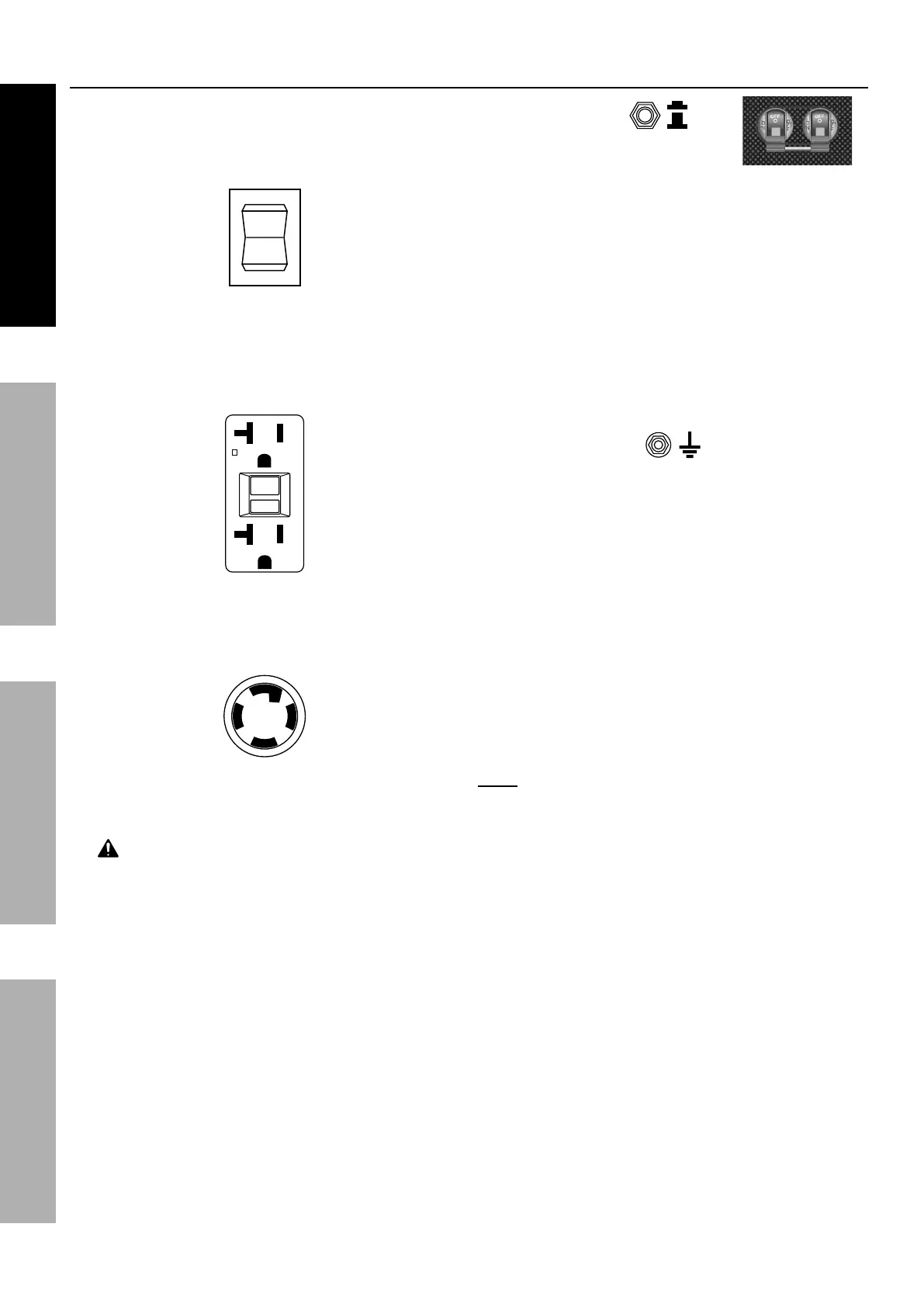
Circuit Breakers: The circuit
breaker protects the Generator
from overloading. The rating of the breaker and the
load it protects are marked near the breaker. Should
any of the Circuit Breakers trip, the Generator will
stop the electricity output. If this happens, unplug
all loads from the Generator. Then, turn the tripped
Circuit Breaker to ON and re-attach loads gradually.
NOTE: For push type Circuit Breakers, allow a few
minutes for cool-down before restart.
4. 12 VDC Receptacle: 12 VDC Receptacle provides
a power source for 12 volt DC items.
5. Grounding Terminal: Prior to each use, set
up the ground wire (not included) connection to
the Grounding Terminal to properly ground the
Generator. Refer to Grounding on page 10
for instructions on grounding the Generator.
6. Digital Display: Press the Mode Button to
cycle through the Display’s functions:
• Voltage
(Displays U + voltage reading. Example: "U240")
• Frequency
(Displays F + frequency reading. Ex.: "F60")
• Current session runtime
• Total (accumulated) runtime
Note: Every 50 hours, a blinking maintenance
reminders will appear on the screen (P050,
P100, P150, etc.) See Page 18 for maintenance
schedule. To clear a maintenance reminder, press
and hold the Mode Button for 5 seconds.



 To Next Page