Disassembly Procedures 1-33
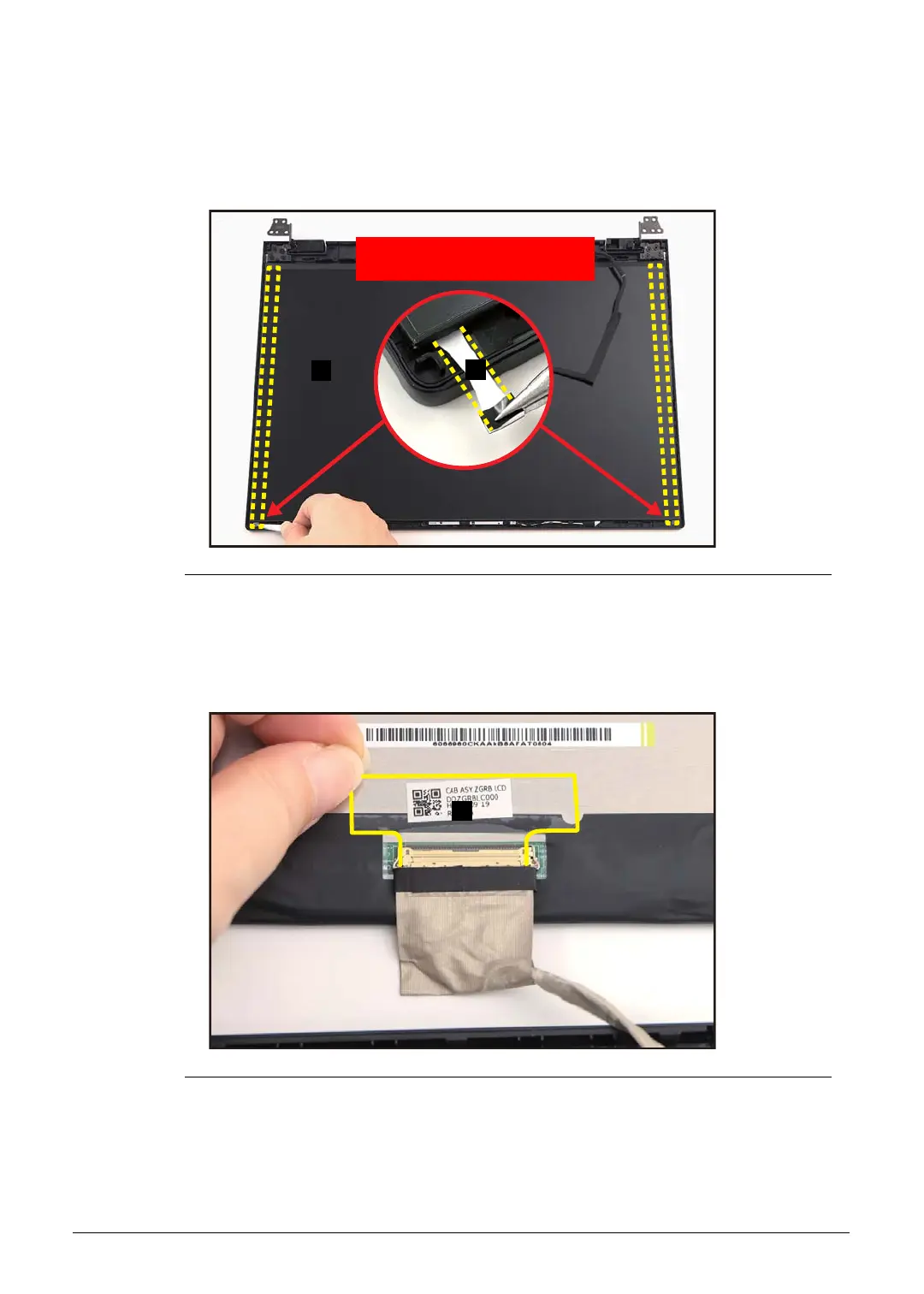
2. Pry slightly to access the double-sided mounting tape (A) underneath the LCD panel
(B). Then pull to detach the double-sided mounting tape.
Repeat the same procedure to remove the double-sided mounting tape on another
side of the LCD panel (Figure 1-45).
Figure 1-45. LCD Panel Removal
3. Carefully turn the LCD panel over so that the display panel is facing down on a flat
surface. Then detach the mylar tape (C) securing the eDP cable to the LCD panel
(Figure 1-46).
Figure 1-46. LCD Panel Removal
A
B
WEEE Annex VII Component:
LCD Panel



 To Next Page