6
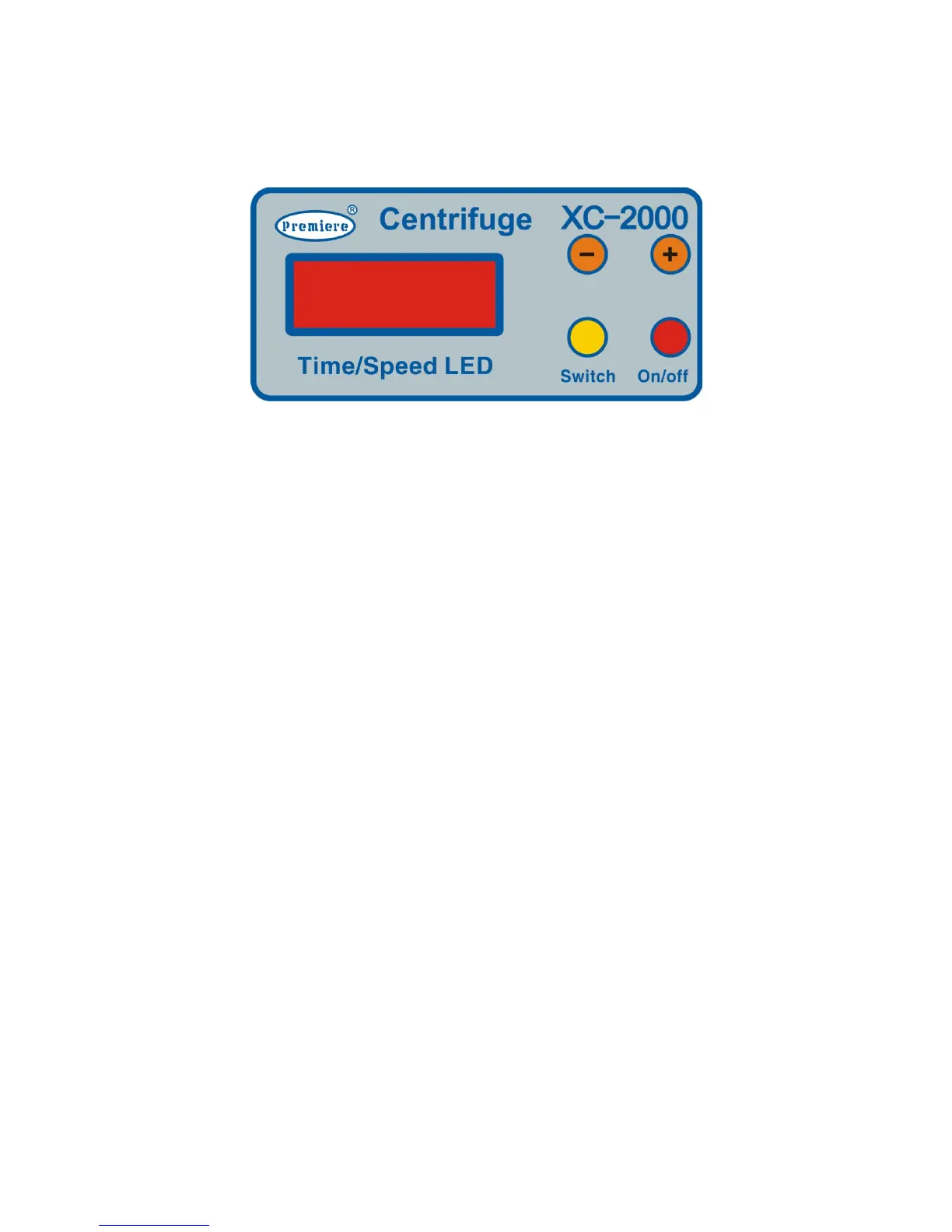
6.1 Control Panel
Control Panel
Time LED: Time in min
+ -:increase/decrease time/rpm’s
Switch: alternate display between time/speed
On/Off: run/stop
6.2 Setup
1. Open box and remove centrifuge from packaging
2. Place centrifuge onto flat surface
3. Open lid and remove foam packaging inside
4. Plug Power cord from back of unit into power supply, unit will power up and your
centrifuge is ready for use.


 To Next Page