4
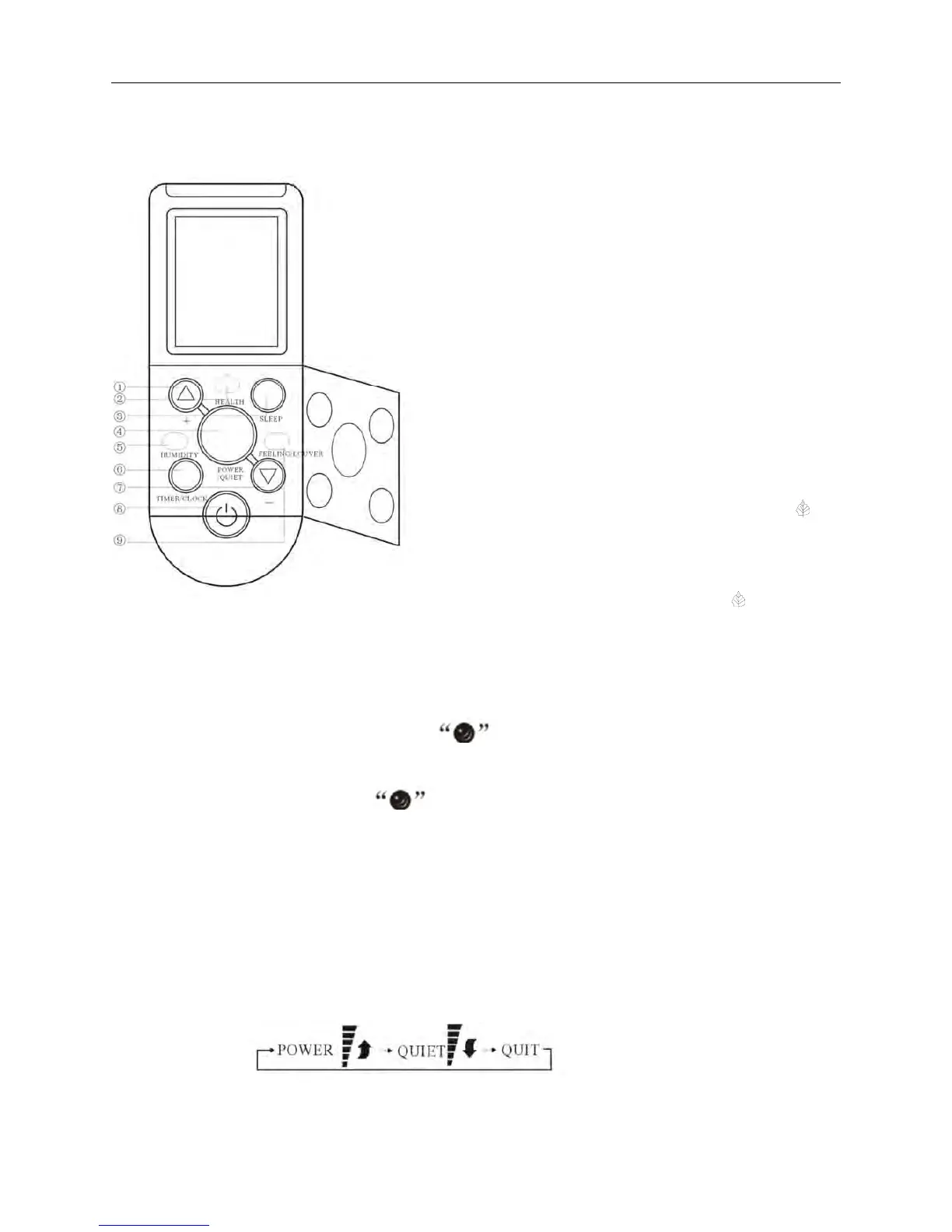
The opening state of remote controller:
① “+” button
This button not only can adjust clock time and
the timer time but also can set room humidity.
Adjusting clock time and timer time
Press it once, the time increases one minute.
Press it for 1 to 3 seconds, time display will
increase at the speed of 2min/s.
For 3 to 5 seconds, it will increase at the speed of
10min/s.
For more than 5 seconds, it will increase at the
speed of 10min/s.
Setting room temperature and room humidity
Press it once, the humidity increases 5%.
② “HEALTH” button
Press this button, the LCD shows the
“”
symbol, the anion emission function of the air
conditioner is started.
Press the button once again, the
“
”
symbol
disappears, the function is canc
elled at the same
time.
③ “SLEEP” button
Press this button, the LCD shows the symbol, the sleeping function of the air
conditioner is st
arted. After 7 hours of setting this function, the air conditioner will be off
automatically.
Press the
button once again, the symbol disappears, the function is cancelled at the
same time.
This function is invalid when the appliance under the Fan mode.
④ “POWER” button or “POWER/QUIET” button
When it displays “POWER” button:
Press this button, the fan speed reach the highest, press it again it
resume the foregoing fan
speed.
When it displays “POWER/QUIET” button:
Which enables you to select different operation mode, after each pressing, the operation
mode will be changed. It shows in the following display.
This function is only suitable for frequency variable appliance.
⑤“HUMIDITY” button



 To Next Page