EasyManua.ls Logo

Presenza QR045 - User Manual

Presenza QR045
38 pages
Print Icon
To Next Page IconTo Next Page
Loading...
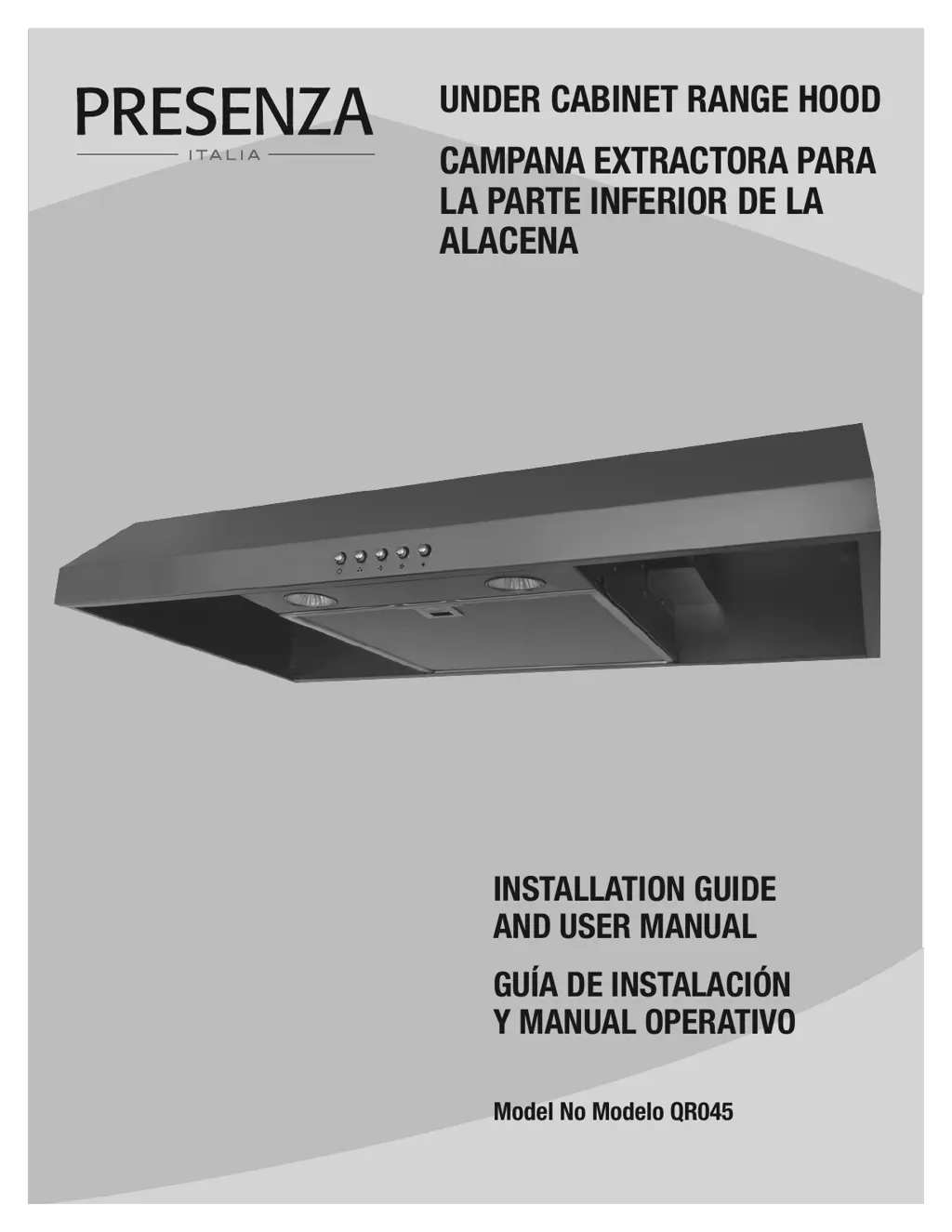
UNDER CABINET RANGE HOOD
CAMPANA EXTRACTORA PARA
LA PARTE INFERIOR DE LA
ALACENA
INSTALLATION GUIDE
AND USER MANUAL
GUÍA DE INSTALACIÓN
Y MANUAL OPERATIVO
Model No Modelo QR045

Questions and Answers

  • D
    devinkaufmanAug 5, 2025
    Why is my Presenza QR045 Ventilation Hood not venting properly?
    • L
      Lauren SchwartzAug 5, 2025
      Several factors can impact venting efficiency. Ensure no birds or animals have nested in the duct. Verify the distance between the cooktop and the hood's bottom is between 458 mm (18 in) and 710 mm (28 in). Confirm ductwork meets requirements: use round metal ductwork (152 mm / 6 in diameter), keep its length under 35 ft (10.7 m), and minimize elbows. All joints should be sealed and taped. Ensure the duct doesn't open against the wind. For heavy cooking, use high speed. Close nearby windows to prevent air gusts. Opening a window on the house's opposite side from the vent can improve performance.
  • B
    bakerjohnAug 10, 2025
    What to do if my Presenza Ventilation Hood will not operate?
    • M
      Matthew HancockAug 10, 2025
      If your range hood isn't working, check that the power supply cable and all electrical wiring are properly connected. Also, ensure the power is turned on at the junction box or circuit breaker. Lastly, verify the wiring between the switch control and the control board are connected properly.
  • A
    Ashley DillonAug 15, 2025
    What to do if the lights work but the fan is not spinning in my Presenza QR045?
    • W
      Whitney MooreAug 15, 2025
      The thermal protection system may have shut the motor down because it was too hot. If this is the case, the motor should function properly after the thermal protection system cools down (approximately 10 min). Check that the fan isn’t jammed or scraping the bottom. If the issue persists, the motor may be defective and require replacement.
  • M
    michael39Aug 20, 2025
    Why do the fans seem weak on my Presenza QR045 Ventilation Hood?
    • K
      kaitlin63Aug 20, 2025
      Weak fans could be due to several reasons. First, ensure the duct size is at least 152 mm (6 in) round, as insufficient duct size reduces efficiency. Check for duct clogs and obstructions in the wall cap. Confirm the damper unit opens correctly and inspect the duct for any bird or animal nests.
  • E
    Erica HayesAug 26, 2025
    How to stop my Presenza QR045 Ventilation Hood from vibrating?
    • J
      jasonrayAug 26, 2025
      If your range hood vibrates, check that it's properly secured to the wall and tighten if necessary. Ensure the motor is secured in place; tighten it if it's loose. Also, inspect the fan for damage and replace it if needed.
  • J
    Jennifer RichardsonAug 30, 2025
    How to fix a light that does not work on my Presenza QR045 Ventilation Hood?
    • D
      Dylan ByrdAug 31, 2025
      If a light isn't working, start by replacing the bulb if it's burnt. Check if the bulb is loose and tighten it. If the issue persists, remove the bulb and insert one that you know is working. If the properly functioning light does not come on, the problem may be the light assembly and it should be serviced or replaced.

Summary

Safety Information

General Safety Precautions

Essential safety instructions regarding electrical hazards, installation, and general operation.

Cooking Safety Guidelines

Safety advice for cooking activities under the range hood, including fire prevention.

Cleaning Safety Guidelines

Guidelines for safe and effective cleaning of the range hood and its components.

Warranty Information

One Year Limited Warranty

Details the warranty coverage period and terms for the product.

Warranty Claim Procedure

Steps to follow when making a warranty claim for defects or issues.

Pre-Installation Guide

Tools and Materials Required

Lists necessary tools and materials not included with the range hood for installation.

Package Contents

Details all items included in the product packaging for the user.

Hardware Included

Specifies the hardware components provided with the range hood for installation.

Planning Installation

Instructions and considerations for planning the optimal placement and installation of the range hood.

Venting Options

Explains different venting methods (top, back) and requirements for installation.

Duct Work Installation Guidelines

Rules and recommendations for installing duct work for proper ventilation performance.

Wiring Connection Requirements

Critical instructions and safety precautions for making electrical connections.

Installation Instructions

Removing Knock-Out Holes

Steps for removing electrical and venting knock-out holes based on installation type.

Installing the Damper

Procedure for installing the damper, ensuring proper airflow control.

Installing the Charcoal Filter

Guide for fitting the charcoal filter for recirculating ventilation systems.

Mounting the Range Hood

Detailed steps for physically mounting the range hood to the cabinet.

Final Installation Steps

Concluding actions after mounting, including electrical reconnection and testing.

Operation Guide

Fan Control

Instructions on how to turn the fan on, off, and select speed settings.

Light Control

How to operate the range hood's lighting system.

Maintenance and Care

Replacing Filters

Guidance on when and how to replace the range hood filters.

Replacing Light Bulbs

Instructions for safely replacing burnt-out light bulbs.

Range Hood Cleaning

Best practices for cleaning the exterior and interior of the range hood.

Filter Cleaning

How to clean the range hood filters for optimal performance.

Troubleshooting Guide

Troubleshooting: Unit Not Operating

Solutions for issues where the range hood fails to turn on.

Troubleshooting: Fan Issues

Addresses problems with vibration, weak airflow, or fan noise.

Troubleshooting: Venting Issues

Solutions for issues related to improper or blocked ventilation.

Troubleshooting: Light Issues

Steps to diagnose and fix problems with the range hood lights.

Technical Specifications

Wiring Diagram

Visual representation of the electrical connections for the range hood.

External Dimensions Diagram

Technical drawing showing the external measurements and dimensions of the range hood.

Service Parts Information

Replacement Parts Identification

A list of available parts for the range hood with their codes and quantities.

Presenza QR045 Specifications

General IconGeneral
TypeWall-mounted
ColorStainless Steel
MaterialStainless Steel
Number of Speed Settings3
LightingLED
Filter TypeAluminum Grease Filter
Control TypeTouch

Related product manuals