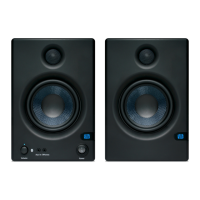
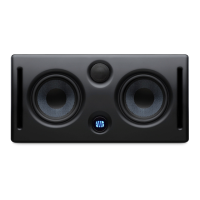
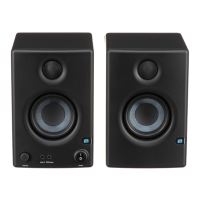
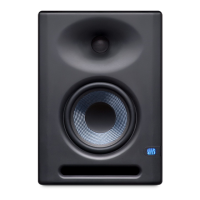
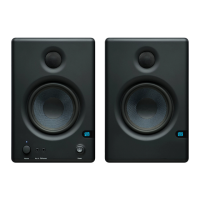
The PreSonus Eris Studio-Series are high-definition near-field studio monitors designed for professional audio mixing environments. They offer a range of features to ensure accurate sound reproduction and adaptability to various acoustic spaces.
Function Description:
The Eris Studio-Series monitors are designed to provide superb high-frequency response, extended low-end, powerful amplification with ample headroom, and acoustic tuning functions. These features help mitigate common acoustic problems in a mix environment, ensuring that mixes translate accurately across different playback systems. The monitors serve as a critical listening tool for audio engineers, allowing them to make informed decisions during mixing and mastering.
Important Technical Specifications:
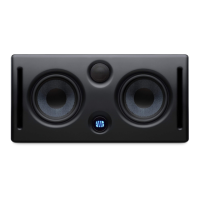
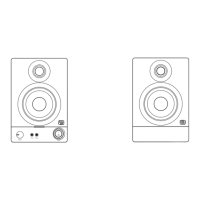
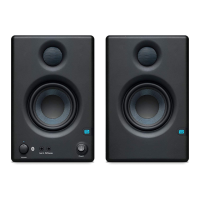
The Eris Studio-Series includes three models: Studio 4, Studio 5, and Studio 8, each with varying specifications to suit different studio sizes and needs.
Eris Studio 4:
- Frequency Response: 55 Hz to 20 kHz
- Peak SPL: 99 dB (@ 1M)
- LF Amplifier Power: 25W, Class AB
- HF Amplifier Power: 25W, Class AB
- LF Driver: 4.5-inch woven composite
- HF Driver: 1-inch, silk-dome
- Dimensions (H x W x D): 10" x 7.01" x 7.28" (254mm x 178mm x 184.8mm)
- Weight: 8.82 lbs (4 kg)
Eris Studio 5:
- Frequency Response: 48 Hz to 20 kHz
- Peak SPL: 102 dB (@ 1M)
- LF Amplifier Power: 45W, Class AB
- HF Amplifier Power: 35W, Class AB
- LF Driver: 5.25-inch woven composite
- HF Driver: 1-inch, silk-dome
- Dimensions (H x W x D): 11.48" x 8" x 8.78" (291.5mm x 203.2mm x 223mm)
- Weight: 11.46 lbs (5.2 kg)
Eris Studio 8:
- Frequency Response: 35 Hz to 20 kHz
- Peak SPL: 106 dB (@ 1M)
- LF Amplifier Power: 75W, Class AB
- HF Amplifier Power: 65W, Class AB
- LF Driver: 8-inch woven composite
- HF Driver: 1.25-inch, silk-dome
- Dimensions (H x W x D): 16.5" x 9.84" x 11.73" (419mm x 250mm x 298mm)
- Weight: 22.27 lbs (10.1 kg)
Common Specifications for all Eris Studio-Series Monitors:
- Inputs (1 each): Balanced XLR, Balanced ¼-inch TRS, Unbalanced RCA. It is recommended to use balanced inputs whenever possible for resistance to induced noise.
- Controls: Volume, High Frequency, Mid Frequency, Acoustic Space, Low Cut, Power Saver.
- Power LED: Indicates power status (Solid White for powered on/standby, Solid Blue for powered on/not in standby).
- AC Select Switch: Allows adjustment of input-power voltage to match the country's standard voltage.
- Standby Feature: Engages a power-save mode after 40 minutes of no audio, which turns off when audio resumes.
Usage Features:
Input Gain: This control sets the level of the input signal before amplification, allowing users to match the monitor's sensitivity to the output level of their audio source.
User Controls for Acoustic Tuning:
- High Frequency: A high-shelf EQ that boosts or cuts all frequencies above 10 kHz by ±6 dB. This helps in adjusting the brightness of the sound to compensate for room acoustics or to achieve a desired tonal balance.
- Mid Frequency: A peak EQ that boosts or cuts frequencies around 1 kHz by ±6 dB. This control allows for subtle adjustments to the mid-range response, which can be useful for emulating consumer speaker characteristics or addressing specific room issues.
- Low Cutoff: Rolls off the level of all frequencies below a specified frequency (80 or 100 Hz) at a slope of -12 dB/octave. Setting this to "Flat" allows the monitor's natural low-frequency roll-off. This is particularly useful when integrating a subwoofer, allowing users to set the crossover point for a 2.1 system.
- Acoustic Space: Cuts the level of all frequencies below 800 Hz by either -4 dB or -2 dB to compensate for bass boost that occurs when a speaker is placed near a wall or a corner.
- 0 dB: For monitors placed away from walls.
- -2 dB: For monitors placed closer to a back wall.
- -4 dB: For monitors placed in corners.
This feature helps achieve a more even frequency response in compact mix positions.
Monitor Placement:
- Distance from Walls: Speakers should be placed 8 to 12 inches away from walls and corners to prevent phase cancellation and harmful acoustic interactions.
- Centering Mix Position: The mix position should ideally be centered on a wall, with speakers equidistant from the side walls, to provide a balanced listening position and reliable low-frequency intelligibility.
- Vertical Orientation: The Eris Studio-Series monitors are designed for vertical placement due to their EBM waveguide design, which ensures wider horizontal coverage and tight vertical dispersion, limiting early reflections.
- Sweet Spot: The monitors should be angled, or "toed-in," so that the tweeters form an equilateral triangle with the listener's head. The high-frequency drivers (tweeters) should be at ear height when seated in the mix position for accurate high-frequency perception.
Calibration:
The manual outlines a detailed calibration process using an SPL meter to achieve a "standard" reference level of 85 dB SPL at the mix position when the DAW or mixer registers 0 dB. This involves:
- Connecting main outputs to monitors (left to left, right to right).
- Setting monitor input sensitivity to the lowest.
- Setting audio source output to the lowest.
- Playing 20 Hz to 20 kHz full-bandwidth pink noise at 0 dB from the audio source.
- Turning up the audio source output to unity gain.
- Slowly increasing the left speaker's input sensitivity until it reaches 82 dB SPL.
- Powering down the left speaker.
- Slowly increasing the right speaker's input sensitivity until it reaches 82 dB SPL.
- Stopping pink noise, turning the left speaker back on, and fine-tuning placement with program music.
This ensures both monitors are set to the same acoustic level for balanced stereo mixes.
Maintenance Features:
Troubleshooting:
- No Power: Check power connection, power conditioner, and the fuse on the back panel. Ensure the correct fuse type is used.
- No Audio: Verify cable connections, ensure the audio source is playing, and check the Input Gain control for sufficient amplitude.
- Hum: Address ground loops by ensuring all audio equipment is connected to the same power source. Using a power conditioner is recommended. Utilize balanced cables whenever possible and keep audio cables away from power sources to minimize electromagnetic interference. Use appropriate cable lengths to avoid coiling, which can act as an antenna for noise.
- Balanced Cables: Use balanced cables for connecting monitors to the audio device to minimize noise and interference.
- Stable Power Source: Plug monitors into a good power source, potentially using a surge protector or power conditioner, to prevent unwanted noise from unstable power.
- Cable Management: Keep audio cables away from power sources and other electronic devices to avoid electromagnetic interference.
- Monitor Positioning: Position monitors correctly and at a reasonable distance from other electronic devices to minimize noise.
- Proper Gain Staging: Set input and output levels correctly throughout the audio chain to achieve optimal sound quality and avoid distortion. Maintain levels within a reasonable range and avoid overdriving the audio interface or mixer.
The Eris Studio-Series monitors are designed to be a reliable and adaptable solution for critical listening in diverse studio environments, providing tools for precise acoustic calibration and optimal sound reproduction.

 Need help?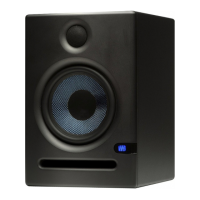


 To Next Page
 General